Help Desk Software for a Small Business: 11 Tools for Any Need
Trying to find the best help desk software for your small business? We've compiled 11 best-in-class solutions that will definitely suit your needs. Check them out!
Written by Mariia Yuskevych
People are willing to pay, on average, 38% more for products or services from companies that deliver high-quality customer service.
You probably already know that customer service is almost as important as your product. The only question left is how to achieve that excellence.
If you’re a rising star in your niche, the right help desk software for a small business will be the foundation of further customer service success. Picking the right customer service platform means reaching out to your customer quicker, organizing all the correspondence more efficiently, and, ultimately, not draining your budget with costly features you don’t really need.
But what does ‘right’ mean? Well, let’s find out.
TL;DR: How to choose the right help desk software?
I’ve gathered the key insights and top picks of help desk software for 2026 in this short decision-making guide. But know that there is a detailed description of each tool (and more!) below, along with a checklist to help you choose the right platform.
Key takeaways
- Make sure the basics are included in your plan. A good help desk should provide a shared inbox, ticket assignment, a knowledge base, canned responses, reporting, and simple automation. Your plan should cover these before anything extra comes. For most small teams, these features will have a bigger impact on day-to-day support than AI alone.
- Don’t pay for features you won’t use. If your support team is only two or three people, prioritize an intuitive interface, shared inbox, and ticket management over enterprise functionality and complex AI.
- Provide omnichannel customer service if needed. Some small businesses can manage support entirely through live chat, while others need to bring together conversations from WhatsApp, Instagram, Facebook Messenger, and other messaging apps.
- Think beyond today’s team size. Switching between help desk tools is much harder than choosing one. Look at how pricing, automation options, reporting, and number of seats scale before committing.
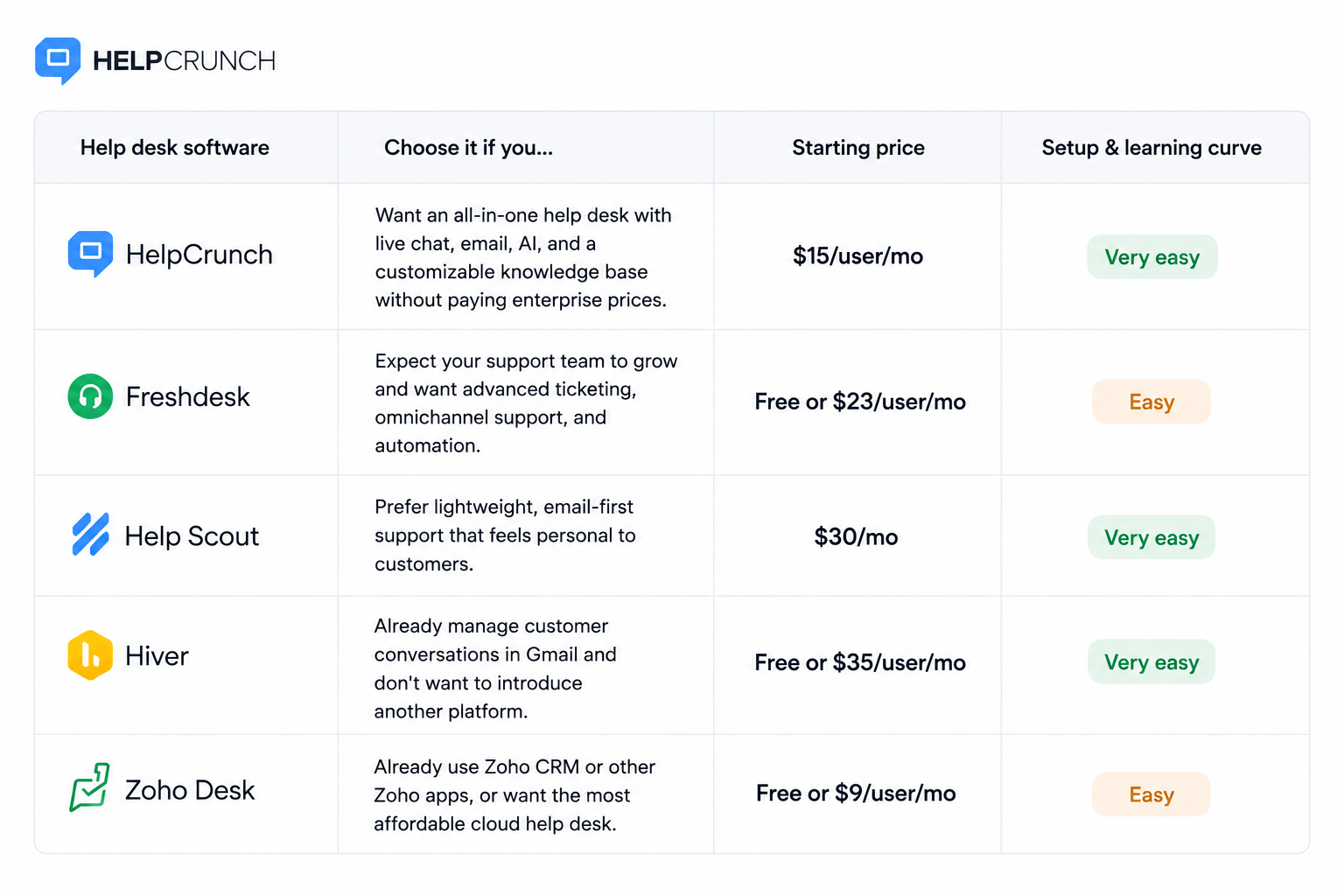
- Choose HelpCrunch if you want an affordable all-in-one help desk with live chat, a shared inbox with multiple channels, collaboration tools, and a customizable knowledge base.
- Go for Freshdesk if you need a feature-rich platform that can grow with your support team.
- Consider Help Scout if most customer conversations happen over email and you prefer a clean, lightweight interface.
- Opt for Hiver if your team works almost entirely from Gmail and doesn’t want to learn another platform.
- Get Zoho Desk if your budget is tight or you are planning to use other Zoho products.
What is help desk software?
Help desk software centralizes, tracks, and resolves customer or employee support requests.
Help desk software turns emails, chats, messages, and calls into digital tickets, where each request has an assigned agent, status, and history, so teams can manage support in a single, organized system.
Such software lets you manage client requests as effectively as possible. Ideally, it’s a place where your team stores everything from tickets, tasks, and logs to reports and more.
11 best help desk software tools
There is a myriad of options out there. So opting for THE one might be a daunting task at first. With that in mind, we listed 11 of the best of them so you can choose whatever suits your needs.
HelpCrunch
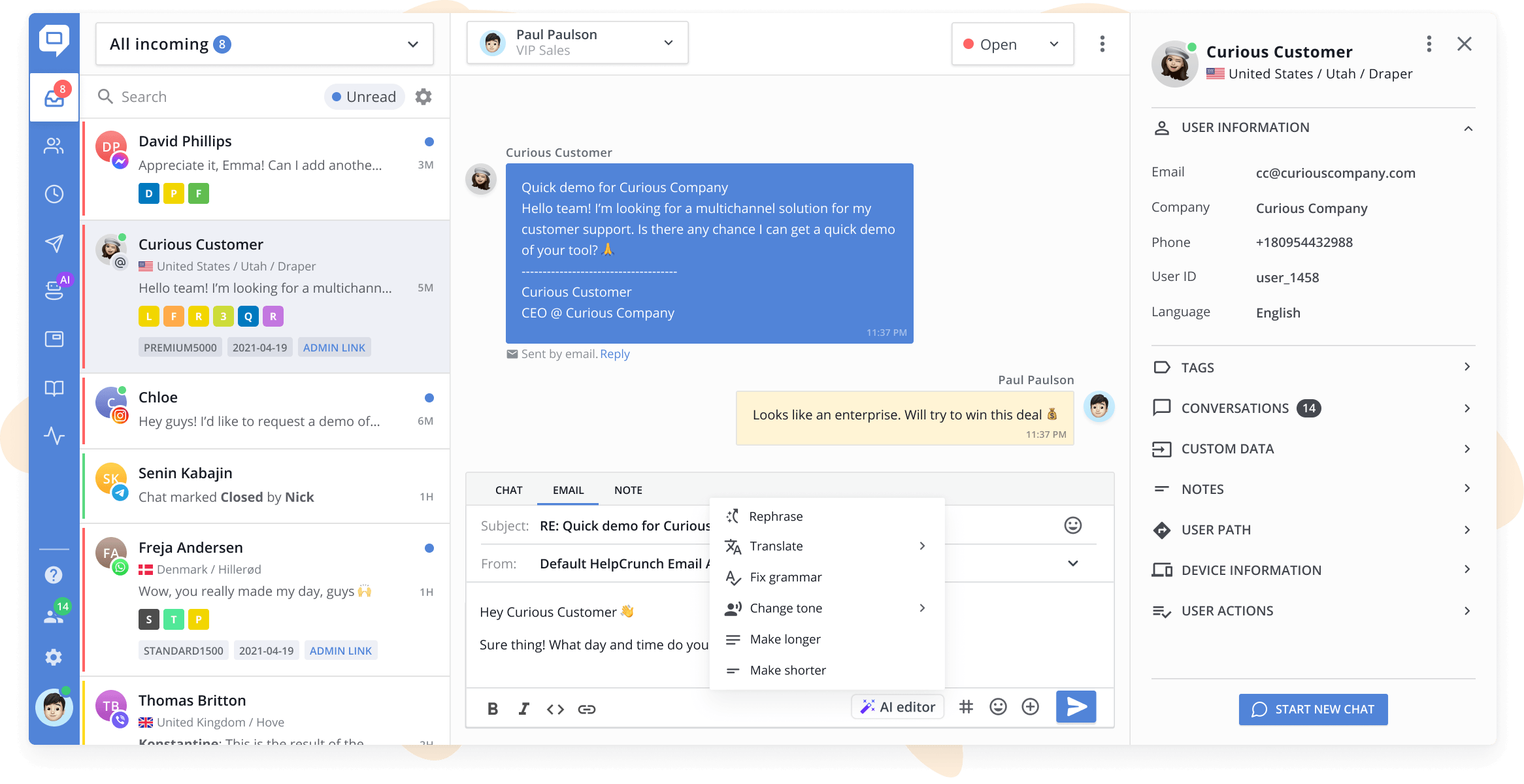
HelpCrunch is a great example of a one-stop small business help desk software. Each of its features plays an equally important role in the overall experience, bringing your entire customer service efforts under one dashboard.
Customers will enjoy the ability to communicate with your reps via their preferred channel: live chat, email, WhatsApp, Instagram, and others. What’s more, they can find answers themselves in your knowledge base or talk to a chatbot or AI Agent.
Most teams can start using a help desk solution by HelpCrunch the same day, with a straightforward setup that doesn’t require technical expertise.
Pricing: The Basic subscription plan costs $15/mo per team member if billed monthly. It includes a live chat widget, 15 messaging channels, a knowledge base, AI Editor requests, auto messages, and popups.
Email functionality is built directly into the platform. You simply choose how many emails you need per month. The price will depend on the number of emails you are going to send. For instance, 10,000 emails will cost $24/mo on top.
With the Pro plan, you can get 5 chat widgets, 25 messaging channels, 5 AI Agents with 50 conversations (extra chats start at $29/100 and get cheaper with higher volume), a chatbot tool, and more. This plan will set you back $25/mo per team member if billed monthly. Additionally, HelpCrunch offers a 14-day free trial without asking for your credit card.
As your customer service reps start solving issues, they can take advantage of a variety of key features, such as:
- The HelpCrunch Inbox with all the chats and emails that customers are sending. Incoming requests will be displayed on the dashboard as separate conversations (aka tickets) where they pile up in chronological order;
- Manual and automated conversation assignment, including rules like round-robin to route incoming requests to the available agents;
- Quick access to your help center to send relevant knowledge base articles directly within the chat;
- Private notes to teammates, which will appear in the chat thread but won’t be visible to customers;
- Canned responses for the common questions, or the tricky ones worth a carefully written answer;
- Message paraphrasing, grammar fixes, tone changes, and message translation with AI Editor within seconds;
- Custom tags you assign to clients based on their requests (e.g. ‘feature request’, ‘bug’, ‘PPC campaign’, ‘Christmas sale’);
- Custom shared inboxes to categorize incoming chats and monitor team capacity in real time;
- AI Agent or chatbot to automate the customer support routine, like taking over repetitive questions, collecting contact details, or qualifying leads;
- Ticket statuses, including new, open, pending, on hold, or closed.
HelpCrunch displays users’ data next to the chat window at all times, so your service reps always have the information they need to provide top-notch support. By default, the platform will include user path, recent activity, full chat history, and device information, but you can pass your custom data about customers, too.
Once the ticket is resolved, the customer will be asked to rate their experience. This provides a simple way for you to monitor customer satisfaction levels, as well as track the performance of individual service reps.
You can also gauge key performance metrics, such as ticket volume, resolution time, first response rate, busy hours, and the overall number of resolved tickets. Each report can be broken down by a particular period, giving you a bird’s-eye view of all your customer service activities.
Best for: HelpCrunch is the perfect choice if you’re looking for something all-inclusive but simple and affordable. Its help desk platform will streamline your team’s customer service workflow, and it doesn’t clutter your dashboard with redundant features (hello, legacy software). At the same time, when (not if!) your company grows, you can always get a more feature-rich package with AI Agents.
Freshdesk
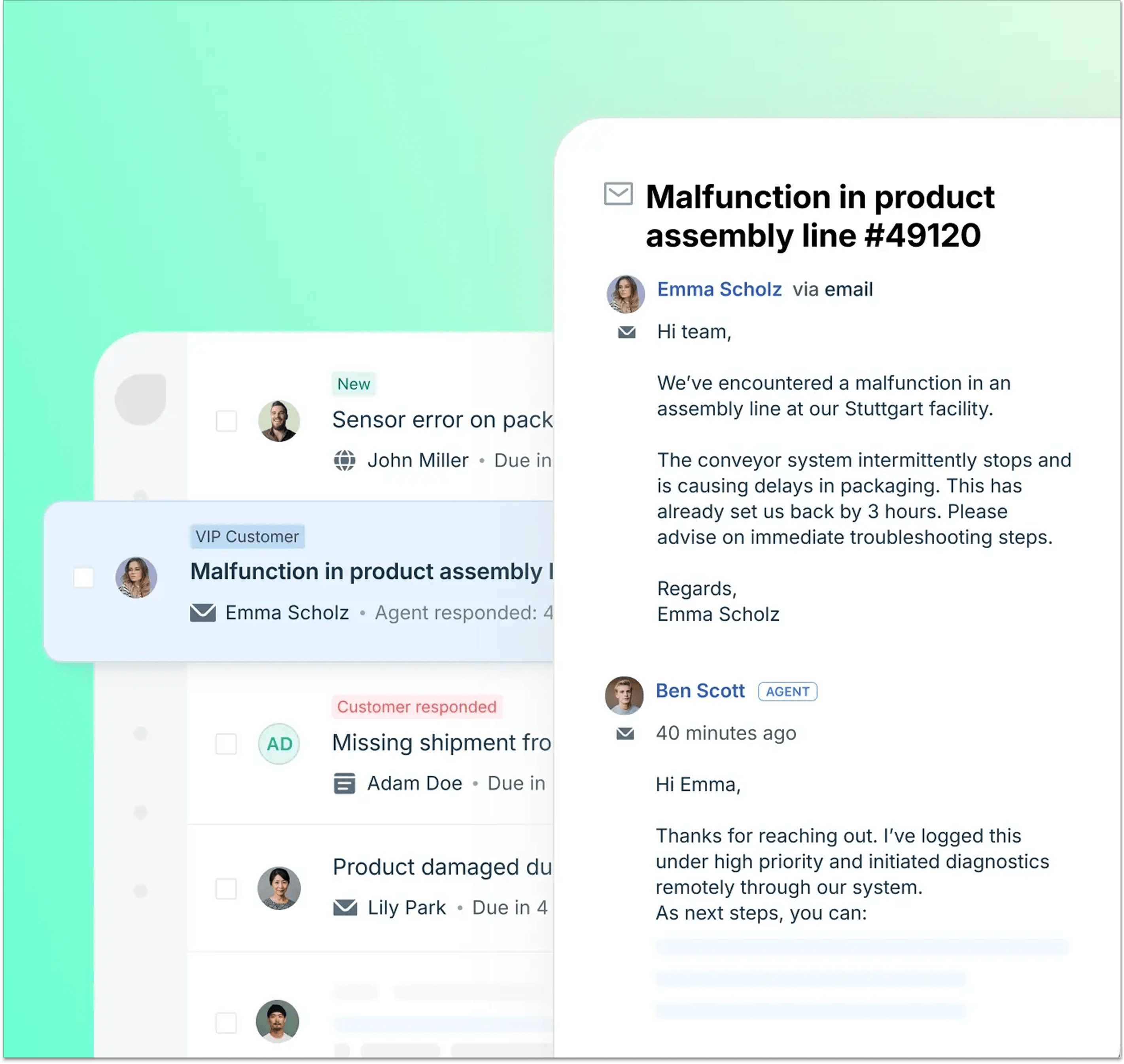
Freshdesk is the help desk software for small businesses by a company called Freshworks, which also offers live chat (Freshchat), call center (Freshcaller), conversion optimization (Freshmarketer, you see the pattern), and much more. As such, it’s a bit less of a complete package by design – if you want to run your business on Freshworks, you’ll have to construct your stack like a LEGO set.
Note that Freshdesk is taking an AI-first direction, so it makes sense for you to opt for it if you are into gradually handing off more and more tasks to artificial intelligence.
Freshdesk is easy to set up for basic ticketing and shared inbox workflows, though configuring more advanced automations and Freddy AI takes additional time as your support processes become more sophisticated.
Pricing: One of the best things about Freshdesk that often comes up in Freshdesk vs Zendesk comparison (these are two of the most famous customer service platforms!) is that they offer a free version of their software for 2 agents for 6 months. You can get a pretty decent ticketing system for email only for $0 if you don’t want to take advantage of other channels and an automation system. After the 6 months, you can either upgrade to a paid plan or switch to another help desk if Freshdesk no longer fits your needs.
The basic Growth subscription with the ticketing & shared inbox, customer portal & knowledge base, out-of-the-box analytics & reporting, and, of course, Freddy AI Agent (first 500 sessions, extra 100 sessions cost $49) will set you back $23 per agent per month. More advanced plans will cost you between $66 and $107 per agent per month.
If you want to use more channels than just email, but also WhatsApp or Instagram, you need to buy Freshdesk Omni plans that start from $35/agent/month.
Freshdesk covers the core ticket management basics that support teams expect. Its main features include:
- Ticket management and assignment with pre-built agentic workflows and automatic routing available on higher plans;
- Omnichannel support (email, chat, WhatsApp, Instagram);
- Ticket prioritization based on customer sentiment and SLAs;
- Phone support with calls and SMS (add-on);
- Filtering, merging, and custom views to organize tickets’ queue;
- Collision detection and private team notes;
- Knowledge base;
- Freddy AI for ticket summaries, reply suggestions, and AI Agents;
- Customer satisfaction (CSAT) surveys;
- Reporting, dashboards, and performance analytics.
Best for: Since Freshdesk has different subscription options, it can become a great help desk for any business. Want simple email ticketing and have a tight budget? Go with the free account.
Need a powerful machine for a big team with AI agent, custom roles, full portal customization, and rich reports? You’re covered (for a fee).
Choosing between free and paid versions can be a hassle, as there is a fair bit of feature limitations in the free one, but Freshdesk is worth the trouble if you’re running a mid-sized business and don’t want to spend money on Zendesk.
Tidio
Tidio is an AI-driven customer service platform that combines live chat, a help desk with ticketing, chatbot automation through Flows, and the Lyro AI agent in a single dashboard.
Setup is straightforward and can take around five minutes. Tidio can be installed using dedicated apps or plugins for platforms such as Shopify and WordPress, or by adding a JavaScript snippet to a website.
Pricing: Tidio offers a free-forever plan (up to 50 conversations/months and up to 10 seats), with paid tiers starting at $29 per month for Starter and $59 per month for Growth. The Plus plan starts at $300 per month, plus usage fees, while Premium is custom-priced.
Tidio’s key features include:
- Live chat with proactive messaging, visitor tracking, and lead collection;
- Help desk with ticket filtering, priority management, automated routing, and the ability to convert conversations into tickets;
- Flows: a visual, rule-based chatbot builder with ready-made templates for use cases such as FAQs, abandoned cart recovery, lead generation, and cross-selling;
- Lyro AI Agent supports more than 45 languages, and can hand conversations over to human agents when needed;
- Multichannel customer support across channels including Messenger, Instagram, WhatsApp, and email;
- A broad integration ecosystem including Shopify, WooCommerce, WordPress, HubSpot, Salesforce, Zapier, and other business tools.
Best for: Tidio is best suited to small and mid-sized businesses, particularly e-commerce companies and growing online businesses that want to combine live chat, help desk functionality, and AI-powered automation without a complex setup. It’s also a solid Freshdesk alternative for teams that want a lighter, more affordable option with a stronger focus on AI-driven chat automation.
Solo founders and small teams can start with the free plan, while growing businesses can move to paid plans for higher conversation limits, more advanced automation, analytics, and additional customer support capabilities.
Missive
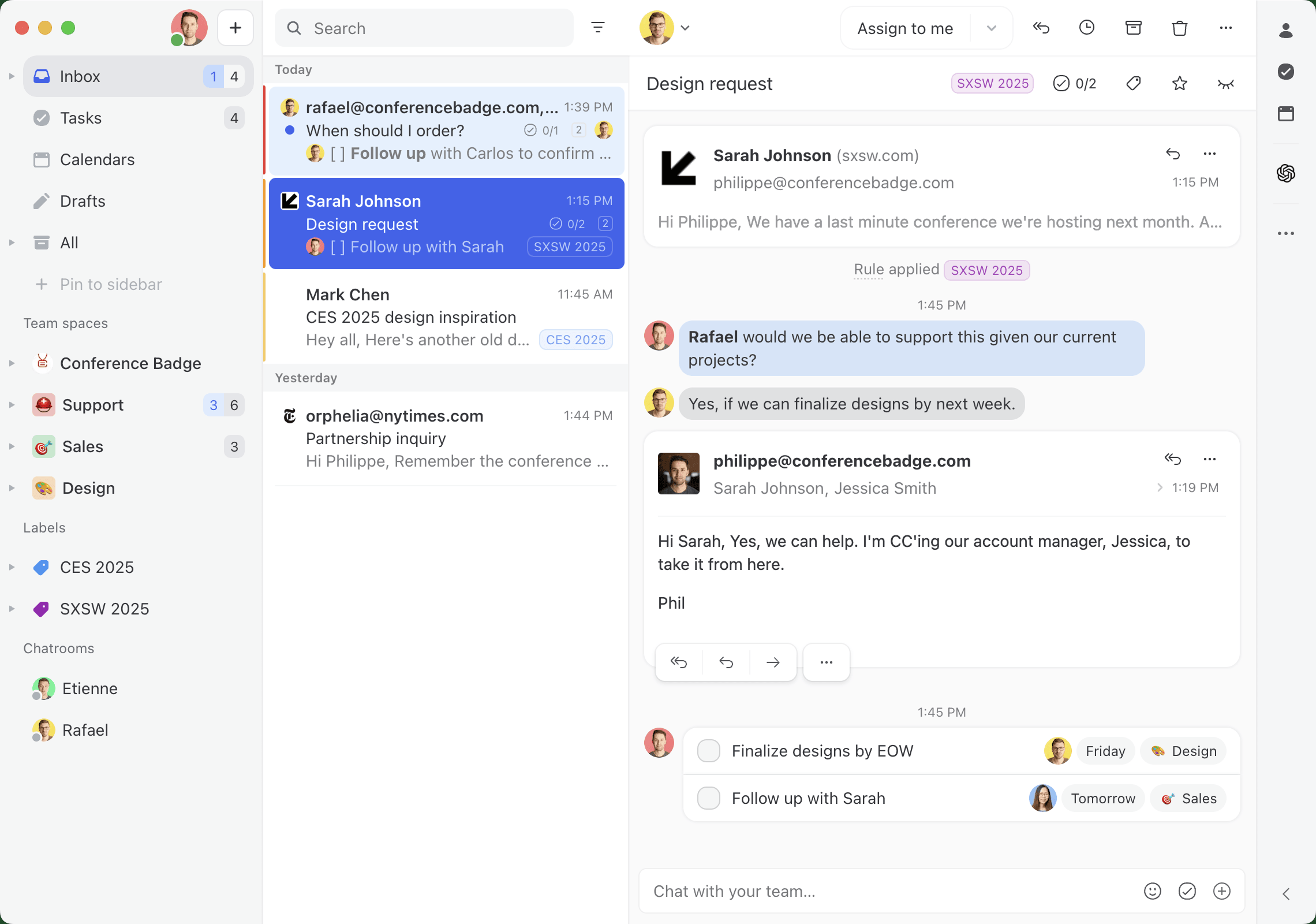
Missive turns a shared address like support@ into a place where the whole team answers customers together, rather than a formal ticket pipeline.
Setup is quick for the basics: connect Gmail, Outlook, or any IMAP account, invite your team, and a shared inbox is running in under an hour.
The harder part is rules and routing, which take a few rounds of tuning before they behave the way you expect. Teams that want automated triage from day one should budget about a week of configuration.
Pricing: Missive offers 3 plans: Starter at $18 per user/month with up to 5 users. Productive for $30 per user/month with up to 50 users. This plan adds rules, integrations, API access, and AI. There is also Business for $45 per user/month with unlimited users, SSO, and advanced reporting. Plus, Missive offers a 30-day free trial, no credit card required.
Missive’s key features include:
- Shared inboxes with assignment, so every message has a clear owner, and nobody replies twice;
- Internal comments and @mentions beside the thread, instead of side emails;
- Real-time collaborative drafting, where two teammates co-write the same reply;
- AI assistant that reads the conversation, searches your email and calendar, looks up contacts, and drafts a reply for a human to approve. It never sends on its own;
- AI rules that classify, label, and route messages as they arrive;
- Email, SMS, WhatsApp, Instagram, and live chat in one inbox.
Best for: Small to medium teams whose real problem is “Who’s answering this?” rather than SLA reporting. Missive has no ticket numbers, escalation tiers, or built-in knowledge base, so teams that need a formal ticketing system are better served elsewhere on this list.
Featurebase
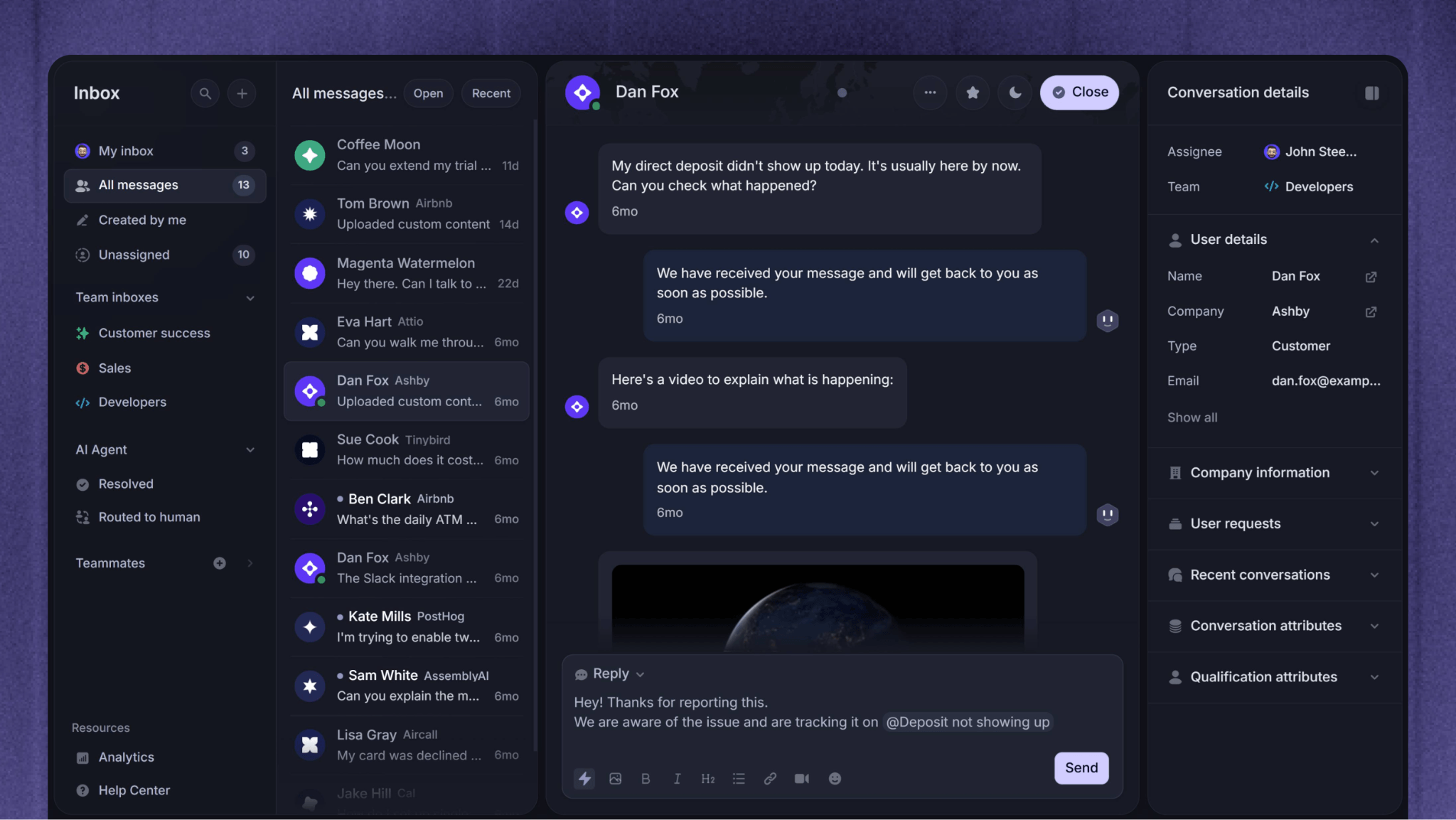
Featurebase is one of the newer help desk tools on this list, and it’s built AI-first rather than bolted onto legacy software. It pulls a shared inbox, live chat, and a self-serve help center into one place, with an AI agent called Fibi that trains on your support articles and resolves repetitive tickets on its own.
Setup is refreshingly painless for a small team: it’s no-code, installs in minutes, and one-click migration brings your existing tickets and macros over from Intercom, Zendesk, or Crisp. There’s a 10-day free trial with no credit card, so you can be live the same afternoon.
Pricing: There’s a free-forever plan for 1 seat with unlimited conversations, a unified inbox, and live chat (AI not included). Paid plans are Growth at $37, Professional at $75, and Enterprise at $129 per seat/mo, each adding Fibi AI at $0.49 per resolution. Every plan bundles both the support and product-feedback suites.
Once you’re in, your team can enjoy a set of key features:
- Fibi AI agent trained on your help center content for instant ticket resolution, with handoff to a human when needed;
- Unified inbox with live chat, email, assignment, snooze, and internal notes;
- Branded knowledge base with custom domains and multilingual articles;
- Feedback boards, roadmaps, changelogs, and in-app surveys within the same subscription;
- Workflows, macros, SLAs, and integrations (Slack, HubSpot, Linear, Jira) for automating routine work.
Best for: Featurebase is a great pick for SaaS and product-led small teams that want AI ticket deflection and a customer-feedback loop in one affordable tool, instead of running a separate help desk and feedback app. If you need native ecommerce order and refund workflows or a voice call center, look elsewhere – but for a lean software team, it covers a lot of ground cheaply.
Zoho Desk
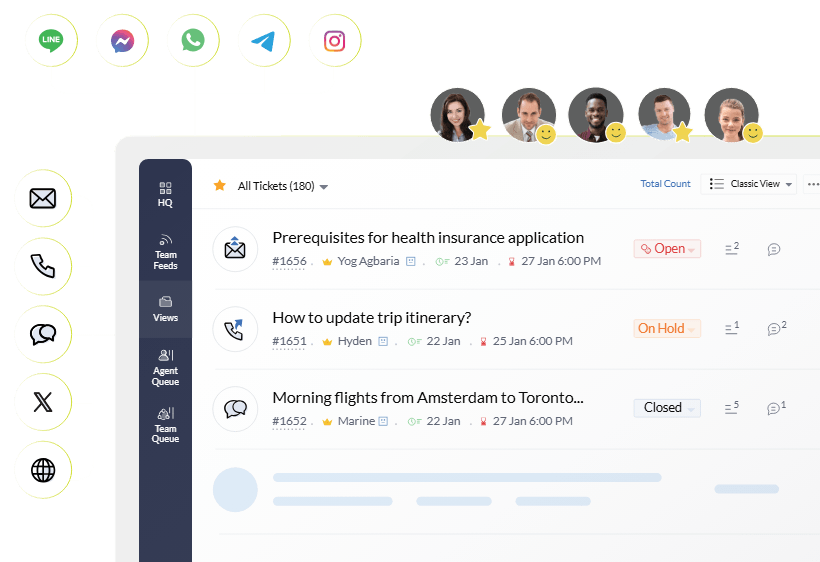
Zoho Desk is the help desk software for small teams by Zoho, a company best known for its extensive suite of business applications, including Zoho CRM, Zoho Books, Zoho Invoice, and Zoho Projects. Unsurprisingly, the platform works best when it’s part of the broader Zoho ecosystem, where customer data, sales, and support all connect seamlessly.
That said, Zoho Desk is a capable standalone help desk in its own right. While its interface isn’t as polished as some newer competitors, it offers plenty of functionality for growing support teams at a rather attractive price point.
Zoho Desk is quick to deploy for everyday support, especially if you’re familiar with other Zoho products, but its deeper automations and Blueprint workflows require a bit more learning.
Pricing: Zoho Desk offers a free plan for up to 3 agents, making it one of the more generous free help desks on the market. Paid plans start with Express at $9 per user/month, followed by Standard ($20), Professional ($35), and Enterprise ($50). More advanced features like Zia AI, custom dashboards, and advanced automation become available on the higher-tier plans.
Zoho Desk helps support teams keep track of customer requests from a centralized workspace. Its key features include:
- Shared inbox with ticket management and assignment;
- Omnichannel support (email, live chat, phone, social media, WhatsApp, and web forms);
- Merging, cloning, splitting, and creating parent-child tickets;
- Ticket layouts where agents can add all the essential ticket information;
- Email templates, including automated acknowledgment emails;
- Customer information, like lifecycle journey and previous interactions;
- Pre-written responses, and automated article and reply suggestions;
- Knowledge base and self-help widget;
- Zia AI and Answers Bot for quicker responses and ticket management, like auto-tagging;
- Customer satisfaction (CSAT) surveys and feedback collection;
- Reporting, dashboards, and service performance analytics.
Best for: Budget-conscious teams already using Zoho CRM or other Zoho tools.
Help Scout
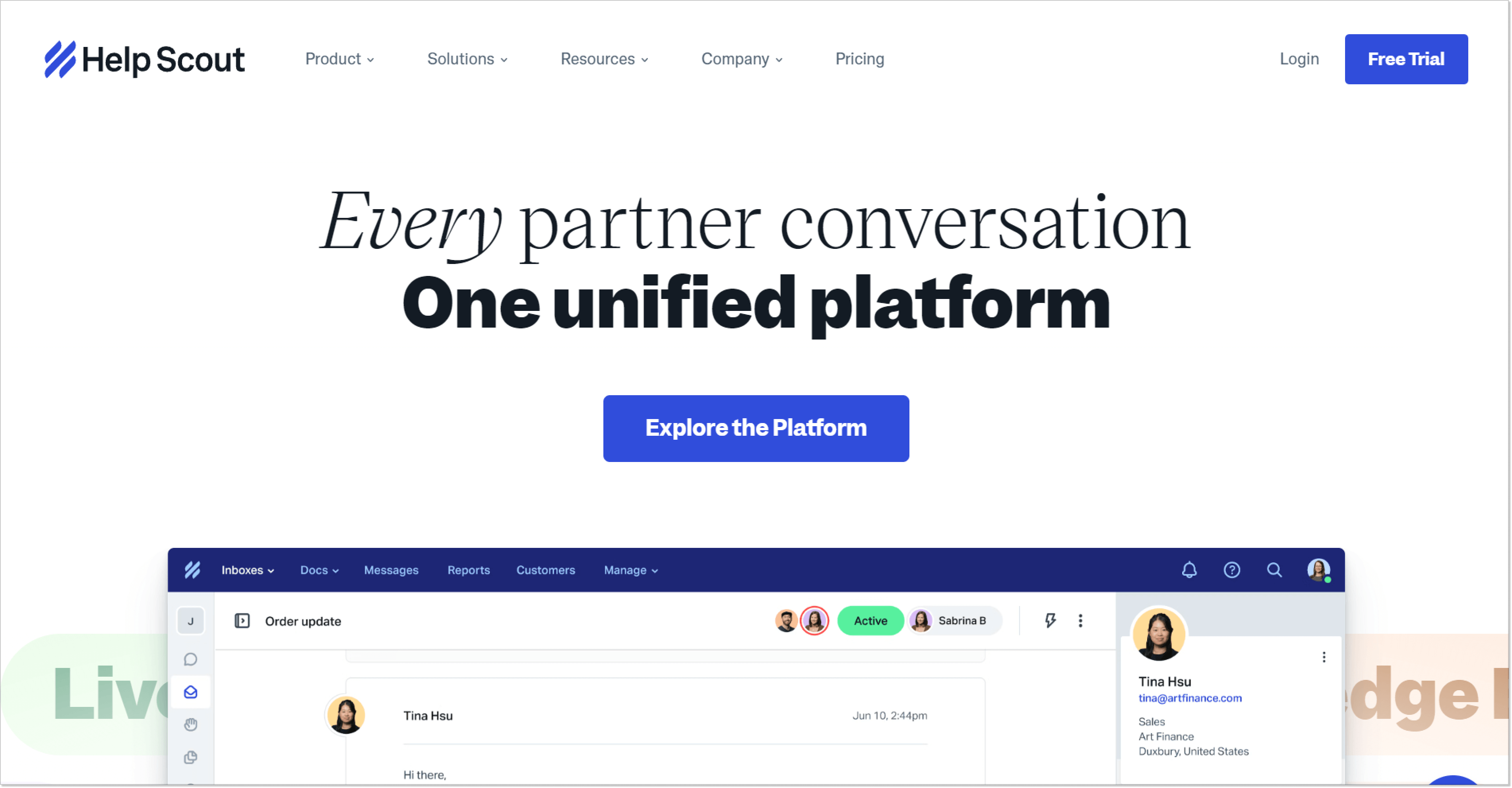
Help Scout is a perfect small business support platform for those who want to keep customer correspondence under one roof. A user-friendly interface won’t let you blunder away an important message: you see its waiting time, a sender, and a conversation’s number in your mailbox (that’s what they call their help desk feature).
Help Scout has one of the shortest learning curves on the market, allowing most teams to start handling customer requests within a few hours.
Pricing: There are 3 pricing tiers: Standard ($30 per user/mo), Plus ($54 per user/mo), and Pro ($90 per user/mo). Help Scout also stands out by offering a free plan for small businesses, with up to 5 customer service agents, 1 shared inbox, and some other limitations.
Among the basic toolset Help Scout’s mailbox provides (I mean, you see all unassigned, assigned, and closed messages), it involves other strong key features, such as:
- Omnichannel customer support (email, live chat, phone, social media);
- Mailbox editing;
- Creating canned or scheduled responses;
- Adding custom fields;
- Enabling auto-reply;
- Creating tags;
- Building customer properties;
- Enabling satisfaction ratings;
- Adding teammates to your inbox board;
- Knowledge base called Docs with customization and reporting;
- AI Answers for automated responses to frequent questions.
This small business help desk system also has a report feature. Thanks to it, you can monitor such key customer service metrics as first response time, resolution time, or response time for email support. Besides, there is a company report which tells you how many clients are helped, how many conversations you have per day, and their happiness score.
Best for: Small businesses looking for a lightweight, email-first help desk that feels personal to customers. Lots of pricing plan options and a solid bare minimum: what’s not to like if you’re just getting started?
Hiver
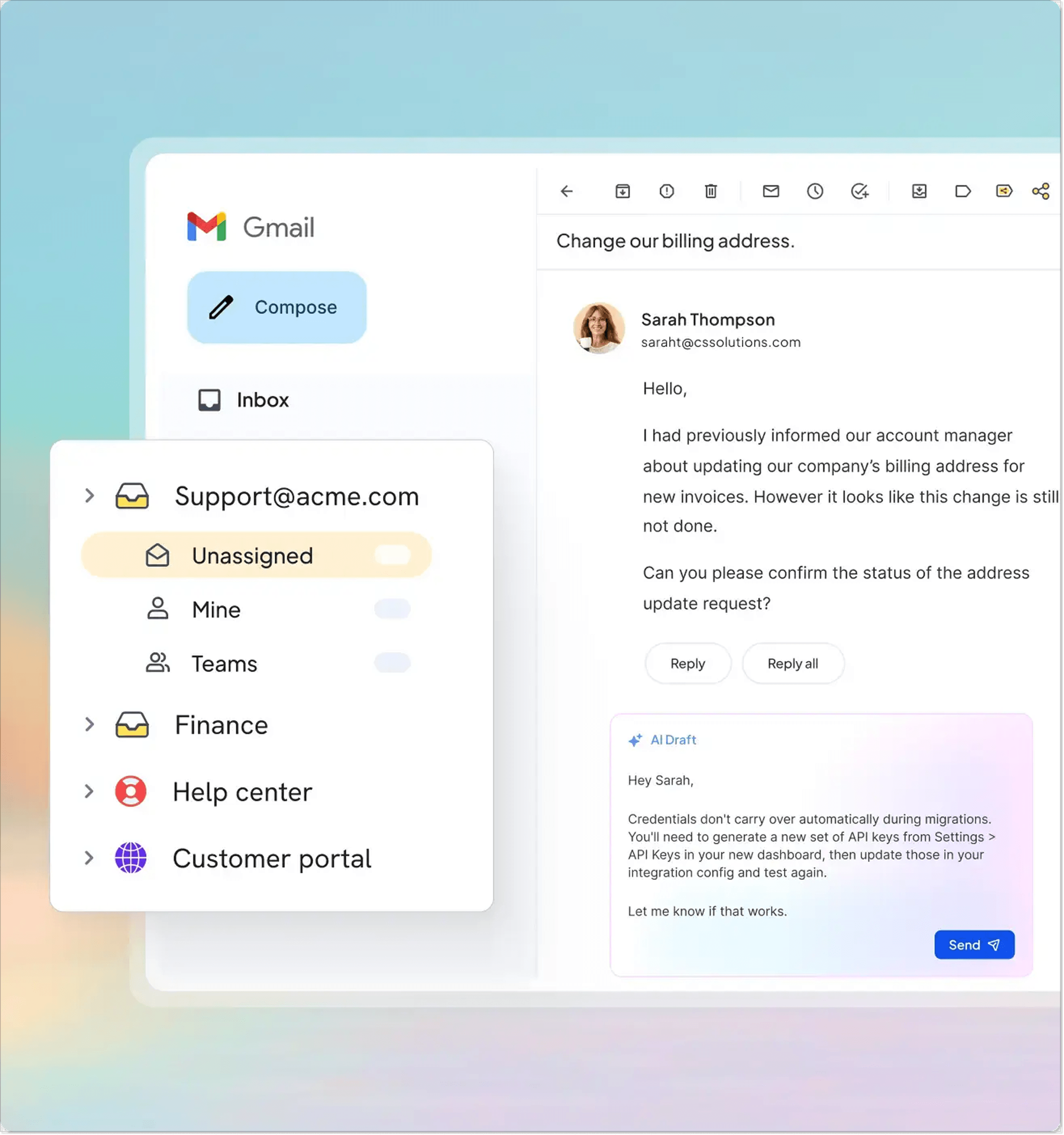
If your main communication channel is email and, more specifically, Gmail or Outlook, there is a tool just for you. Instead of introducing a separate platform, Hiver adds ticketing, collaboration, automation, and AI capabilities directly to Google Workspace, so support teams can simply keep working in the interface they already know.
Because Hiver works directly inside Gmail, most teams can begin managing customer conversations almost immediately without learning a new platform.
Alternatively, you can rely on Hiver Omni, which is a standalone platform similar to Help Scout that, as per its name, allows teams to communicate with customers through a variety of channels, like Slack or live chat. Its interface resembles an email service, so you and your team will have no trouble getting around.
Pricing: Hiver offers a free plan for a shared inbox and basic channels. Paid plans start with Growth at $35 per user/month, followed by Pro ($65) and Elite ($95).
Like traditional help desk platforms, Hiver helps teams organize and collaborate on customer conversations. Its key features include:
- Shared Gmail inbox with ticket management and assignment;
- Omnichannel support (email, live chat, Slack, WhatsApp, SMS, voice);
- Email triage, routing, distribution, and status tracking;
- Internal notes and Slack threads plus conversation history for team collaboration;
- Collision detection to prevent duplicate replies;
- Workflow automation and round-robin ticket assignment;
- Canned responses and email templates;
- Knowledge base and branded customer self-service portal;
- AI Copilot and Agents;
- SLA, response time, and team performance tracking;
- Integrations with Google Workspace, Microsoft Outlook, Jira, and other CRM software and business tools.
Best for: Teams that want to manage customer queries directly from a shared Gmail inbox.
HappyFox
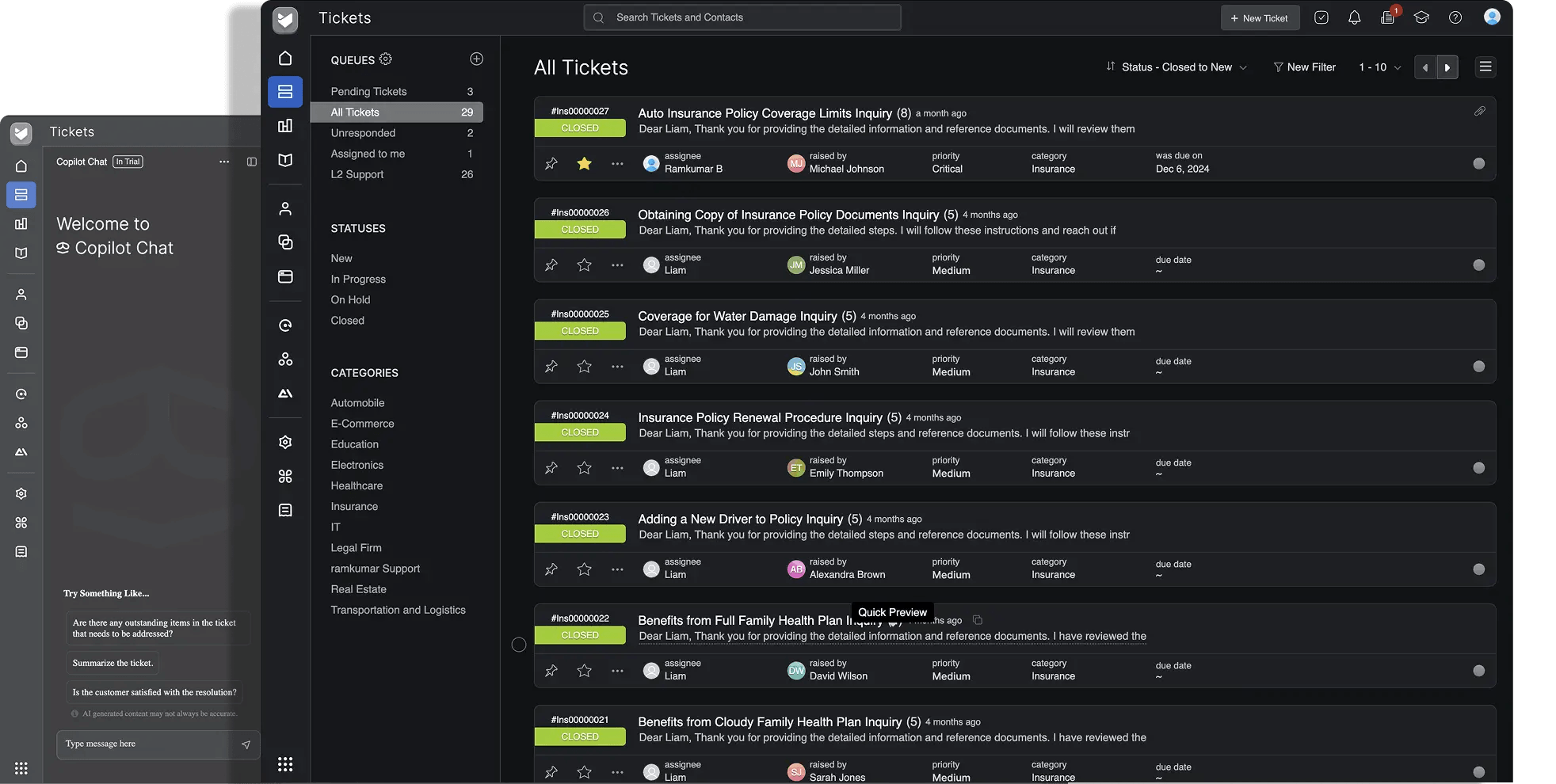
HappyFox is a help desk platform designed for teams that need more structured ticket management and workflow automation. So this one is for you if you have a tad bit more incoming requests and crave those standardized processes, automated repetitive work, and consistently good service quality.
While it may feel more traditional than newer AI-first solutions, HappyFox offers a mature feature set that scales well as support operations become more complex.
At the same time, HappyFox is easy to get started with, and most teams can begin managing tickets without involving an IT specialist. Its no-code automation tools make it possible to build routing rules and workflows on your own, although configuring more advanced automations and highly customized processes takes additional time as your support operation grows.
Pricing: Plans start with Basic at $29 per agent/month (up to 5 agents), followed by Team at $69, and Pro at $119.
HappyFox gives support teams the customer service tools to organize, automate, and monitor operations. Its key features include:
- Intuitive shared inbox with ticket management and assignment;
- Omnichannel ticketing (email, live chat, phone, Slack, social media messages and mentions, and web forms);
- Advanced ticket categorization, tags, and custom fields;
- SLA management and escalation rules;
- Automated return and refund processing;
- E-commerce platform integration for order status tracking;
- Detailed reports, custom dashboards, and agent productivity analytics;
- Knowledge base and customer self-service portal;
- Custom roles, permissions, and approval workflows.
Best for: Teams that need a more advanced ticketing system and workflow automation.
osTicket
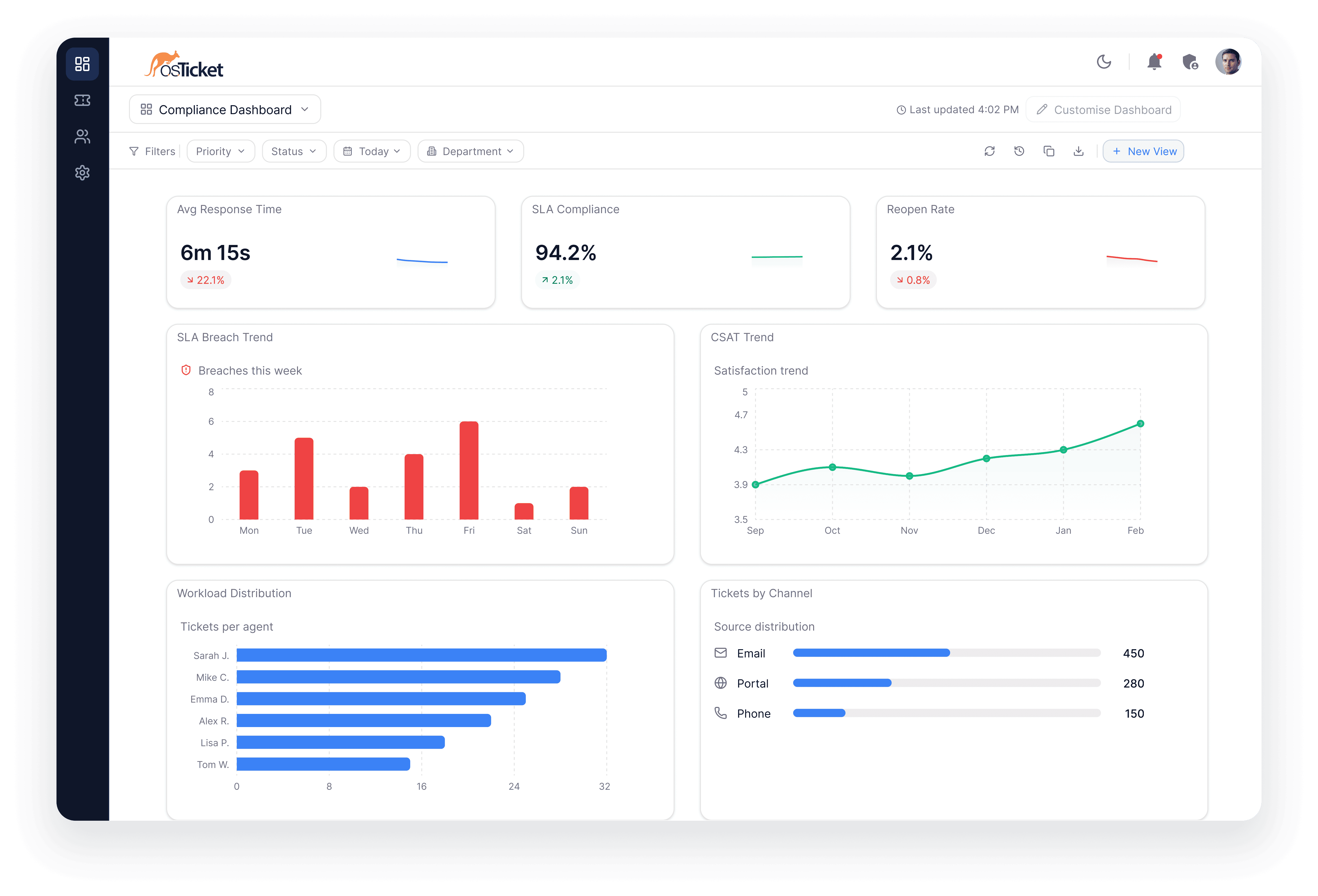
osTicket is one of the best-known open-source help desk platforms and one of the few solutions that remains completely free to self-host. Instead of paying per agent or subscribing to a cloud service, businesses download the software and run it on their own infrastructure, giving them full control over customer data, customizations, and ongoing costs.
It means you can forget all about built-in AI agents, live chat, or advanced omnichannel capabilities. Instead, osTicket focuses on doing one thing well: providing a reliable ticketing system that technical teams can tailor to their own processes.
What’s more, osTicket went through some serious changes as the team is rolling out osTicket 2 with a modern design and a more extensive feature set.
Pricing: osTicket is completely free when self-hosted. There are no per-agent fees or feature restrictions. But remember, the maintenance is on you. There is a cloud-hosted version called SupportSystem for $12/agent/month for the Basic plan.
The platform focuses on core help desk functionality while giving administrators extensive control over configuration. Key features of the current version include:
- Open-source, self-hosted deployment with full data ownership;
- Ticket filters and routing for automatically sending requests to the right department or agent;
- Ticket assignment, transfer, and referral;
- Auto-responders and canned responses;
- Configurable help topics for directing customers to the appropriate team;
- Custom fields and forms for collecting the right information for different request types;
- Custom queues and views for organizing tickets around each team’s workflow;
- Agent collision avoidance;
- Customer support portal;
- Internal tasks that can be linked to tickets and completed before a ticket is closed.
What’s coming in osTicket 2.0:
- Modern ticket workspace with collapsible threads, streamlined reply editor, and mobile-responsive interface;
- Open-source, self-hosted deployment with full data ownership;
- Email-to-ticket conversion and customizable ticket workflows;
- Knowledge base, FAQs, and content management system with page builder and branding tools;
- Built-in incident management with status pages and issue tracking;
- Custom views and configurable workspaces for tickets, tasks, and users;
- Workspace dashboard with widgets for ticket volume, SLA compliance, CSAT, and agent performance;
- Multi-database support (MySQL, PostgreSQL, and other Laravel-supported databases).
Best for: Teams on a budget that need a free, open-source help desk.
Zammad
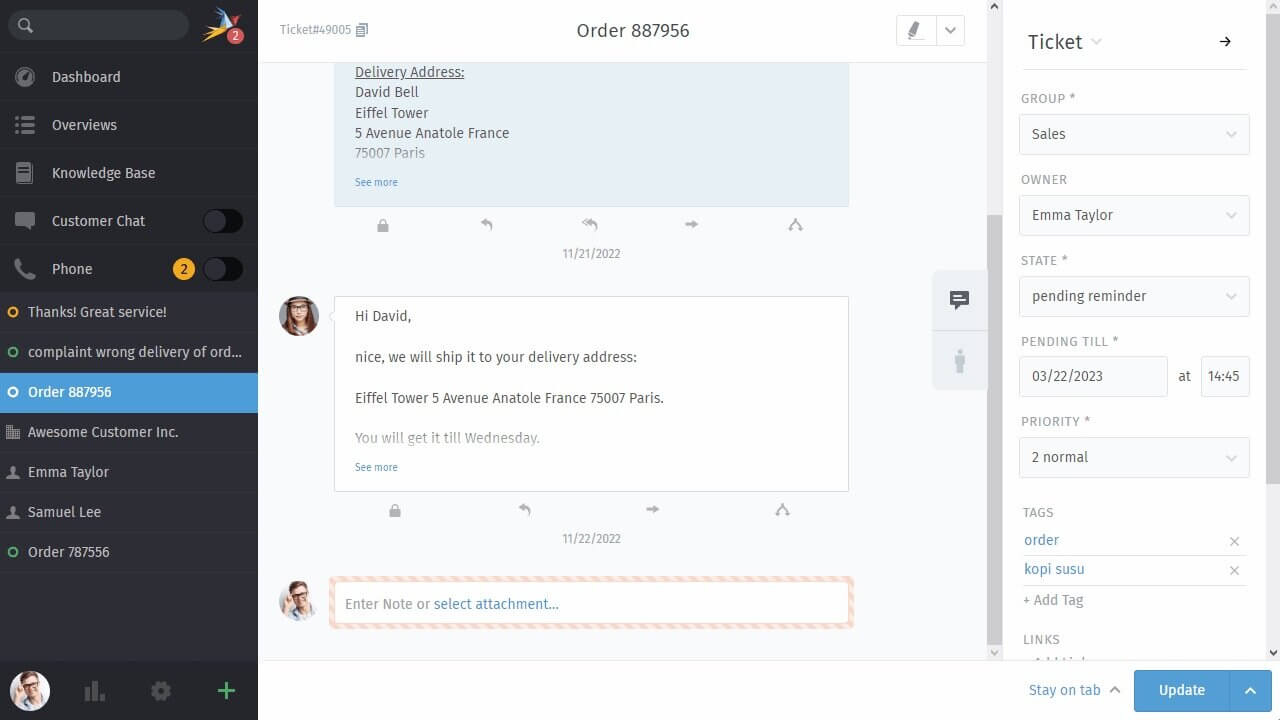
Zammad is another open-source help desk software designed for businesses that want the flexibility of self-hosting. But there is also good news for those who don’t want to deal with downloading and installing software (it does sound rather complicated, doesn’t it?): there is also a cloud version of Zammad that you can use like any other external or internal help desk platform.
Plus, the feature set Zammad offers makes it feel much closer to a SaaS help desk than a traditional IT ticketing system, and you can consider it as an alternative to Tidio or similar tools.
Zammad is relatively easy to get started with, especially if you choose the cloud version. The self-hosted edition requires initial configuration, but once installed, most administrators find the interface intuitive and the day-to-day management straightforward.
Pricing: Zammad is free when self-hosted. Businesses that prefer a managed solution can use Zammad Cloud, with paid plans starting at €9 per agent/month.
Zammad combines modern customer support features with the flexibility of an open-source platform. Key features include:
- Omnichannel ticketing (email, chat, WhatsApp, social media, SMS, phone);
- Powerful full-text search, including attachments;
- Automatic language detection for multilingual support;
- Ticket templates for recurring requests and standardized responses;
- Mentions, watch lists, and live updates for team collaboration;
- Knowledge base and multilingual self-service portal;
- Enterprise security with two-factor authentication (2FA), role-based permissions, audit logs, SSO (SAML/OAuth), and GDPR compliance;
- Collision detection and live updates to prevent duplicate work;
- Customer and organization profiles with complete interaction history;
- AI Ticket Summary, AI Writing Assistant, and AI Agents.
Best for: Small teams that want a modern open-source help desk without enterprise pricing, as well as organizations handling sensitive customer data that need stronger control over security, compliance, and where their information is stored.
Top help desk software features to look for: A checklist
As you can see, there is a great variety of help desk software options for any budget and need. How do you choose then? As a small business, you may have different criteria than enterprise and large teams.
You probably don’t have a dedicated system administrator, a large support department, or weeks to spend on implementation. The right tool is usually the one your team can learn in a day or two and still be happy using it six months later.
Before choosing a help desk, ask yourself these questions.
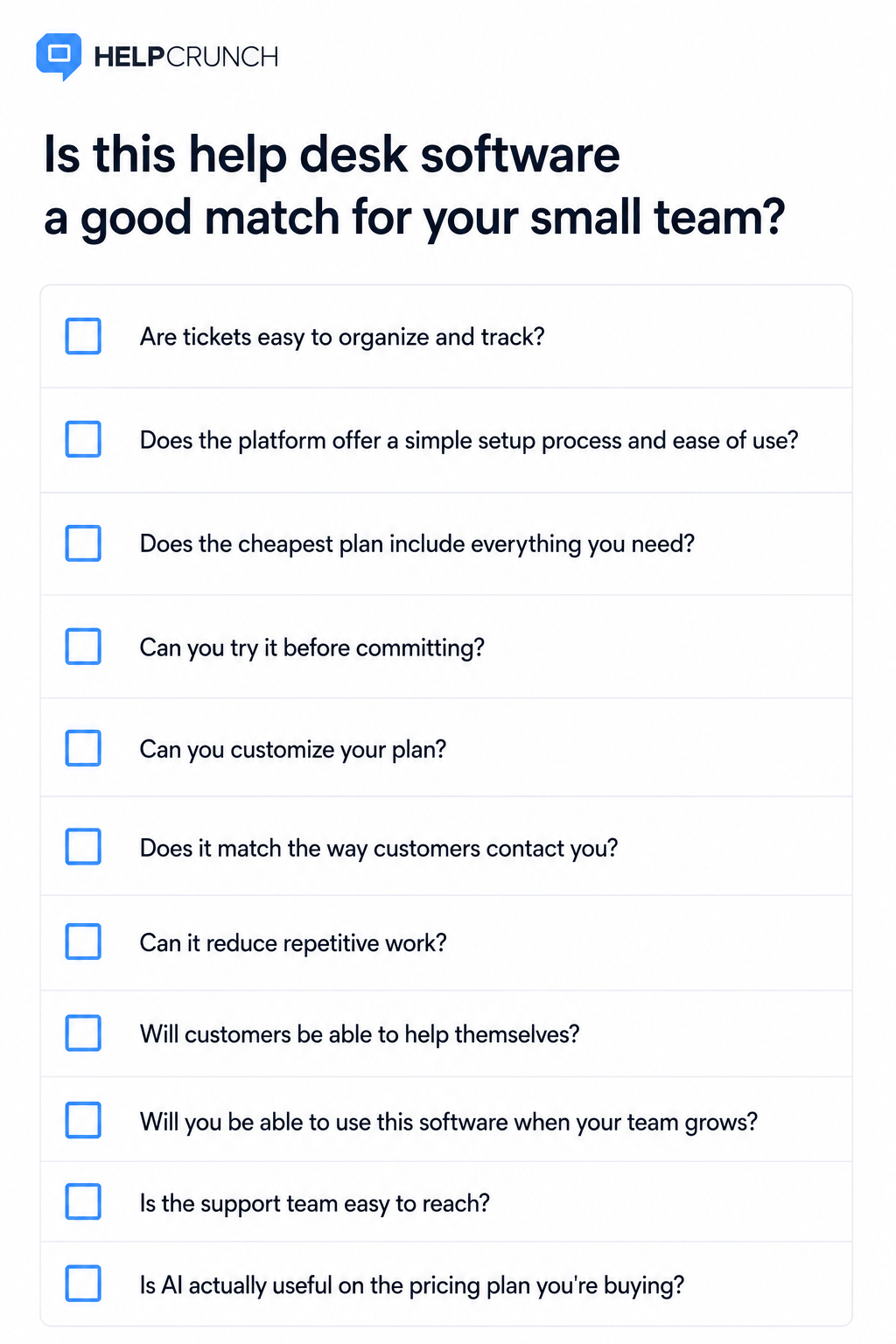
□ Are tickets easy to organize and track?
Your team should be able to assign tickets, filter them, update statuses, and locate customer history in just a few clicks.
□ Does the platform offer a simple setup process and ease of use?
Some platforms let you get started within hours or a day: just add your email address and set up a live chat widget. Others expect you to configure queues, workflows, permissions, and automation before they become useful. If you’re a team of a few people, choose the one that gets out of your way instead of blocking your work even more.
□ Are all the must-have features included in the cheapest plan?
Many helpdesk software solutions advertise impressive capabilities that only appear on higher tiers. Compare the plans you can actually afford, not the ones shown in product demos. Make sure the basics are there: ticketing, shared inbox, support channels you need, knowledge base, and basic reporting.
□ Can you try it before committing?
A free trial is a must before signing up for more. Use it to recreate a typical day: import your inbox, answer a few tickets, build a knowledge base article, and invite a teammate. If the basics already feel complicated, they’re unlikely to become easier later.
□ Can you customize your plan?
Many small businesses don’t need every feature from day one. If a vendor offers flexible, customizable plans, you can avoid paying for functionality you won’t use while still having room to expand later.
□ Does it match the way customers contact you?
If almost every conversation starts in email, don’t pay extra for ten communication channels you’ll never use. On the other hand, if customers regularly message you on WhatsApp or Instagram, make sure those channels are available.
□ Can it reduce repetitive work?
Look for practical features that remove everyday friction: ticket assignment, canned replies, collision detection, internal notes, AI editor, ticket templates, etc. These usually have a much bigger impact than advanced enterprise functionality where you need to create workflows from scratch.
□ Will customers be able to help themselves?
Even a small knowledge base can prevent dozens of repetitive questions every month. Fewer “How do I reset my password?” emails means more time for conversations that actually need a person.
□ Will you be able to use this software when your team grows?
Adding a few more agents shouldn’t force you to change platforms. Check how pricing changes at scale and whether features you may need later, such as AI agents, SLAs, and reporting, require a much more expensive plan or even will force you to migrate to more comprehensive software.
□ Is the support team easy to reach?
Before committing, contact the vendor’s support team with a real question. You’ll quickly see how responsive, knowledgeable, and helpful they are. It’s also worth asking what platform they use internally. A customer service company that is not very helpful to its own customers is a bit of the shoemaker’s children go barefoot story.
□ Is AI actually useful on the pricing plan you’re buying?
Many vendors lead in with AI, but those features are often available on a premium subscription or for additional cost. Treat AI as a bonus, not the deciding factor. A well-designed help desk with a solid shared inbox will usually deliver more value than an AI assistant with a high per-answer cost your budget doesn’t include.
Final words
There’s a whole world of powerful (and affordable) service desk software for small business that will make your customer service team more productive and customers happier.
If you plan to grow (who doesn’t?), investing in a help desk platform is one of the best ways to make sure your business is successful a year, five years, or a decade from now.
Remember the stats from the first paragraph of this article. Excellent support directly translates into more revenue, so just sign up for a free 14-day trial with HelpCrunch and start building your all-star customer service this minute.
FAQs
What is the right help desk software for a small business on a budget?
The right help desk software depends on your team’s size, current needs, and support channels used. For most small businesses, a feature set of an intuitive interface, shared inbox, ticket management, knowledge base, and basic automation is enough.
Is cloud help desk software better than a self-hosted solution?
Small business help desk services on cloud are usually the better choice for small businesses because they’re easier to set up, maintain, and update. Self-hosted platforms like osTicket or Zammad make more sense if you need complete control over your data or have specific security and compliance requirements.
How much does help desk software cost?
Help desk software ranges from free plans to more than $100 per user per month. Many small businesses can get started for $9-25 per user per month, but remember to check what the free or cheapest plan covers.
Which help desk software offers the best value for a small budget?
Choose a platform that includes the essentials from the start. HelpCrunch combines an omnichannel shared inbox, live chat, a knowledge base, and automation, like chat routing, making it a strong value for small businesses.
Can help desk systems support multiple communication channels?
Yes. Most modern help desk platforms support email, live chat, social media, messaging apps like WhatsApp, and sometimes phone support. However, choose a platform based on the channels your customers actually use instead of paying for every available option.