Help Scout vs Intercom: The Only Comparison Guide You’ll Need
Unpack that Help Scout vs Intercom conundrum right now and choose your winner!
Written by Mariia Yuskevych

Help Scout and Intercom solve the same problem – customer support, but in completely different ways, at very different price points.
Help Scout is simple, affordable, and built for teams where email is the main channel. Intercom is more powerful, expensive, and built for teams that want AI-driven automation and in-app messaging at scale.
I have a strong feeling that you landed on this article for a reason. That is, to wash the blurred lines between those two away and settle for the most fitting option. So, Help Scout vs Intercom, who is going to win the battle? We are about to find that out.
Help Scout vs Intercom: a TL;DR comparison chart
Here is a quick overview of Help Scout and Intercom for those who just scan the text. I have included all the key points and criteria so that you can decide on either option.
| Help Scout | Intercom | |
|---|---|---|
| Free trial | 15 days | 14 days |
| Monthly price starts from | $30/user/month, plus a basic free plan | $39/seat/month |
| Annual price starts from | $25/user/month | $29/seat/month |
| Main functionalities | Shared inbox, live chat, knowledge base, proactive messages | Omnichannel messenger, ticketing, shared inbox, proactive support, knowledge base |
| AI features | AI Answers chatbot, AI Drafts, AI Summarize, AI Assist | Fin AI Agent, Copilot AI assistant, AI Compose |
| Channels | Live chat, email, phone calls, Facebook Messenger, Instagram, WhatsApp | Live chat, email, SMS, phone calls, WhatsApp, Facebook Messenger, Instagram |
| Integrations | 100+ | 450+ |
| Ease of use | Extremely easy to use | More complex tool, more time to onboard |
| Best suited for | Small and mid-sized businesses | Enterprises and big companies |
| G2 rating | 4.4/5 ⭐⭐⭐⭐ | 4.5/5 ⭐⭐⭐⭐ |
In fact, if you are determined to find the perfect tool for you, I suggest you explore all the best Intercom alternatives on the market today.
Help Scout vs Intercom: top features for customer support
As you can see from the comparison table above, Intercom and Help Scout are quite similar in the features they offer.
Both position themselves as strong competitors to Zendesk, both come with AI features, and their ratings are almost identical (let’s politely ignore that 0.1-point difference in Intercom’s favor).
Even pricing sits relatively close, with roughly a $10 gap separating the two plans. Not that anyone’s counting. Okay, maybe a little.
That said, a simple feature comparison doesn’t tell the full story. The real differences between Intercom vs Help Scout key features start to appear when you look beyond the checkmarks and dig into how each feature actually works in customer interactions.
So instead of repeating the usual “who has what” comparison, it’s time to dissect both platforms feature by feature and see what they truly offer support teams.
Live chat and shared inbox
Let’s start with the conversation management features that might be the very reason why you are looking up Help Scout vs. Intercom in the first place.
No surprises here: both platforms offer live chat and shared inbox functionalities, and they share a lot of the same core mechanics. With some nuances, of course.
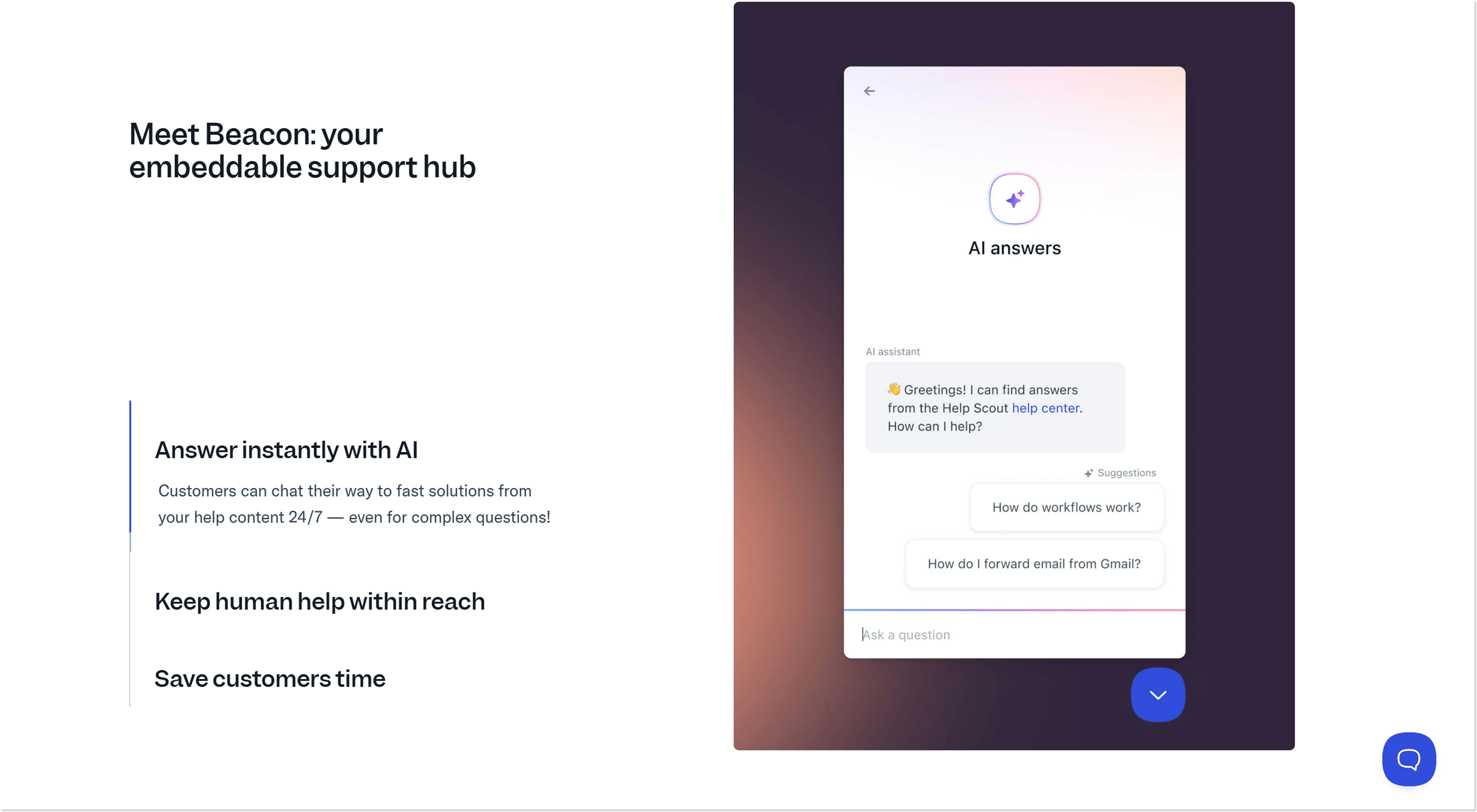
Beacon is the Help Scout live chat widget. Nothing unusual here: you can receive customer messages, provide instant access to your knowledge base, and, as it has become a standard of the modern age, offer AI-powered support through AI Answers (more on that later).
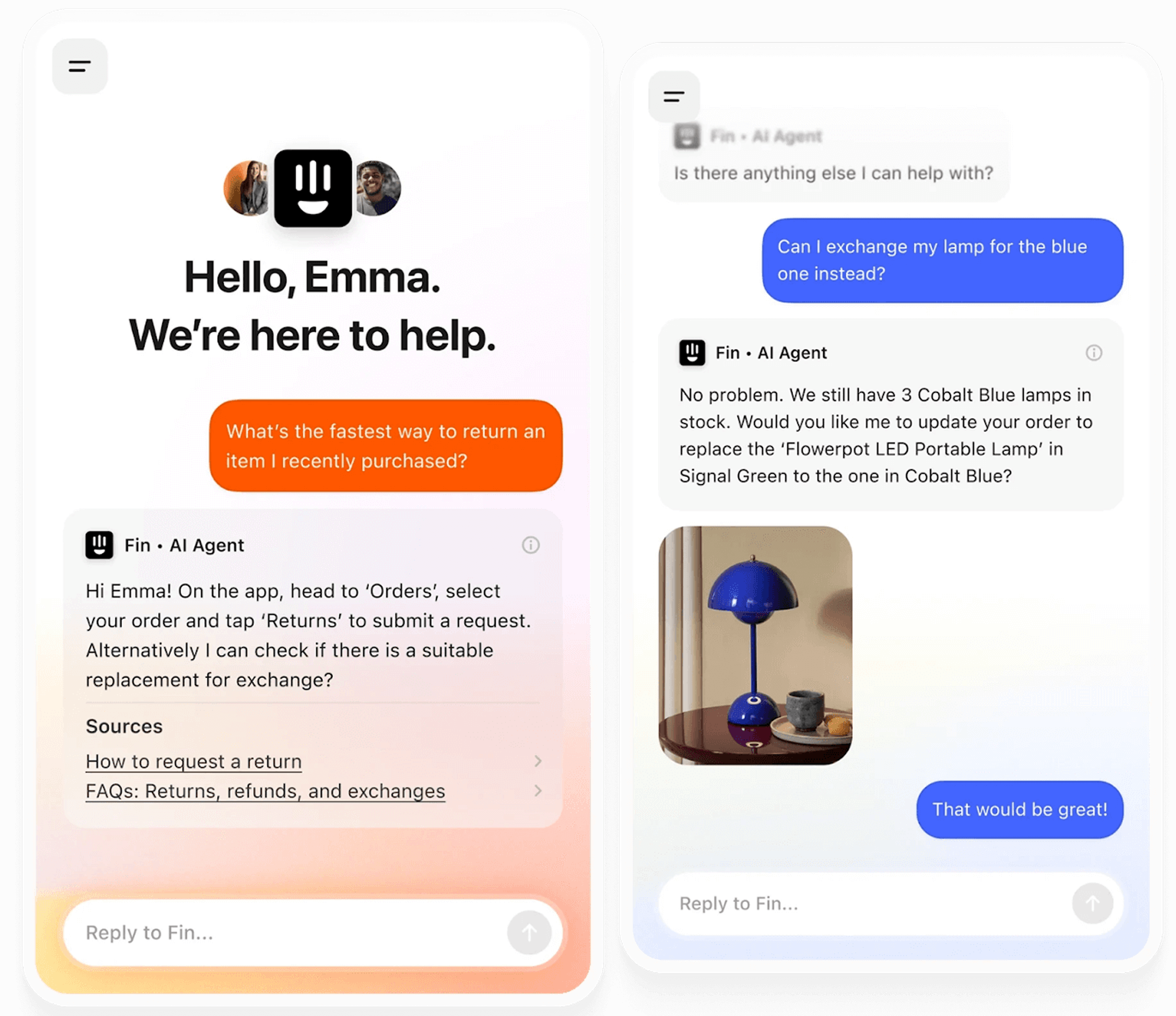
The Intercom’s approach to live chat is not much different. You can chat with customers in real time, provide access to help content, and let them interact with the Fin AI Agent.
Intercom places a much stronger emphasis on AI from the start and heavily directs your clients to engage with it before reaching a human agent (and you to pay for Fin resolutions 😉).
Another hallmark for any customer service platform that adds to the interaction between a client and a business is the shared inbox.
Help Scout’s and Intercom’s shared inboxes have everything needed: multichannel dialogues (live chat, email, messengers) piling up in chronological order and in real time, assigning messages to different agents, plus customer data for more context.
Both of these shared inbox solutions also have automation tools, like saved replies, workflow automation, or AI assistants for writing and translating messages.
At the same time, Intercom takes a win in this one as it boasts a complex and convenient ticketing system. You can create tickets for one or several customers at once, share real-time updates, or even send specific tickets to the back office to get resolved.
Help Scout is more of a “go-with-the-flow” tool: there is no ticketing system in place, so you will just solve the customers’ requests one by one as they come.
What’s more, Intercom branded its inbox as AI-enhanced, giving us a hint that there is much more AI help here in the face of the Copilot AI assistant (I will describe it in more detail later on).
Plus, Intercom overall gives you way more knobs and dials to tweak your inbox setup and workflows.
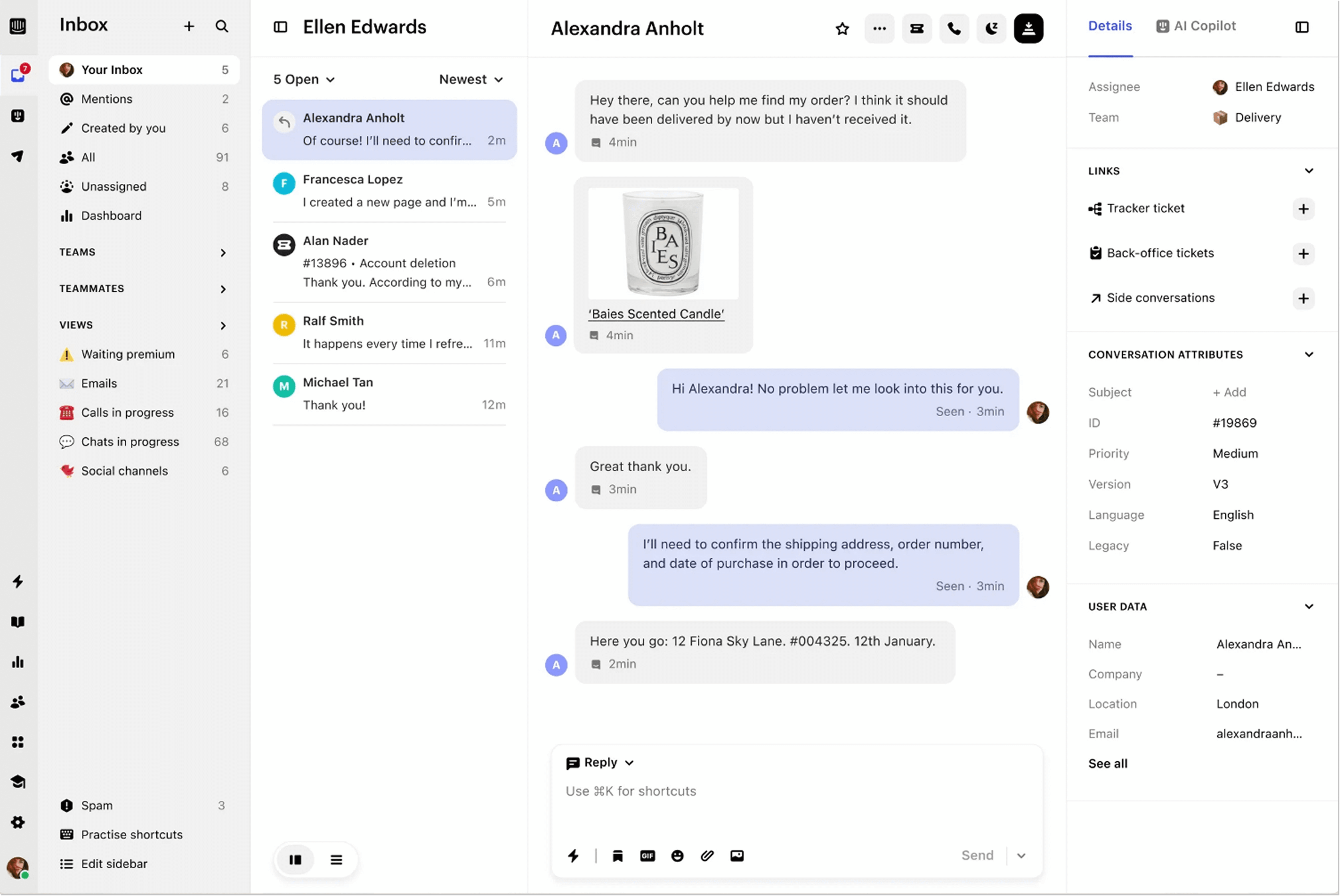
Be assured that Intercom isn’t doing charity work by giving away access to such a feature scope. Advanced features mean a higher cost. For example, Copilot AI assistant is an add-on that isn’t included in plans and has a separate fee. And many of the complex inbox features are part of the more expensive pricing plans.
To be fair to Help Scout, one cool feature that sets it apart from Intercom is private notes. Trust me, sometimes you just have to leave a few words to your coworker during a heated discussion with a client (the notes will be visible only to the team member).
What’s more, you can collect quick feedback from customers through notes, reactions, and emojis. You’ll instantly know whether they’re satisfied (or not 😅).
Automation and AI
You might have noticed that it’s virtually impossible to discuss any Help Scout’s or Intercom’s features without mentioning AI. Whether you like it or not (personally, we at HelpCrunch like it, because AI is so much help!), artificial intelligence is here to stay in customer service, and it now shows up in nearly every corner of these platforms.
Help Scout describes their approach as a blend of AI and humans. They state that “AI clears the way. Your support team creates the impact.”
Intercom, on the other hand, is more direct with the role of AI in their platform and simply positions itself as an “AI-first” platform. Take it or leave it.
Help Scout’s main AI feature is the AI Answers chatbot. Help Scout claims that it can resolve up to 70% of requests. These are powered by your help content (Docs) plus external sources, like blogs or websites. You can even give notes to the already resolved requests to improve AI Answers.
Besides, with Help Scout, you can also summarize inbox messages and threads, automatically write the responses to messages, and automate most of the inbox-related processes, like assigning or tagging.
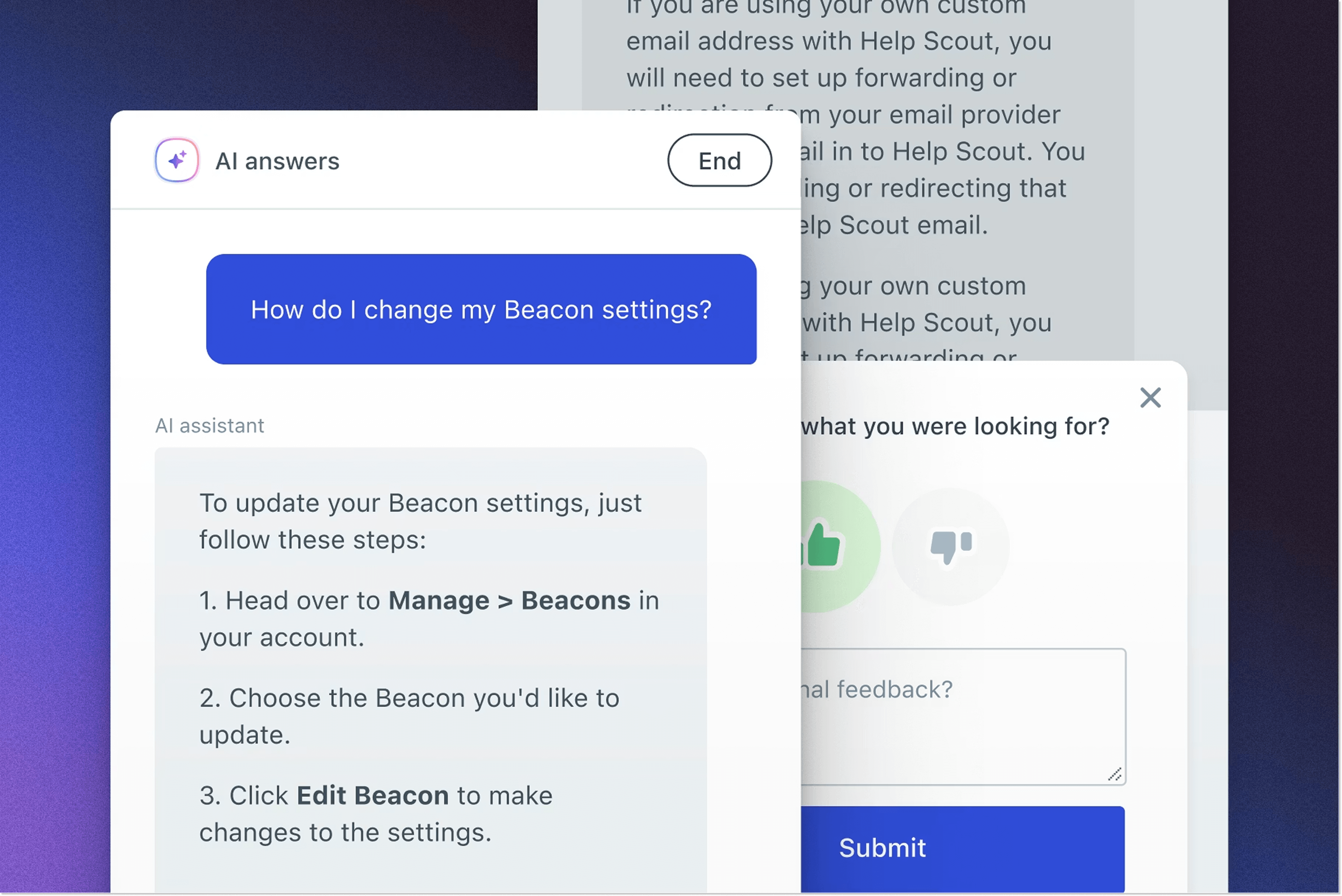
Of course, as a self-proclaimed AI-first platform, Intercom can do all of the above that Help Scout can, and even more. Be assured that there is no less AI coming.
The staple of the show is Fin AI Agent. It’s an advanced AI agent that, according to Intercom, takes care of even the most complex questions, as you can continuously train it on your procedures.
Fin resolves 76% on average і up to 85% of queries, and, interestingly, its average resolution rate increases 1% every month as it keeps learning from the interactions.
Impressed? There is more. Copilot AI assistant is placed directly in the shared inbox, so you can type in a question or simply click a part of the customer’s message and get assistance or a ready-made answer to send to a customer. Convenient!
Copilot gathers the information from your knowledge base, plus internal and external sources you share, as well as past conversations you tag as examples.
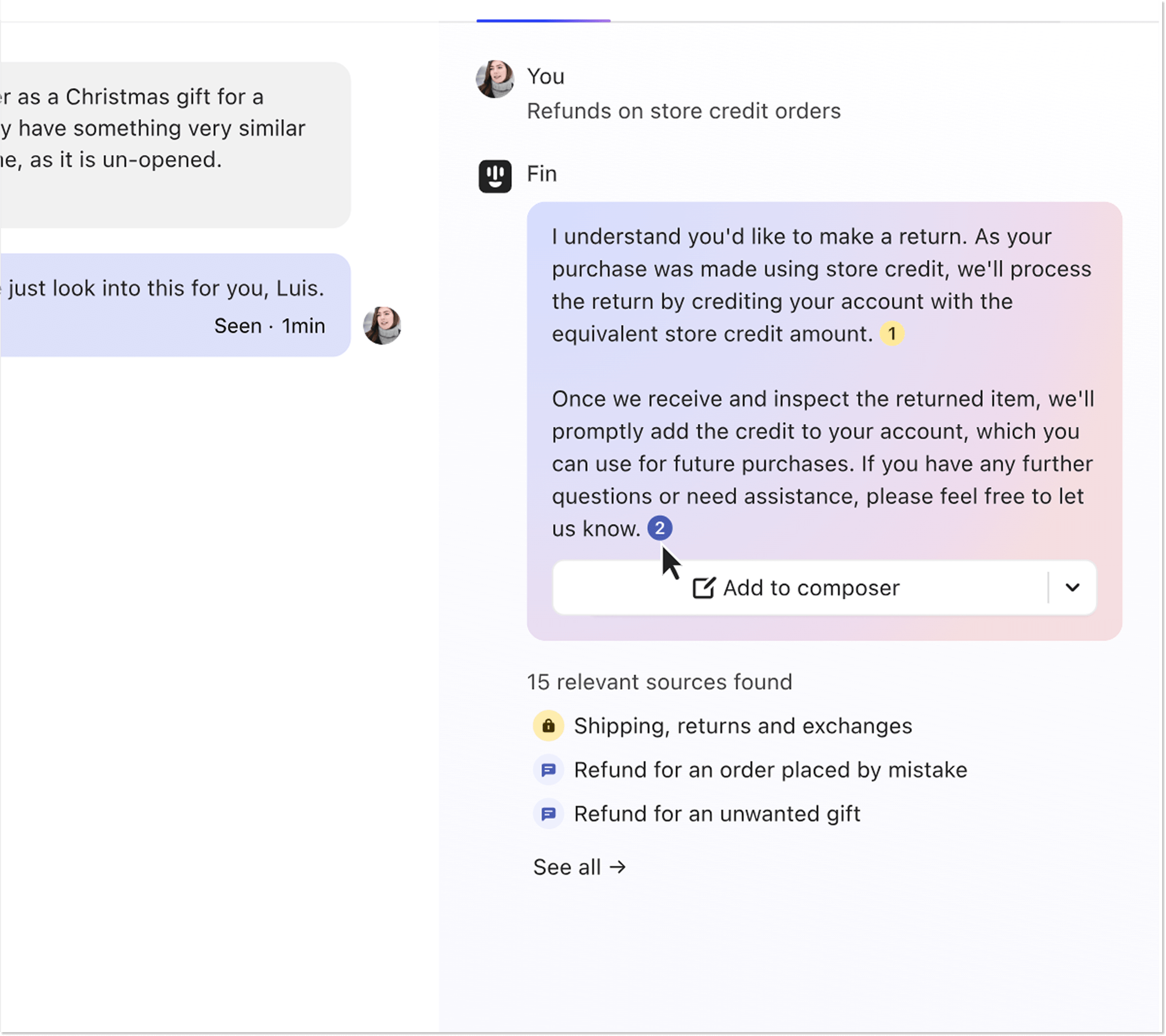
Help Scout does have an inbox AI assistant, too, but, in all honesty, it fades in comparison to Intercom’s Copilot. With Help Scout’s AI Assist, you can clarify ideas, reduce unnecessary wording, translate into multiple languages, and adapt the tone. Still helpful as a grammar fixing tool, but nowhere near the Copilot’s assistance.
Plus, as per standard now, Intercom also includes AI Compose for drafting messages and AI Inbox Translation across 45+ languages.
So, if you are planning to play it hard with AI-based customer support, Intercom might be your best bet.
Customer self-service and knowledge bases
Let’s now move on from the complexities of AI to something easier and very familiar: knowledge bases.
It’s not surprising that both Help Scout and Intercom give businesses an opportunity to build branded knowledge bases.
The functionality is similar between the two platforms, like chat widget integration, rich branding and customization options, and AI assistance with grammar and translation.
Help Scout has a knowledge base called Docs, thanks to which you can deliver instant answers to customers and encourage self-service. Docs is known for its easy setup, which is already a pro point versus Intercom’s steep learning curve.
One thing that Help Scout does better than Intercom is knowledge base reporting. Intercom offers only basic granular reporting, meaning you can see which keywords users looked up, clicked on, or couldn’t find. Help Scout goes further than that and shares overall visitor numbers, trending topics, and even lets customers leave reactions to your articles.
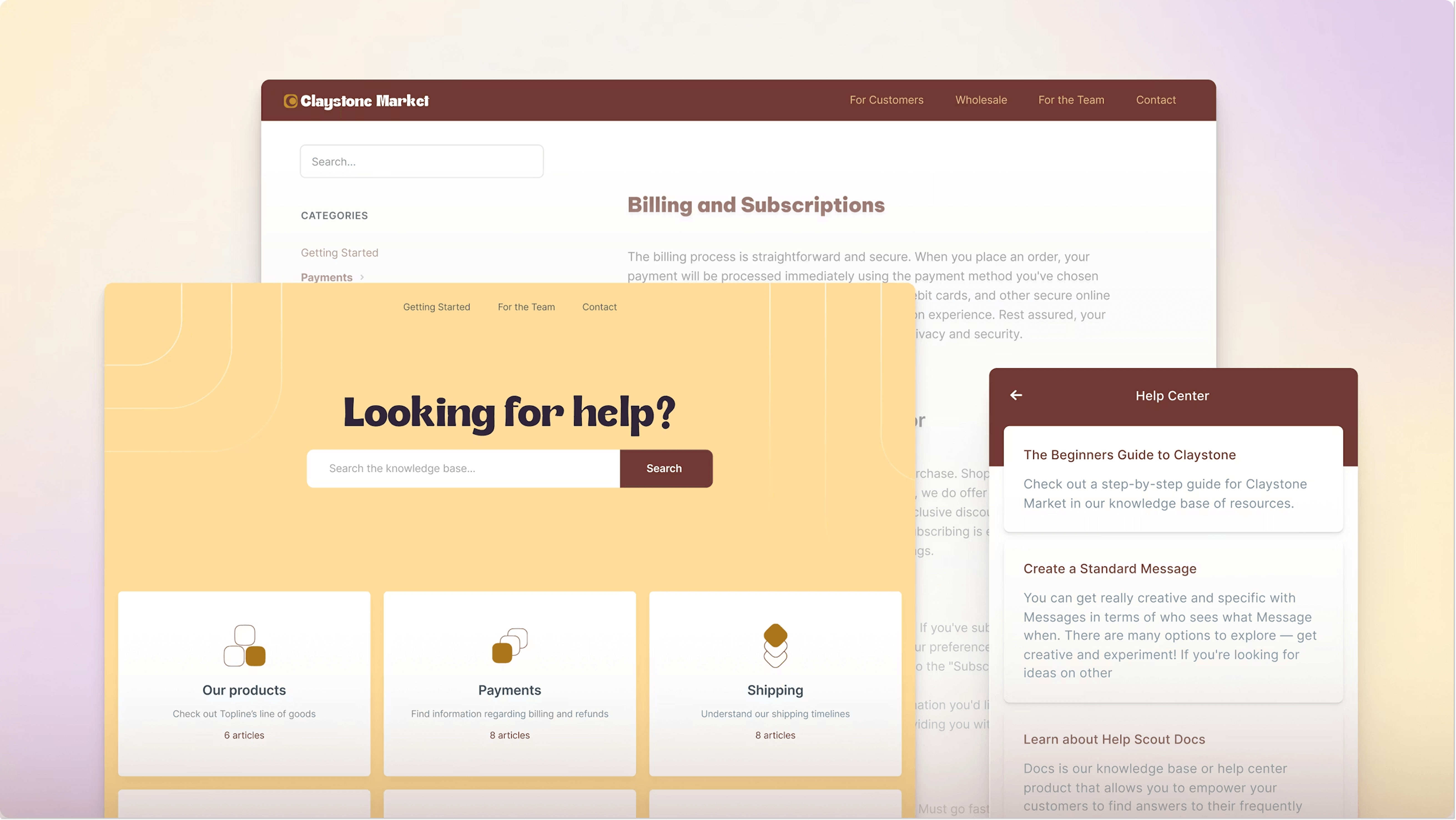
Help Center might be the last “old-school” place in the Intercom’s interface. No-no, don’t worry, there is AI assistance here too, but very minimal.
Overall, this Help Center’s setup is pretty standard: you can create a branded, no-code knowledge base and then place it wherever needed on your website, set it up in the live chat for self-service, let the Fin AI Agent access it, or share with customers via inbox.
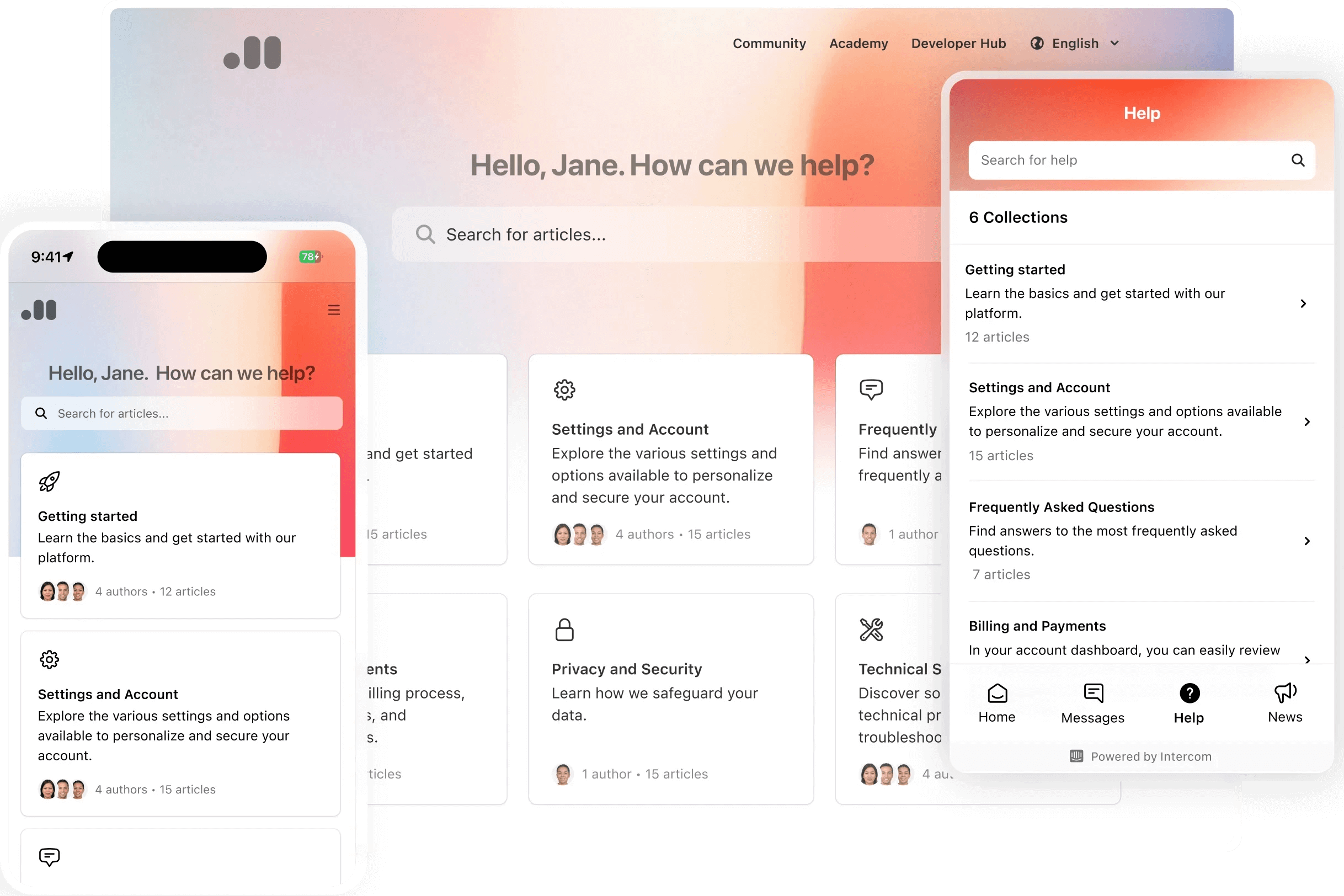
Two features that set Intercom’s Help Center apart are Article Targeting, which delivers relevant content based on customer attributes, and Article Suggestions, which proactively surfaces helpful articles before customers even start searching.
Help Scout is a bit simpler in this regard: you can only “feed” articles to AI Answers or make them searchable across the website.
Ease of use
What about the ease of use? Let’s not undermine this parameter. No one wants an extremely complex customer service platform that takes days and days to learn. Unless? Well, unless it’s Intercom.
Yes, Intercom is famous, or, should I say, infamous, with its complex user interface and rather steep learning curve. That’s for a good reason: Intercom is packed with useful features for teams in need of more control, insights, and advanced functionality. So, no wonder it takes some hours to explore all the corners of Intercom’s interface.
By the way, don’t think that you won’t be able to set up Intercom with ease – you can use its basic customer service feature set with no headache. The thing is, why would you? You pay more for Intercom, which provides more nuanced functionality, so it’s well worth making use of it, which, yeah, will take some investigating.
That said, yes, Help Scout should be your go-to tool if you want a straightforward, no-fuss customer support platform. If you need more advanced features, then be ready to invest more time (and money) into getting Intercom.
Security and compliance
Before you commit to either platform for a regulated industry, it’s worth a quick check.
Both platforms meet enterprise-grade security standards: Help Scout and Intercom are SOC 2 Type II certified, GDPR-compliant, and support HIPAA (included on Help Scout’s Pro plan; available via signed BAA on Intercom’s higher tiers).
Intercom additionally holds ISO 27001, 27018, 27701, and 42001 certifications, reflecting its broader footprint with regulated enterprises. Neither vendor trains its AI models on your customer conversation data.
Integrations
As it was once said, “No man is an island”. Why am I putting this famous quote here? Well, the same goes for technology. You can barely use any platform without integrations. When it comes to customer support, you at least need to fetch all the social media app messages to reply to them.
Both Help Scout and Intercom offer a decent selection of integrations with other services. The thing is that their number differs quite significantly: more than 100 integrations in Help Scout vs. 450 (!) in Intercom.
Do not worry, though, they both cover the most popular and well-needed services for customer relationships and more, like
- Social media and messengers (Instagram and Facebook)
- Jira
- Salesforce
- Mailchimp
- Shopify
- HubSpot
- Stripe
- Zapier
- Slack
And many more. So you are all set with the necessary integrations for help desk, outreach, team communication, and more with either of the platforms.
Both platforms now support WhatsApp as a native channel – Help Scout added it in March 2026, so this is no longer a differentiator between the two, the way it used to be.
So why does Intercom have a significantly larger number of integrations? The reason is that Intercom has also built its own apps, like Content Showcase, Get a Demo, or even Zendesk support (so you can use both at the same time).
Plus, Intercom simply has more options for, say, marketing goals.
Pricing overview
Let’s now address the elephant in the room and move on to the trickiest part of the article: money matters. You don’t have to possess magical powers to tell that Intercom is expensive in comparison with Help Scout.
While Help Scout’s prices start from just $30/mo/per agent, and they make it perfectly clear on their website, Intercom pricing is based on the number of seats plus usage-based charges. Yes, that’s where things get interesting. For example, the Essential plan price for small businesses is $39/mo per seat.
🧮 Quick math: a 10-agent team on the mid-tier plan pays about $540/mo on Help Scout Plus vs. $990/mo on Intercom Advanced (and that’s before any Fin AI resolutions). The same 10-agent team on HelpCrunch Pro runs $250/mo with 5 AI Agents and 50 AI conversations included.
Let me now walk you through the pricing plans of each of the platforms.
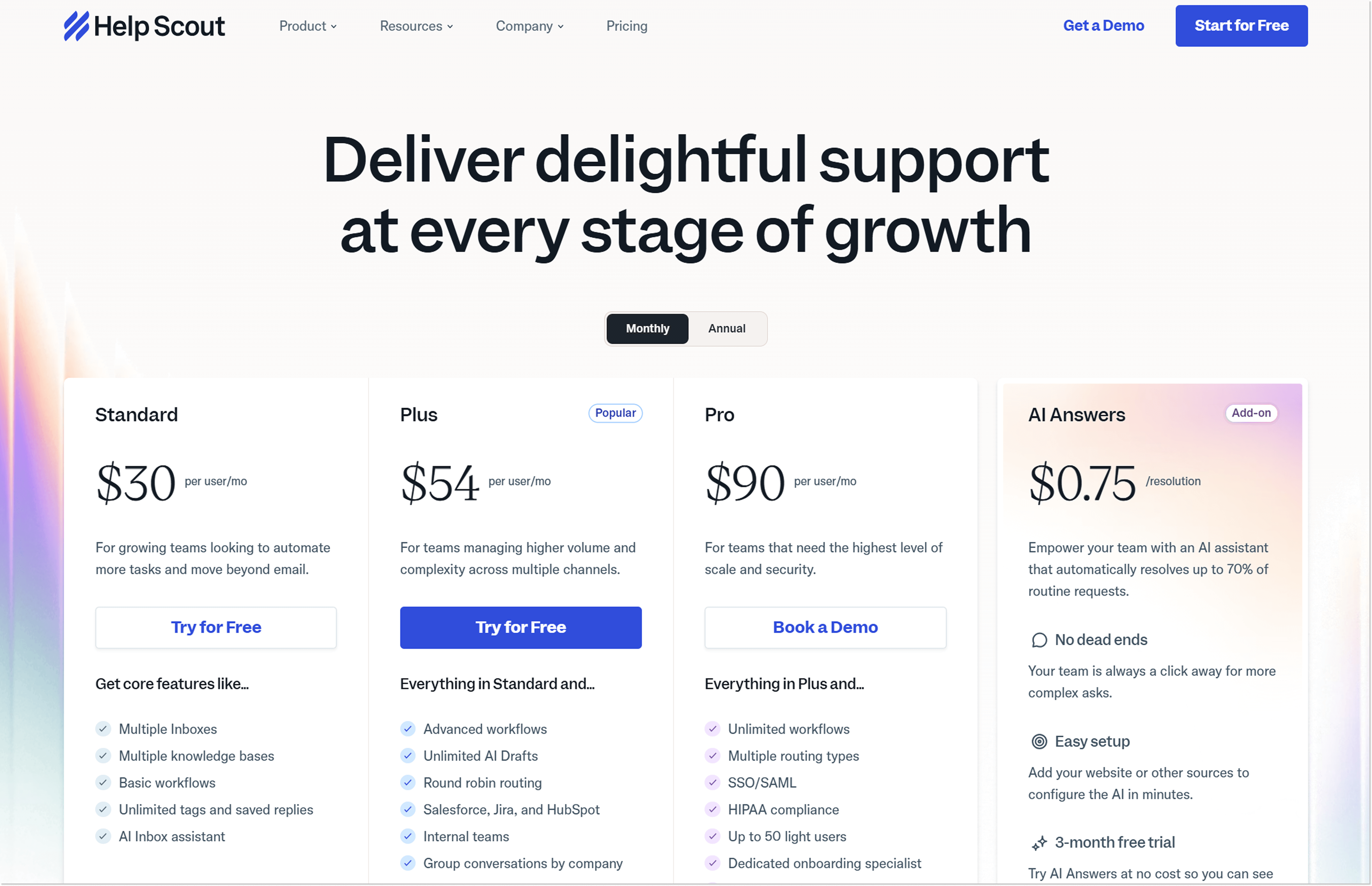
Help Scout pricing
As for now, Help Scout offers 3 pricing plans:
- Standard – $30/month per seat.
- Plus – $54/mo per seat.
- Pro – $90/mo per seat.
Additionally, you can purchase AI answers as a separate add-on for a $0,75 per resolution.
And, here comes the good news: there is a free plan in Help Scout. It includes 5 users, 1 Inbox, 1 Docs site, and 1 integration. Not bad if you need the very basics.
The rest is pretty straightforward here: each plan offers more features, more features get unlimited, or some have a set limit (for example, in the Standard plan, you can have 2 Docs sites, but feel free to pay $24/month for each additional site).
Intercom prices
Similarly, Intercom also offers 3 pricing plans to choose from:
- Essential – $39/month per seat.
- Advanced – $99/mo per seat.
- Expert – $139/mo per seat.
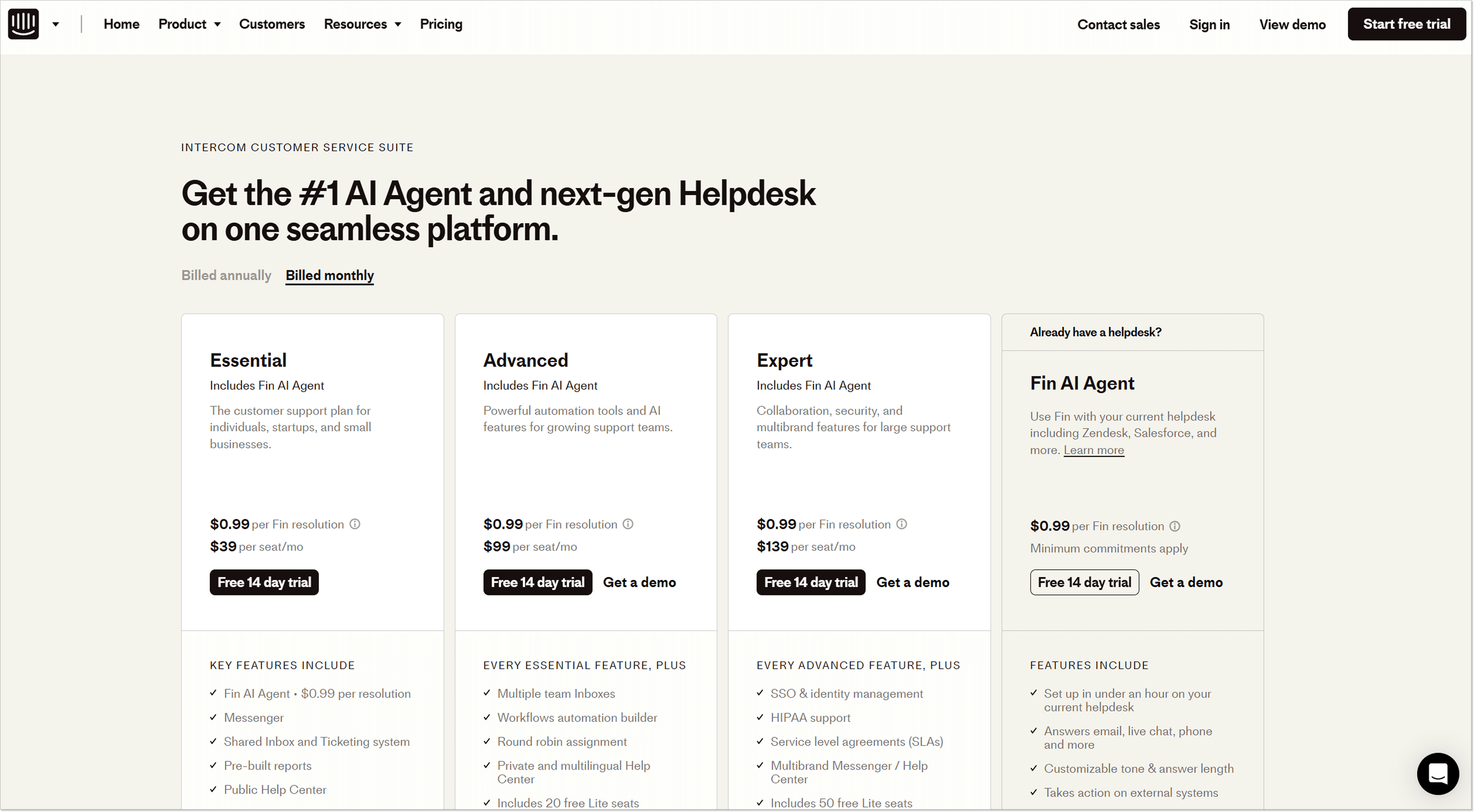
Same as Help Scout, Intercom offers its Fin AI Agent at a per-usage rate, so you will pay $0,99 for each successful resolution.
What’s more, when it comes to Intercom pricing comparison, this platform has other usage-based fees, such as SMS or bulk emails sent. The prices are calculated based on how many, say, emails you send out – the bigger the number, the lower the cost.
And that’s not it yet. There are also add-ons, like the Proactive Support Plus package or Copilot AI assistant. These are paid for separately every month.
Good luck trying to predict your monthly bill for Intercom! Now you are starting to get where all the Intercom pricing complaints are coming from?
What do users have to say?
I could go on and on about the functionalities that Help Scout and Intercom offer. But all of it is hot air. The real value is the users’ opinions. So, let’s change the path and compare these two from this angle.
Currently, Intercom and Help Scout have almost identical ratings on G2 – 4.5. out of 5 stars for Intercom and 4.4 for Help Scout.
Predictably, among customers who gave their review on Help Scout, many mention that it is a basic tool that only works for smaller teams.
“Not sufficient for larger, more complex operations.”
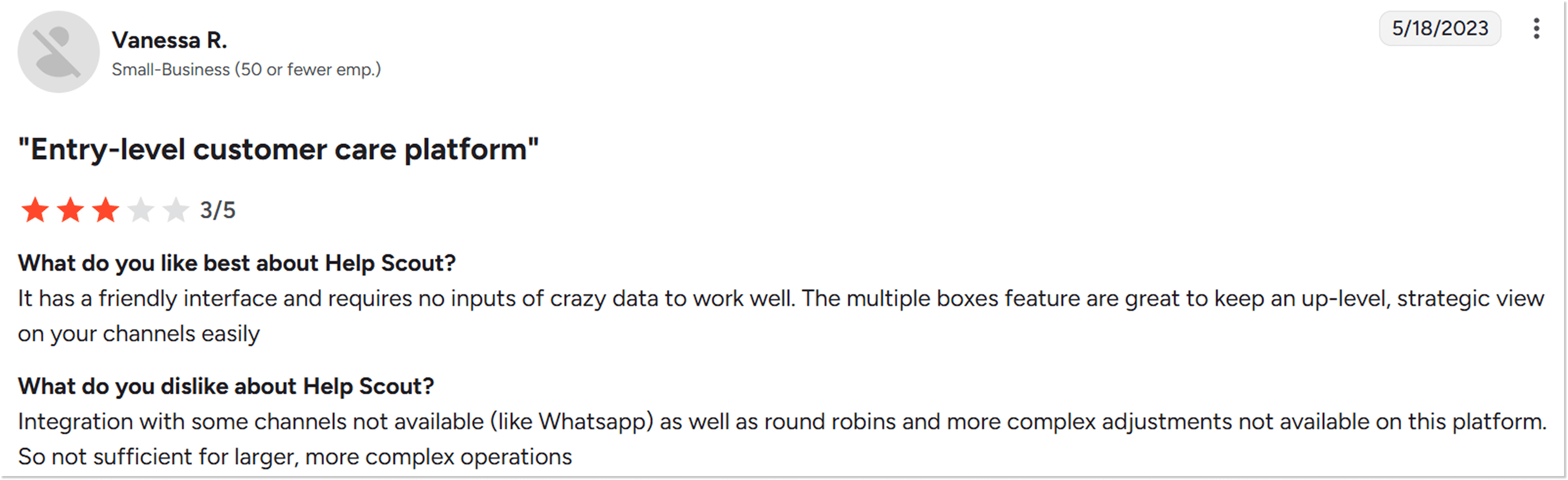
“Help Scout is work in progress, where multiple services are not yet automated.”
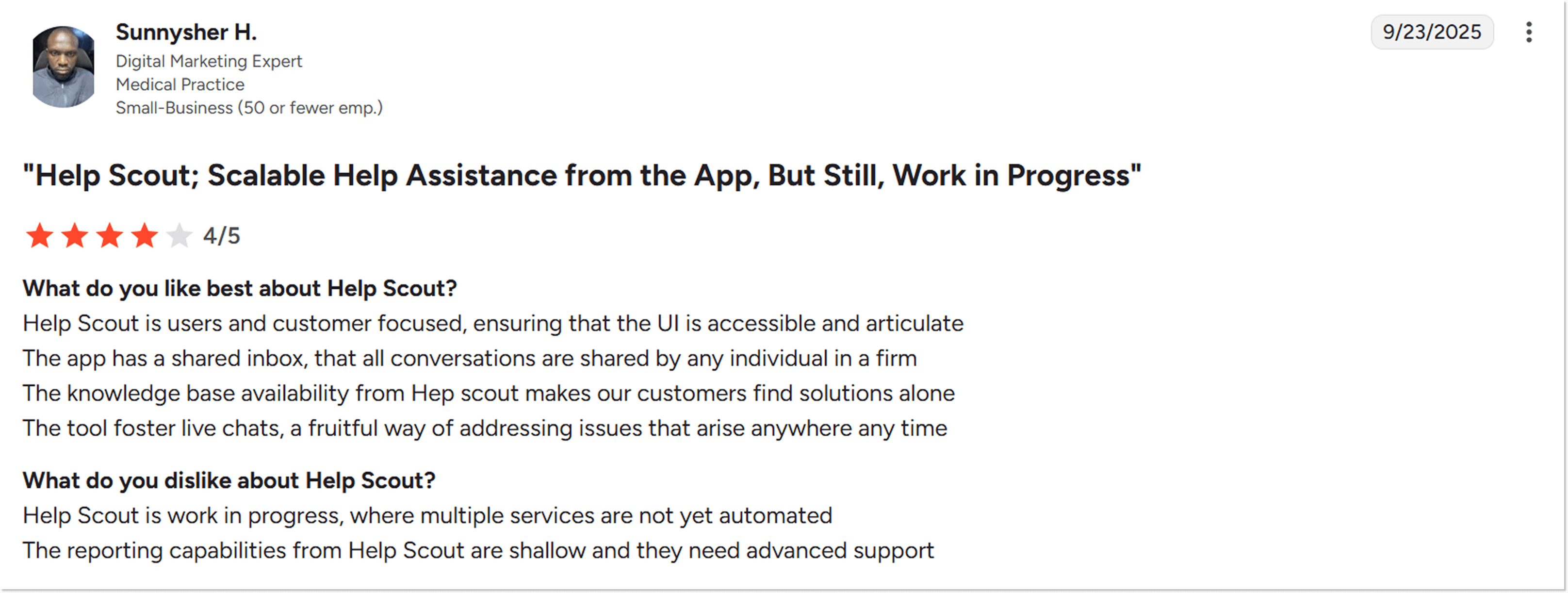
One customer also said, “Help Scout is not the most extensive product.” Can’t argue with that.
What do users think about Intercom? Let’s find out. When I went to check customer reviews, I already knew what the main complaint would be: Intercom’s pricing.
“Pricing is very high compared to alternatives, especially as you grow. Nearly every feature is an upsell, so our bill keeps increasing unexpectedly.”
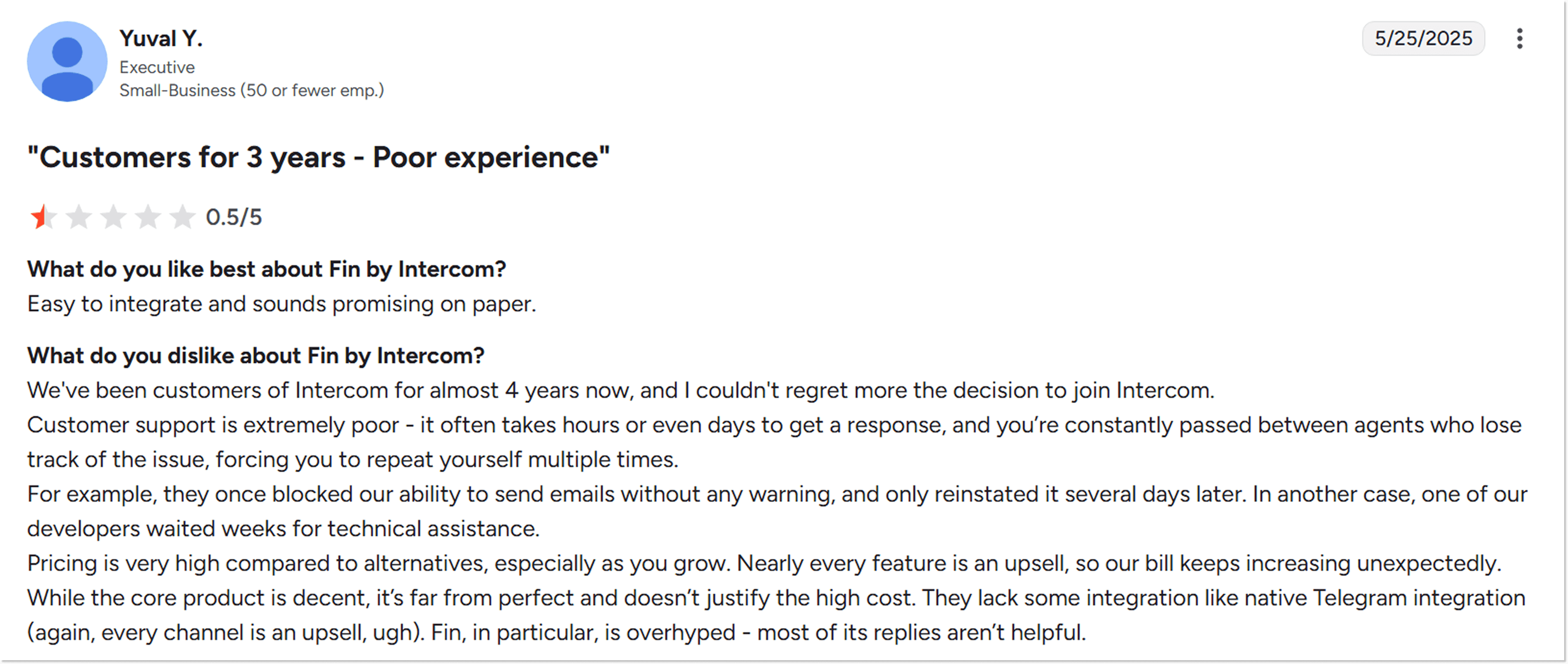
“The price for such a performance is crazy high.”
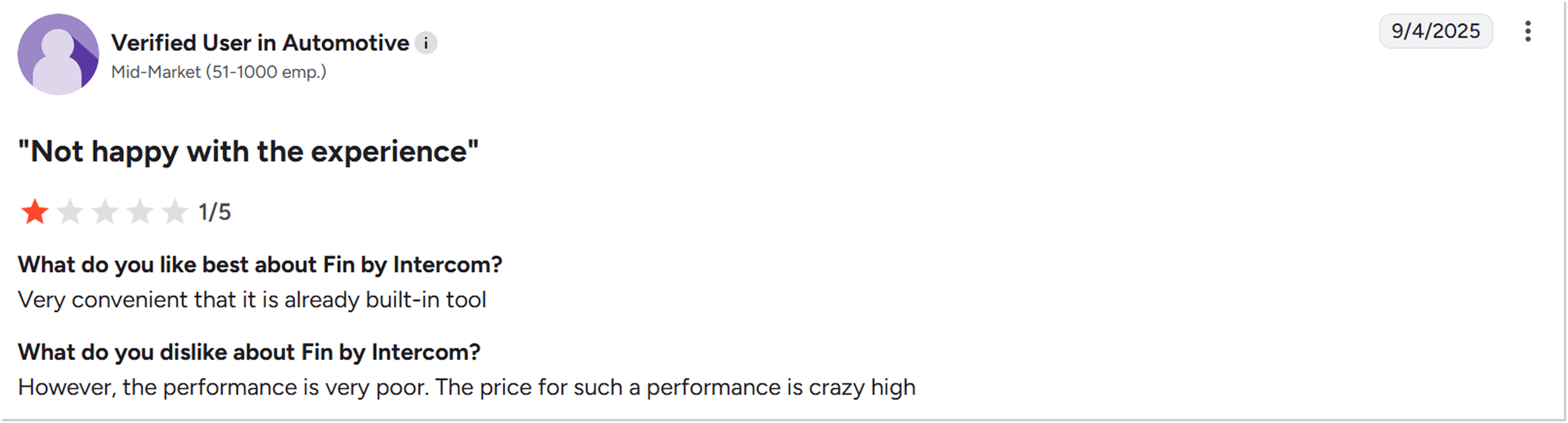
Other reviews go something like “Purposely Opaque and dishonest billing systems. Once you have it installed they exploit you for CONSTANT fee hikes. Constant pitches to upgrade plans and required extra fees.”
You got the point: that monthly Intercom bill doesn’t make many users happy.
It’s not always about Help Scout vs Intercom: Consider HelpCrunch
Aha! You didn’t expect this twist to come.
If the platforms I discussed here didn’t make your heart skip a beat for some reason, there is HelpCrunch – an all-in-one customer service platform built for teams that want enterprise-level AI without enterprise-level complexity or cost.
Oh, and not that I am showing off, but HelpCrunch is awarded 4.7 out of 5 stars based on the customers’ honest reviews. Ok, maybe I am a little 😏
So what does HelpCrunch have to offer as an Intercom or Help Scout competitor?
-
Intuitive shared inbox – a cleaner, more convenient inbox than Help Scout or Intercom, with a ticketing system, email forwarding, real-time threaded conversations, custom inboxes, and a built-in AI Editor for polishing replies. It’s truly omnichannel, bringing together Facebook Messenger and Instagram from the very first plan (WhatsApp joins the mix once you move up to Pro).
-
Live chat – fully customizable and with auto messaging functionality and access to the knowledge base. Pretty much the full package.
-
AI Agents – automate up to 80% of customer queries with 24/7 AI Agents powered by your HelpCrunch Knowledge Base, with multiple agents for different use cases.
-
Knowledge base – a structured, SEO-friendly, always-on knowledge base that’s easy to set up and fully integrated into the chat widget.
- Marketing and sales tools – you can set up popups, create trigger-based and manual email campaigns, and send out automated proactive messages.
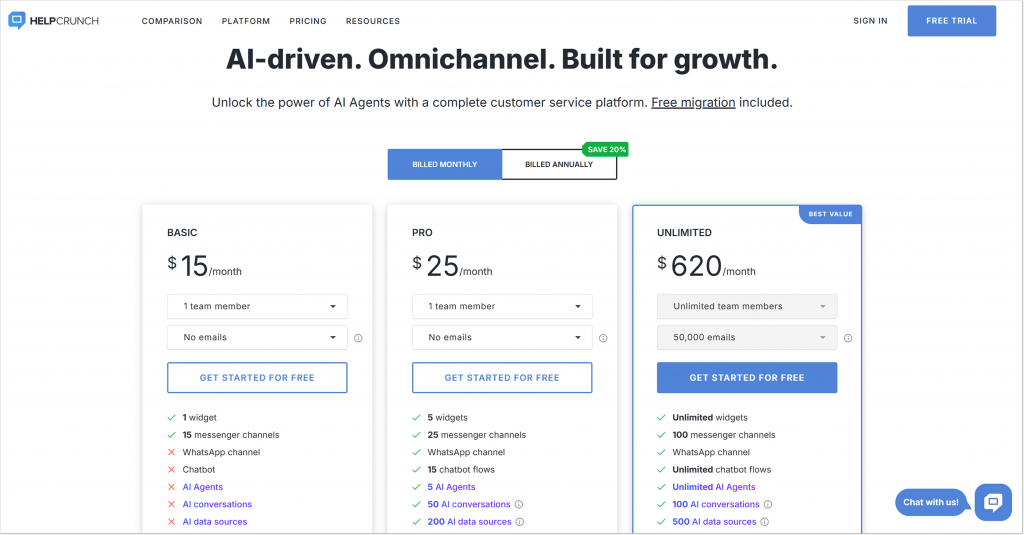
All of the above core essentials, shared inbox, AI Editor, live chat, popups, and proactive messages, are yours starting at just $15/mo on the Basic plan.
And the Pro plan comes in at $25/mo/user, already including 5 AI Agents and 50 AI conversations a month, plus WhatsApp and the multilingual knowledge base. If you need more firepower, you can get 100 extra AI Agent resolutions for $29, or 500 for $125.
Do you want to get back to the part where I talk about Intercom and Help Scout pricing? 🙂
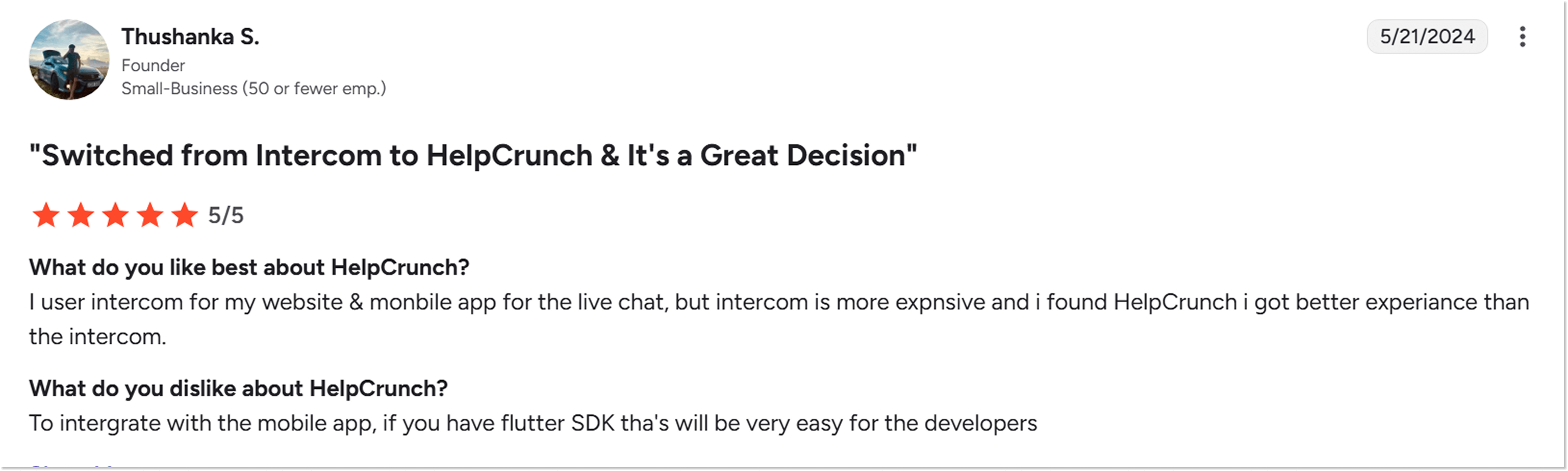
Our customers, who switched from Intercom to HelpCrunch, agree with the judgment:
“Intercom is more expensive and I got better experience with HelpCrunch than Intercom”
Just now, you can register for HelpCrunch and enjoy its 2-week trial period, totally no strings attached.
So who wins: Help Scout or Intercom?
At first sight, these two platforms are very similar. Just peek at the comparison table, and you won’t notice too much of a difference between Help Scout vs. Intercom (apart from the pricing, of course). Though the deeper you dive, the more differences appear.
Here, everything will boil down to your business ambitions sooner or later. Are you a small-sized or even a startup company wanting multiple shared inboxes? Your choice is Help Scout. Help Scout appears as an intuitive, easy-to-use, no-frills tool.
Don’t want to trail behind and go for more complex features, more integrations, and deeper analytics features? Intercom might hit the spot for you.
Do not forget, though, that you always have a third option and MUCH safer haven – HelpCrunch 😌. So go ahead and choose your winner for the best productivity and exceptional customer service!
FAQs
What is the difference between Intercom and Help Scout?
Intercom is a more advanced and feature-rich customer service platform than Help Scout, but it’s also more expensive.
What is better than Intercom?
HelpCrunch is often considered a more cost-effective and intuitive alternative to Intercom.
Does Zendesk beat Intercom and Help Scout as the most user-friendly customer service software?
Not necessarily. Intercom isn’t known for being the easiest to use. When comparing Help Scout vs Zendesk, they both can be equally or more user-friendly depending on your needs.
Is Intercom better than Help Scout for automation of complex queries?
Yes, Intercom offers more powerful automation capabilities for handling complex queries than Help Scout.
How do Help Scout and Intercom compare in terms of pricing?
Intercom’s pricing is generally higher and includes more usage-based and add-on fees compared to Help Scout.
Can I switch between Help Scout and Intercom?
Yes, but there’s no native one-click migration. You’ll need to manually export conversation history and knowledge base content, so budget time for the switch.