Digital Customer Service: What It Is and How It Works in Practice
Get to know about digital customer service essentials: from key channels to the real challenges.
Written by Kateryna Havrylenko

Did you remember this “sweet” pain: phone is blowing up, your working email is about to explode with notifications, and your team lives in the “coffee, panic, repeat” mood? Any sale or update, and boom, it turns into a marathon of handling requests, where someone’ll definitely not be satisfied.
However, I ain’t here to spook you with those horror stories but to remind you that, fortunately, things are different now. Businesses and support teams don’t need to work in a wild rush. Digital customer service makes life much calmer as answers appear in seconds, customers aren’t nervous, and teams no longer work in hardcore mode. Instead of chaos, there is control; instead of overload, there is customer loyalty.
What is digital customer service?
Digital customer service means when your company communicates with clients and helps them online via the Internet and digital channels, rather than on the phone or meeting in person. The customers can write their issues in the website’s chat, find answers in the knowledge base, or write an email and receive assistance where it is convenient for them.
Main elements of digital customer service
- Live chat – instant conversations on the website/in the application;
- AI agents and chatbots – automatic responses 24/7;
- Email support – correspondence for more complex questions;
- Knowledge base – library of articles for self-search;
- Social media – support via Facebook, Instagram, Twitter;
- Messaging apps – WhatsApp, Telegram, Messenger, etc.;
- Video/screen sharing – online visual assistance.
Why digital customer service matters?
Digital interactions have changed customer support expectations, pushing businesses to rethink customer service aspects and adapt to new trends. Modern customer service mirrors how people communicate, search for answers, and solve problems. When support meets these expectations, the whole experience feels faster, clearer, and more intuitive.
And since these changes affect how support works today, it’s time to look at the real benefits of a digital customer service solution.
Instant help 24/7. Nobody has time to sit on hold for 20 minutes. When someone has a question at midnight, they’re not waiting until your office opens tomorrow; they’re either finding the answer themselves or moving on to a competitor who makes customer service easier.
Wide service options. Some prefer typing out their issue in detail via email, while others want a quick chat discussion. Many would rather just search your help center and figure it out themselves. The point isn’t which option is best, but it’s that different people need different digital channels.
Lower costs as you grow. Hiring more phone agents at contact centers, renting more office space, and managing more shifts will cost you an arm and a leg. In digital support, one agent can handle multiple chat conversations at the same time. A well-built knowledge base can answer hundreds of questions without any human involvement, and customer service automation handles repetitive tasks.
Automatic tracking and insights. Phone calls disappear into the air unless you record and transcribe everything. Digital conversations create customer data automatically. You can see which questions come up repeatedly, where customers get stuck, how long resolutions take, and which agents excel at specific problems. The visibility helps you improve.
Meeting customers’ expectations. When someone lands on your website and can’t immediately find help, they assume you’re outdated or don’t care. Fair or not, the absence of digital customer service sends a message.
Solving problems in advance. The real advantage that most companies overlook is that digital customer support can actually be proactive. You can see when someone’s struggling on your pricing page and offer help before they leave. You can send a message when their free trial is about to end, or follow up automatically after purchases to catch problems early.
Digital customer service channels: real-life examples
Usually, digital customer service is not just one channel, but a combination of instruments that work together to create great customer service and a positive experience. Let’s dive into and discover how it works in different niches.
Live chat
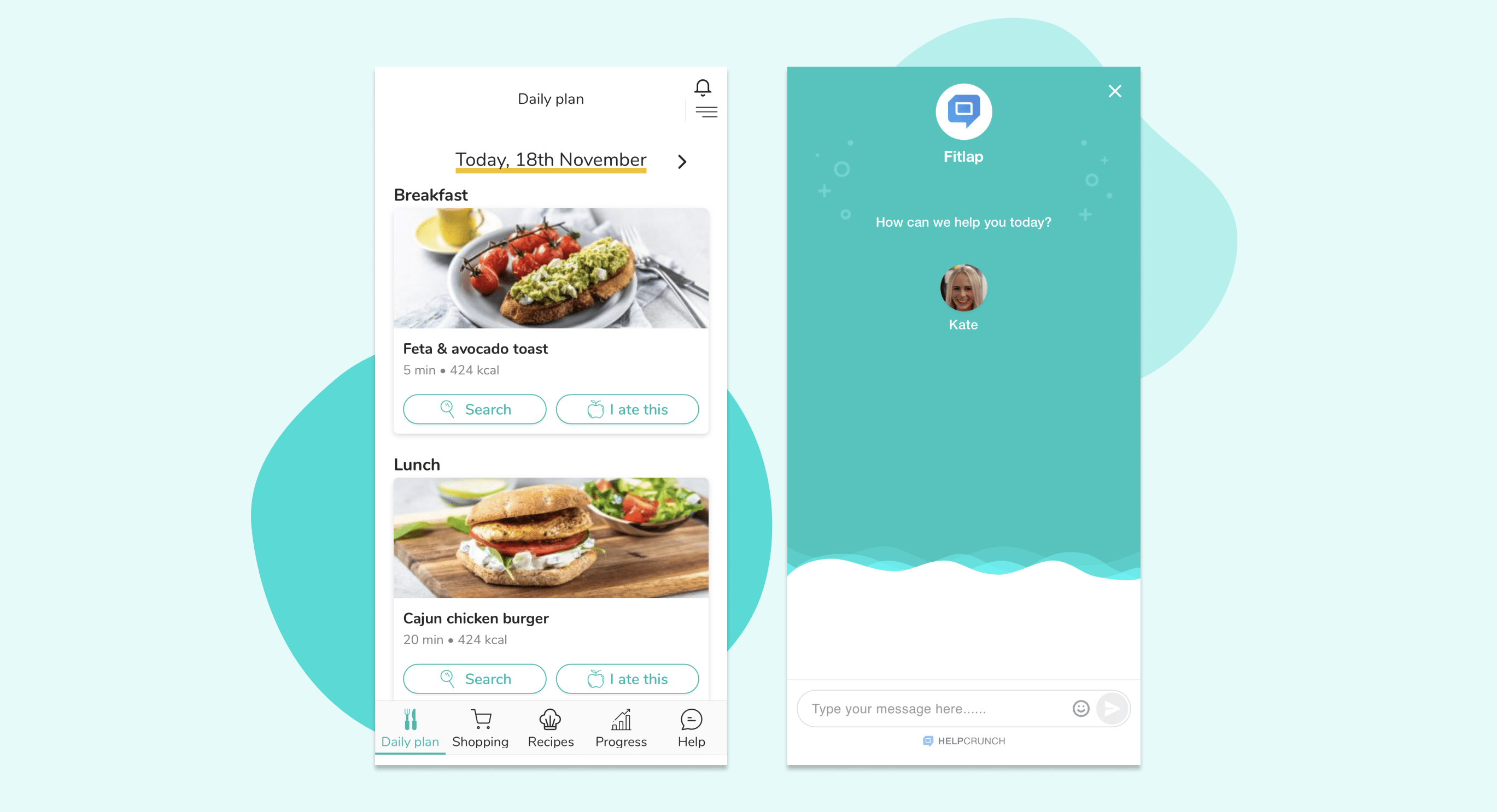
Fitlap app offers meal plans based on body type and personal preferences. Their customers can ask questions about diet, recipes, or workouts directly through the chat. The result is that the team responds within minutes, even if the user writes late at night. Chat works best when a person is already on your website or app and needs a quick answer.
Knowledge base
A knowledge base is essential for SaaS, where customers constantly have technical questions. If a person can figure out how to set up an integration or change a pricing plan, it saves time for both parties.
Maidily, a cleaning business management platform, in the beginning, had an internal knowledge base, but it looked like a bunch of unstructured text. Customers couldn’t find an answer quickly and kept writing to support anyway. However, when they switched to the structured knowledge base with a search, categories, and visual design, things changed. Now users can find answers to common questions on their own, and the support team handles the really complex cases.

Chatbots and AI agents
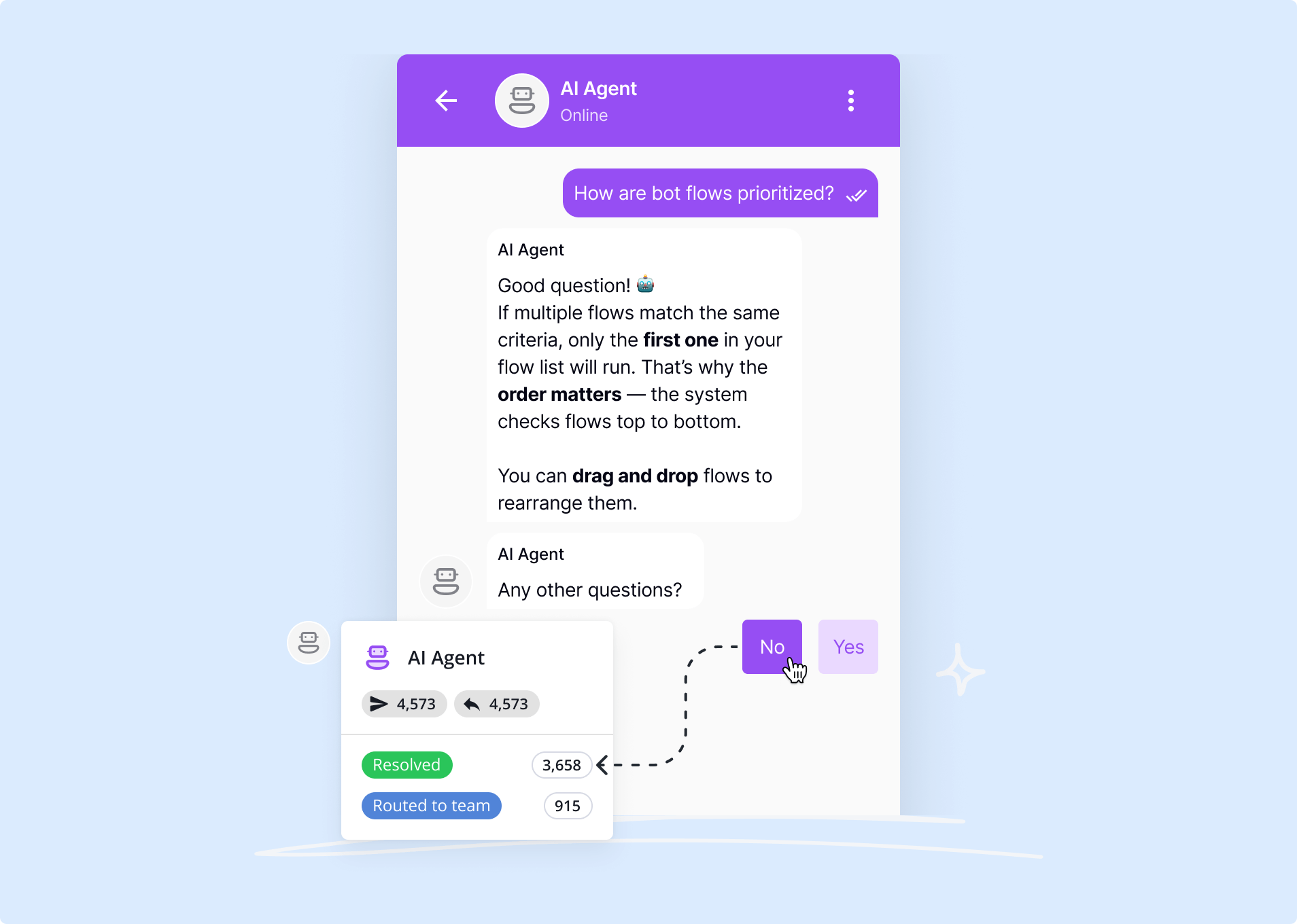
EdTech platform Mathema, which serves over 5,000 students at the same time, has set up AI agents that automatically handle 45% of requests. These are typical questions like “How do I change my password?”, “Where can I find materials for the lesson?”, “When is the next lesson?”
The important thing is that they haven’t replaced people with bots. AI handles the simple; people handle the complex. If the bot can’t help, it immediately transfers the conversation to a human agent with full context – what the client asked what they’ve already tried, and what the problem is. Chatbots and AI agents work best for the companies, that handle many requests and run multi channel support, helping them to close routine questions without pressure.
Email automation
You may think that email is out of date, but it is still a powerful tool for long sales cycles or complex processes. For example, email automation can be used to:
- onboard new users (a series of emails explaining how to get started)
- re-engage campaigns (returning inactive customers)
- provide upsell and cross-sell (behavior-based offers)

6 Best practices for digital customer service
Judging by the emerging trends in customer service, digital support has become the baseline. But even the best digital channels don’t work on their own. What matters is how a business builds interactions, how well-thought-out the strategy is, and whether it truly facilitates the customer experience.
So here are the best practices for digital customer service that really help.
Use channels your customers prefer
Most customers use multiple service channels when interacting with a brand, and it’s important to know for sure their preferences. Check the data: where are your customers currently looking for help, and where are they getting stuck? Don’t launch a chat because everyone is doing it; better check to make sure that’s what your clients really want.
For example, even Gen Z, who typically utilize digital channels for everyday communication, around 35% still call customer service, as do baby boomers. That doesn’t mean you should ignore chat, just don’t make it your only option.
Make self-service useful for customer experience
Most customers want companies to provide them with really useful materials that can help them figure things out on their own. Before you provide such materials, make sure that the basic things work.
I mentioned earlier that a knowledge base is a required thing for a site. But it’s useless when you have a bunch of articles that no one reads. If customers still write to the chat with questions that you already have answers to, then these answers are either hard to find or unclear.
Pro tips:
- write tutorials for the top 10 most frequently asked questions;
- use simple language, try to explain easily and understandably without corporate slang;
- add screenshots and/or videos (people perceive better visually);
- send links to relevant articles directly in the chat.
Balance speed and quality
Consumers expect their request to be resolved ASAP, but an instant reply like “We’ll review your request” is not what they want. A quick solution matters, but the problem is that most teams try to respond quickly to everything at once and end up not solving anything well.
Pro tips:
- prepare different saved responses for the simple, repetitive questions;
- delegate complex cases to humans;
- set realistic wait times to improve satisfaction.

Use personalization through customer context
Personalization means that when a customer writes to you, the agent sees: what they bought, what they asked about before, and what stage they are at now. If someone wrote to the chat yesterday and sent an email today, it should be one conversation, not two separate threads.
Pro tips:
- use platforms that bring all service channels together in one place;
- add internal notes for the team, so colleagues can see the context;
- integrate customer service with your CRM.
AI for routine, humans for complex customer support
Gartner says that by 2029, agentic AI can autonomously resolve 80% of typical support requests without human intervention. But here’s the thing: 82% of customers in the US would still rather interact with a human than a chatbot. AI works best when it filters out simple questions and gives human agents more time to work on complex cases. Don’t try to replace people entirely, just use AI to make their jobs easier.
Pro tips:
- set up AI to answer FAQs, not complex tech questions;
- always provide an option to switch to a live person;
- test and improve bot responses based on real conversations.
Track customer service metrics
Response time is a handy metric, but it doesn’t tell you whether you solved a customer’s problem. If your team responds in a minute, but half of your customers write back, that’s not success. Pay attention to the:
- First contact resolution – is the issue resolved the first time, or does the customer have to write back;
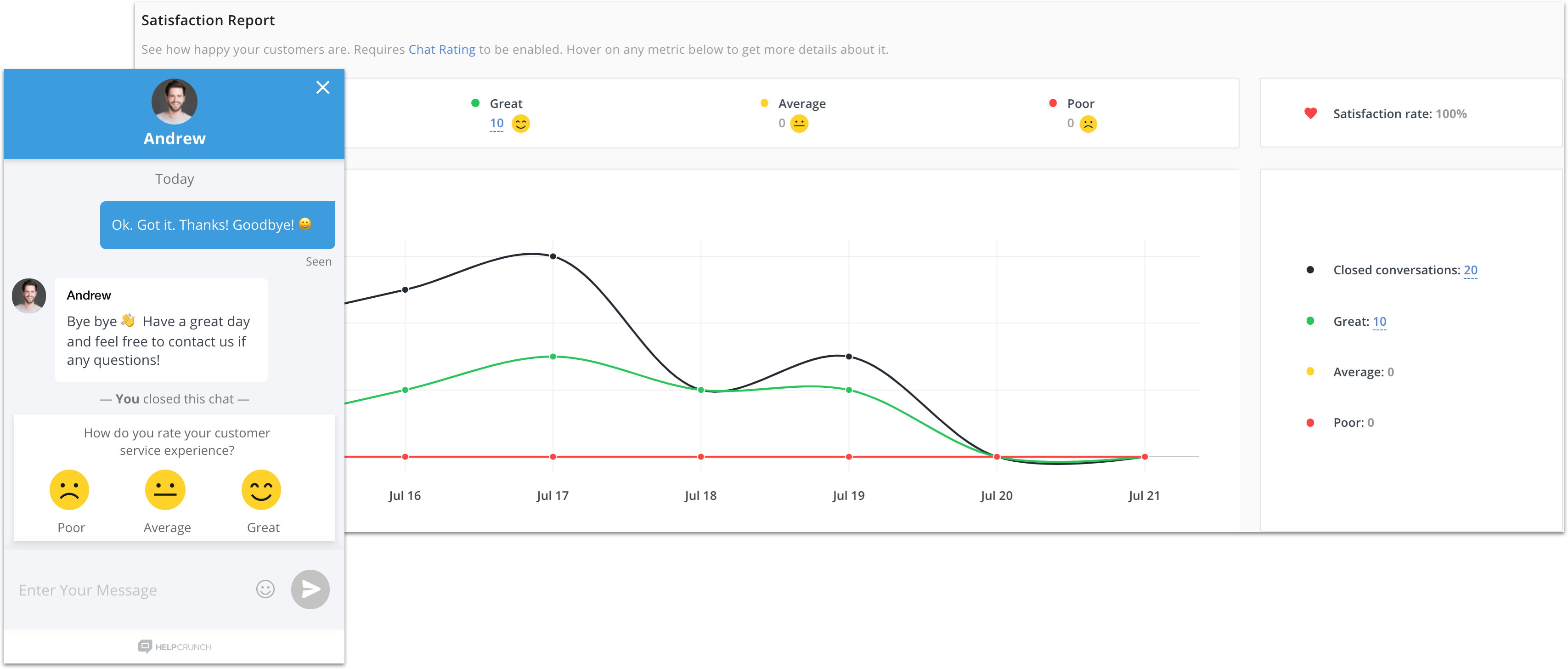
- CSAT (Customer Satisfaction Score) – a simple customer satisfaction metric measured after each request;
- Ticket deflection rate – how many people found the answer themselves without creating a ticket.
Common challenges and how to overcome them
Digitalization sounds wonderful until you start implementing it. Systems don’t connect, the team doesn’t understand why it’s needed, and customers ignore new support channels. And the funniest thing is that companies that sell customer service platforms sometimes don’t know how to properly respond to customers themselves.👀 Let’s analyze real problems and their solutions.
Challenge #1. Integration with existing systems
You’ve launched a digital customer service, and you already have a CRM, accounting system, email marketing, analytics, etc. Now you need to make it all work together. It looks simple, but in practice, it turns out that the API doesn’t support the necessary data, synchronization occurs with a huge delay, and some information has to be transferred manually.
How to solve: before choosing a platform, check if it supports integrations with key CRMs, payment services, explore if you can connect through Zapier or similar connectors, and how flexible its APIs and webhooks are. In this way, you avoid transferring data manually or waiting hours for synchronization.
Challenge #2. Difficulties in switching to another type of communication
It also happens that people are used to a certain working method and donʼt want to switch to a new platform, are afraid that they won’t cope, or simply don’t understand. As a result, the team uses the new system half-heartedly or finds workarounds to work in the old way. All in all, digital customer service is formally implemented, but nothing really changes.
How to solve: don’t just announce the changes, but explain how it simplifies the work. Start with a pilot launch on a small part of the team. Let a few people try it, and understand the system. Conduct training not on abstract examples, but on real situations from your practice. And give the team time to get used to it.
Challenge #3. The difficulty of measuring performance
In traditional support, everything is simple: the number of calls, the average conversation time, and how many issues are resolved. In digital customer service, the picture is blurry. A customer can open a chat, leave, come back in an hour, then write an email. Is it one request or three? How to calculate the response time if the customer himself disappears for a day?
How to solve: determine which metrics are important for your business. If you are a SaaS company, it may be more important to track whether the churn rate has decreased after improving support. For eCommerce, time to first response is critical.
Challenge #4. Customers don’t use new channels
You have launched AI agents, a knowledge base, a chatbot, invested time and money, and customers continue to call or write to the old email. Digital channels are empty, or almost no one uses them. The reason is that your customers don’t know about the new features or don’t trust them. If the chat is hidden somewhere in the corner of the site, and the knowledge base looks like an archived forum from 2010, people simply won’t use it.
How to solve: make digital channels visible and convenient. Chat should be on all key pages, especially where questions arise (prices, product, checkout). Add triggers that offer help at the right moment, and optimize the knowledge base for search. If people still call or write to email, redirect them and explain the benefits.
Challenge #5. Data security and compliance
GDPR, CCPA, and local data protection laws are becoming a headache when implementing digital customer service. One mistake, and you’ll get fined or lose trust. Many teams simply ignore this issue until there’s a problem. Or vice versa, they’re so paranoid that they prohibit storing any data, which makes support ineffective.
How to solve it: choose a platform that meets security standards. Check where data is stored and whether you can control how long it’s stored. Set up access roles; critical data (payment cards, passwords) should never be transmitted via chat at all. Give customers the ability to export or delete their data upon request.
Building your digital customer service future
If you’ve read this far, you already have an understanding of which online channels work, which practices help your team avoid burnout, and the challenges that may appear along the customer journey. Now the question is where to start.
Start with one problem. Choose the channel that covers the biggest pain, then set it up properly, and use analytics to track the result. If customer satisfaction increases and the number of repeat calls decreases, move on. Your goal is to make it easy for customers to get help and easy for your team to provide it. The sooner you start, the less you have to catch up with competitors later.
FAQs
What is the difference between digital customer support vs traditional?
Traditional support is often responsive and relies heavily on voice (phone calls) or physical presence. Digital customer service is often omnichannel (connected across platforms), allows for asynchronous communication, and utilizes automation to solve problems faster.
What skills do you need for digital customer service?
Digital customer service needs agents who are excellent writers and can explain solutions simply and clearly. Key skills include fast, accurate typing and being tech-savvy enough to quickly manage multiple chat windows and computer programs. Agents must also have digital empathy, which is the skill to understand a customer’s feelings just from their words.
Does digital customer service replace human agents?
No. Effective digital service is a hybrid model. AI and chatbots handle simple, repetitive tasks, human agents are freed up to handle complex, emotional issues that require empathy and critical thinking.
How to choose the right digital customer service?
Look for a platform that centralizes all conversations, integrates with your CRM or eCommerce system, offers automation or AI features, and scales as your business grows. Also consider ease of use, response time improvements, and overall cost. In practice, platforms that combine these features, such as HelpCrunch, can make customer service easier to manage, depending on your team’s needs.