Knowledge Management vs. Content Management: What’s the Difference?
A quick guide to content management vs. knowledge management with practical, easy-to-understand differences.
Written by Mariia Yuskevych

I know: your company is producing so much information. You need to explain how to use the product, keep track of every inner process, share updates between teams… the list never ends. Totally brain-melting!
How not to get lost in such an amount of data and, more importantly, how not to lose any business information you might need? The answer is organizing the data properly, no surprises here.
Joking aside, to do so, you might find yourself asking the question of knowledge management vs. content management.
These two notions sound similar, yet they play different roles in how your team shares information. What’s more, they are highly interconnected and complement each other.
So let’s take a moment to walk through the definition of what content management is, what knowledge management is, how they compare, and which one your team truly needs (spoiler alert: in most cases, you will want both!).
What is content management?
Content management is the process of creating, handling, publishing, and storing various types of digital assets. In simple terms, it refers to producing and sharing all types of digital content (think text, video, audio, you name it) across various channels.
The examples of content can include:
- Articles
- FAQs
- How-to videos
- Guides and instructions
- Industry reports
- Social media posts
Usually, content management means adapting information to the specific channel. For example, you would share different types of content on your website and social media.
Why do you need a content management system?
An effective content management system significantly eases your web content creation efforts and ensures no actions are erratic.
Content management software lets you create, edit, manage, and publish content on a website with no problem (problem here refers to coding😅). Instead of juggling files, formats, and last-minute edits, your content management team works in one clear, structured space that keeps everything under control.
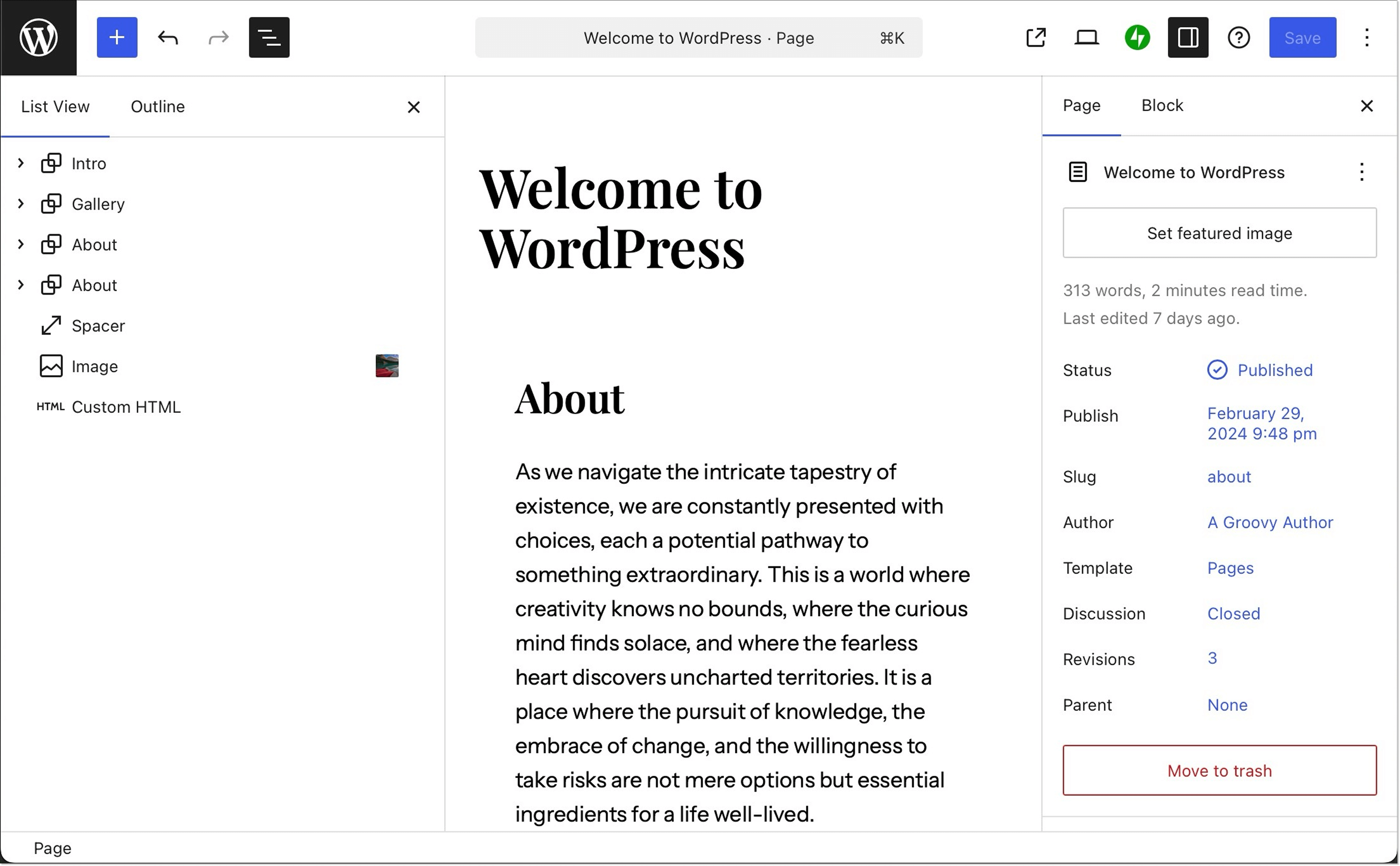
Your goal can be reaching out to potential customers, educating and helping the existing clients, building a strong brand, documenting your product, or anything else. A content management system supports this by helping your team format content properly, optimize it for search, upload and manage media files, and adapt each piece for different pages and use cases.
What is knowledge management?
Knowledge management is the process of capturing and organizing all the knowledge that lives within your company.
Knowledge management is all about information organization: making it easy to find, relating content pieces to one another, keeping it all updated, and ultimately creating an all-encompassing and always accurate single source of truth.
Plot twist: knowledge management actually includes content management. But defining knowledge management goes a tad further than that. Content is just one part of it. Knowledge management covers everything your company knows, including public content, internal guides, workflows, and team know-how, so nothing gets lost.
Why do you need knowledge management?
Short answer: because you want your team to find the needed information fast and easily.
Can you believe that 52% of employees say they don’t have access to the knowledge they need at work? That’s a huge gap in consistency and day-to-day effectiveness.
No matter whether we are talking about your sales team employees who need last year’s reports or a customer who can’t recall how to add the analytics feature. They need the solution here and now without diving into Excel files one by one or opening the support chat window. A proper knowledge center won’t leave them hanging.
Content management vs. knowledge management comparison: key differences
Like I’ve mentioned, content management and knowledge management intertwine, and, in fact, knowledge management includes the content management processes too.
Still, there are some important differences between content management and knowledge management.
| Area | Content management | Knowledge management |
| Objectives | Focuses on creating content. Includes producing relevant pieces, formatting them for each platform, distributing them through the right channels, and supporting brand communication and marketing goals. | Focuses on organizing content. Includes preserving knowledge, preventing loss of information, ensuring easy access, connecting related pieces, and improving onboarding for customers and employees. |
| Focus areas | Works mostly with explicit knowledge, such as blog posts, knowledge base articles, video tutorials, and anything that can be easily documented and shared. | Works with explicit, tacit, and implicit knowledge. Also captures team experience, best practices, and know-how. |
| Process | A linear process: planning, creating, editing, publishing, and updating. | A dynamic process: capturing knowledge continuously, placing it in the right “spot,” reviewing, reorganizing, and updating whenever processes or products change. |
| Role assignment | Handled by specific teams like marketing, sales, or support. | Anyone in the company contributes. Team members document their expertise, create internal guides, or share experience |
| Audience | Usually external. Content is aimed at the general public: customers, leads, website visitors, and anyone searching online. | Both external and internal. Focuses on teams, stakeholders, and customers who need structured product information, best practices, and processes. |
| Tools | Software built for publishing and distributing content, such as WordPress, Ghost, or other CMS tools with editors and SEO features. | A combination of tools, such as knowledge base software and wikis. |
Objectives
As content management mostly deals with separate content pieces and their production, the main objectives of content management include
- Producing relevant and useful content in accordance with a content strategy
- Distributing content via specific channels
- Formatting content as necessary for each platform to make it engaging and easy to digest
- Supporting brand voice and communication style
- Support the company’s marketing, customer service, or other goals
The goal of content management is to make sure that all your content is planned, created, edited, published, and distributed across selected channels.
At the same time, the knowledge management objective is to organize the digital content. This involves
- Preserving the existing business knowledge and encouraging knowledge sharing
- Preventing the loss of any pieces of data
- Making knowledge accessible and easy to find
- Building relations between content pieces
- Easing up the onboarding and decision-making processes for customers and employees
Content management and knowledge management have different purposes that together form a whole, all-around experience.
Focus areas
Content management focuses on explicit knowledge, while knowledge management deals with explicit, tacit, and implicit knowledge. Yeah, I know, a lot of terms. Let me explain.
Explicit knowledge is easy to access and share. It can be the blog articles, knowledge bases on your website, video walk-throughs, and other content you share that can be documented with no trouble.
Tacit knowledge cannot be simply put in a guide. It usually comes from experience, for example, a customer success team member knowing how to run a standout demo or how to engage with a certain lead profile. It is all those “tricks” your team might know. In companies, this expertise can be transferred through mentorship programs, knowledge-sharing sessions, video trainings, and such.
Implicit knowledge is the blend of explicit and tacit knowledge. Its example can be knowing how to use certain software without thinking through each step. Say, when you tell a customer, “Go to your profile,” they understand that they need to click on the “My profile” button in the upper right corner.
Implicit knowledge is about noticing what people do automatically and making those insights visible enough through simple guidelines, onboarding tips, or even small UI improvements so others can follow the same smooth path.
Process
The process of content management is quite straightforward and linear. The main stages of content management typically include content planning, creation, editing, publishing, and updating.
When it comes to knowledge management, this process is more dynamic. New knowledge is captured and added to the collection regularly as soon as it appears, as it needs to be correctly placed inside the system.
Plus, all the knowledge should be reviewed to make sure it’s still up to date and fully aligned with current processes and the product. Each product update should be reflected in the content.
Role assignment and authority
The content management process usually involves dedicated teams like marketing, sales, or customer service departments. Their direct tasks are to produce and share content on specific topics.
What about knowledge management? One of the knowledge management advantages is that every team member is more than welcome to document their expertise and engage in knowledge sharing. Say, your customer service team is getting a new employee. The team members can compile a short guide with best practices of customer interaction or organize a meeting to explain their process.
Audience and information type
Who’s the end consumer of your content? That’s the question that draws a line between content management and knowledge management.
Content management typically deals with information that is generally available to anyone. Let’s say you post a new blog article. You assume that it will be read by any person online, not just your customers. In fact, you even want it to get discovered by people who haven’t heard about your product before.
When it comes to knowledge management, your audience is more specific here. It mostly concerns your team and stakeholders, as they need to have access to all the best practices, product updates, and more to do a good job. Plus, you would want to organize all the product information for your customers, too.
Tools and technology
Different processes need different tools. Businesses use content management platforms, like WordPress or Ghost, to publish their pieces. The main features of such tools are built-in editors and easy text formatting right on the platform, so you can present the information in the most effective and engaging way. Plus, these systems support media uploads, SEO features, and more — all to make it easier to post content that attracts readers.
Knowledge management is a more complicated process, and it’s not so simple to pinpoint one single platform to use. In fact, it’s the combination of some knowledge management tools that makes an effective knowledge management system.
For starters, you can make use of knowledge base software. Think of it as a hub for all the useful information your business produces. It’s a platform where you can upload and, more importantly, organize articles topic by topic.
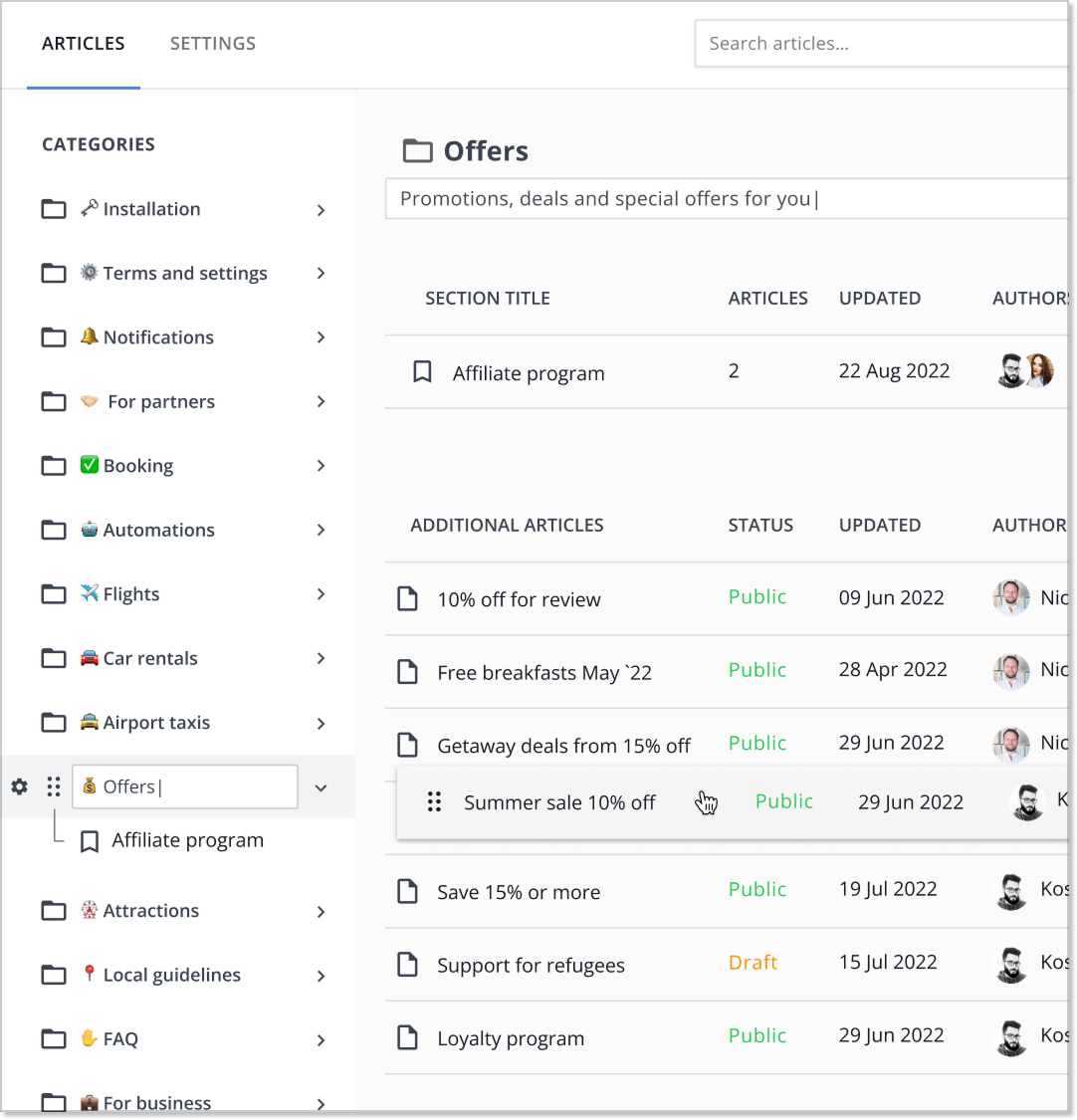
The best part is that you can create several knowledge bases separated by categories or use cases (say, you can make a separate internal knowledge base for your help center and another one for your customers). HelpCrunch’s knowledge base software allows you to do precisely that. To tell you a secret, you can try it out for free.
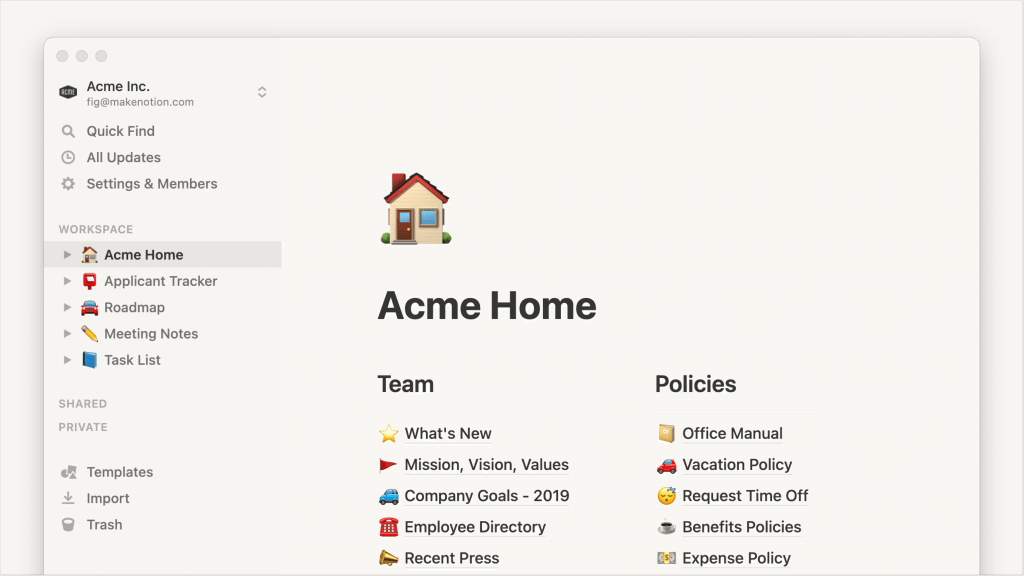
Other types of knowledge management systems include wikis. You know the good old Wikipedia. Imagine creating this kind of encyclopedia, but all about your product or processes. It can be done on Confluence, Notion, or custom-made knowledge management software.
Do you need both content management and knowledge management?
Now, to the big question you’ve been waiting for me to answer this whole time. Should you adopt a content management system or a knowledge management system?
In all fairness, I would say you will probably need both. Content management gives you a way to make your product discoverable and well-described. Each piece of content your team produces leads to a better understanding of how to interact with your product and what value they can get from it.
Knowledge management takes this a step further. It organizes all the company’s information into a structured, searchable, easy-to-navigate system that makes sense for your customers and team.
It also goes further by keeping all existing knowledge accessible for your team and customers, ensuring nothing falls through the cracks. Content management, meanwhile, works with selected topics tailored for specific goals.
Summing up
In the end, content management and knowledge management work in synergy and help you get the maximum benefit from all that data you are generating.
One helps you create and share clear, useful information, while the other organizes everything you and your team know into an accessible structure that has all the answers ready.
When you use both, your company’s growing pile of data becomes a system that supports your team, answers customers’ questions, and keeps everyone on the same page without the chaos. Beautiful, isn’t it?
FAQs
What is the difference between content management and knowledge management?
Content management is about creating useful pieces of content, such as blog posts, videos, or guides, and sharing them with the right audience. Knowledge management takes all the company’s information, plus the know-how inside the team, and organizes it into a clear, searchable system.
Can you use a content management system for knowledge management?
You technically can. But it is much more convenient to use separate knowledge base software, since a CMS is built for publishing content, while knowledge management focuses on organizing all internal information, processes, and team knowledge in one place.
Is content management part of knowledge management?
Yes, content management is one element of knowledge management, but knowledge management goes further. It includes not only the content your team produces but also internal know-how, best practices, process documentation, and more. Knowledge management brings all of this together, organizes it, and turns it into a structured system that’s easy to search and keep up to date.