
The year has just kicked off, and we’re already rolling out product updates. ✨ Earlier, we announced that you can now enable and disable interaction time with the chatbot from the FRT reports. But today, let’s not dive into that; instead, we want to showcase the refreshed look of Contacts!
📝 Managing your contacts is now even more convenient
As developers and HelpCrunch users, we understand the importance of interface convenience, especially when dealing with extensive databases like contacts. With this in mind, we wake up and rush to optimize. So, here’s the outcome of our efforts — the new appearance of Contacts!
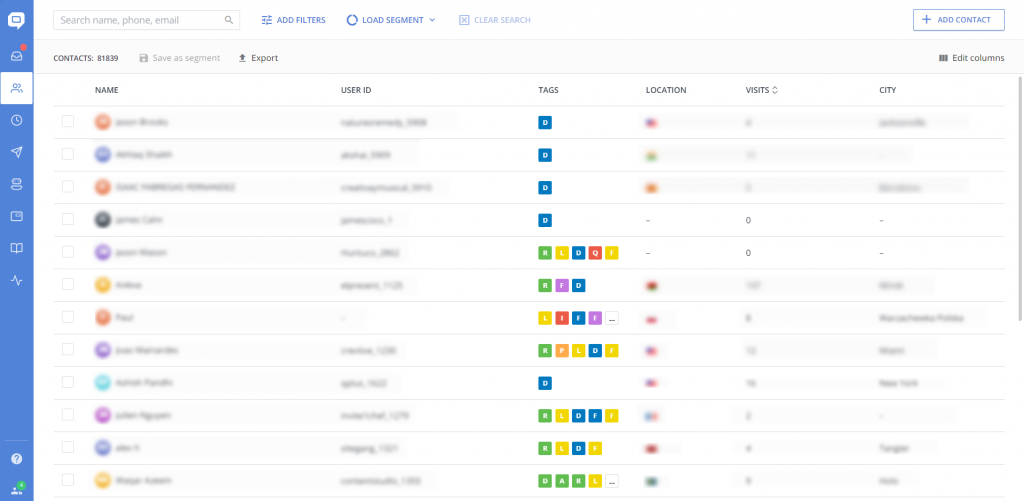
Our Customer Success Managers and Marketing Managers are equally thrilled about these updates 😁 We’ve completely revamped the layout of key interface elements, making navigation intuitive and straightforward. Notably, it’s now more convenient.
✏️ Contact management: The “Export” button is now above the contacts, allowing quick export of them all or specific segments. The design of the Contact addition window has also been updated.
🔍 Contact search: Besides a dedicated quick search field for contacts by name, email, or phone, you can also swiftly load previously saved segments or filter by attributes.
📁 Segment management: Quickly create dynamic segments based on user attributes and filters. The “Save as segment” button is now located above the contacts, and a separate menu for loading previously saved segments includes a preview feature.
🧮 Filters management: Regarding filters – we’ve separated them into a dedicated button for ease of use. It allows you to filter contacts swiftly by basic or custom attributes.
We have also significantly improved the loading speed of the contacts page, which is crucial for efficiently working with the customer database.For more in-depth information about Contacts, dive into our Knowledge base. But most importantly, go ahead and give it a spin yourself!
Read Also
💌 Meet new assignment rules based on email fields (to/from/subject)
Time to bring order to your email workflow. Now, you can create assignment rules to redirect or tag messages based on the recipient, sender, or subject.
📖 Accordions, snippet callouts, and auto-logout for Knowledge base
Two new formatting tools in the Knowledge base editor, plus auto-logout for password-protected knowledge bases, smoother widget access, and minor fixes for iOS SDK.
📱 Mobile cleanup: New chat search in apps & SDK stability
Our mobile stack just got a serious cleanup. Enjoy a brand-new chat search in the HelpCrunch Inbox apps, improved message reliability, and a load of SDK stability fixes.
