
We could say long time no see, but it’s not been long since we shared a few tweaks to our platform, like a custom domain for chat transcripts and new permissions. Our next endeavor was to make HelpCrunch’s mobile products more convenient and reliable, and we think we managed that pretty well.
Both our iOS and Android apps, as well as SDKs for your apps, got a whole lot of technical optimizations, bug fixes, and even a new chat search feature in the HelpCrunch Inbox apps.
⚙️ Mobile apps improvements and fixes
Our iOS and Android HelpCrunch Inbox apps got a few well-deserved enhancements.
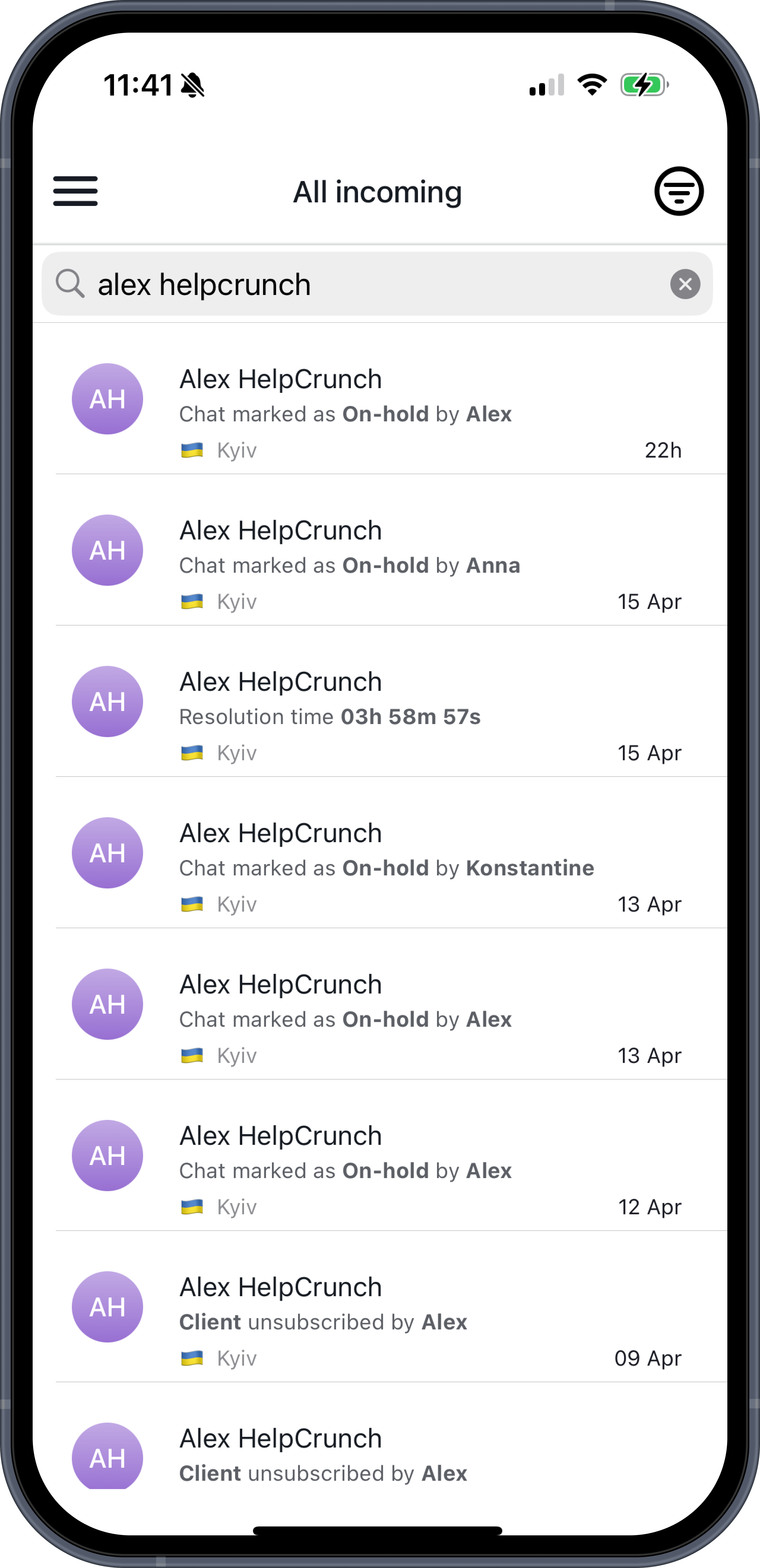
🔎 Brand new chat search
We know that you get just so many messages from clients every single day. And finding that one client who needed a link or asked a question that required clarification might be quite a challenge. That’s why we added the search feature to help you locate the needed conversation.
Now, you can look up specific words in the messages, customer names, phone numbers, company names, and more.
🔗 Copy chat links on the Android app
Sometimes you need to get a second opinion from a colleague or let the team know about a certain issue. Sharing a chat on other apps was available on both iOS and Android apps, and now, you can also copy the chat link on Android to paste it anywhere you need.
To do that, simply tap the three dots in the upper-right corner of the chat screen, navigate to the chat actions screen, and you will see the Copy chat link button there.
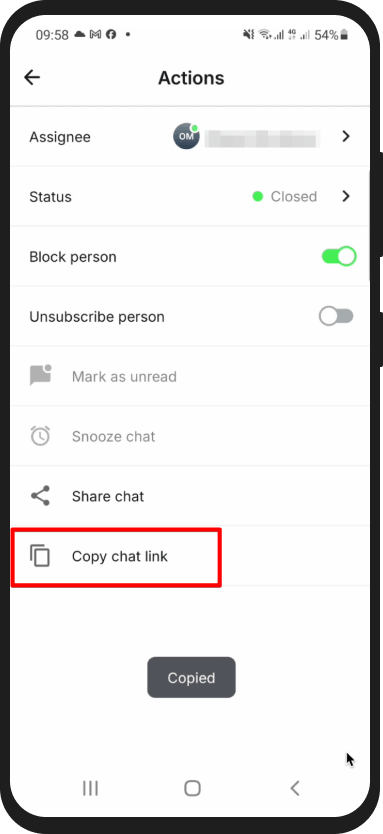
As for the iOS app, this option has already been available: you can copy the chat link by navigating to the chat actions screen, selecting Share chat, and then choosing Copy.
💌 Improved message reliability in apps
You know how it is: no matter how hard you try, a few bugs here and there will make their way into your app and hide between the cracks. Our team fixed a bunch of bugs and made chats more stable and predictable across our iOS and Android apps. Messages now behave as expected, with fewer glitches and no text display issues or inconsistencies in the logic of certain chat actions.
We created HelpCrunch Inbox apps so no customer message is left unanswered, even when agents are away from their computers. If your team members are still not on them, it’s high time to download our iOS and Android apps.
🧩 Bringing more stability to SDKs
SDKs that let you add a neat little chat widget to your app didn’t go unnoticed either. We will be honest: there were a few issues we had to resolve in our SDKs.
Long story short, no more crashes in certain scenarios (it happens to the best of us) or issues with knowledge base loading.
Plus, we fixed the widget behavior inconsistencies, offline state issues, and some tricky edge cases.
Additionally, we’ve made quite a tech cleanup with under-the-hood optimizations. Safe to say that our mobile products are now ready for you to enjoy the convenience of a smooth mobile experience on the go.
Read Also
👥 Individual team member display settings per widget
Managing several brands or products? Choose which team members appear in each chat widget and hide offline ones. See what changed and how to set it up.
💌 Meet new assignment rules based on email fields (to/from/subject)
Time to bring order to your email workflow. Now, you can create assignment rules to redirect or tag messages based on the recipient, sender, or subject.
📖 Accordions, snippet callouts, and auto-logout for Knowledge base
Two new formatting tools in the Knowledge base editor, plus auto-logout for password-protected knowledge bases, smoother widget access, and minor fixes for iOS SDK.
