
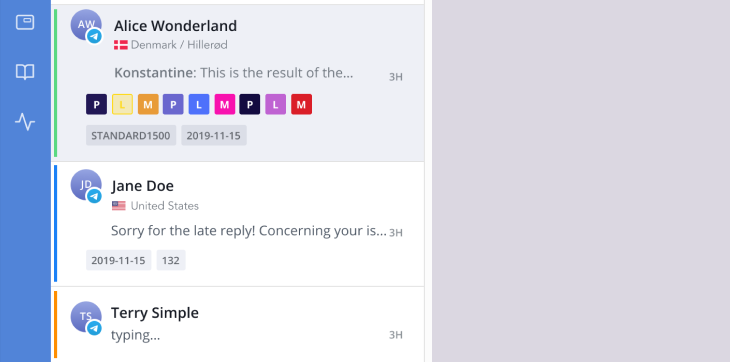
HelpCrunch is finally launching the much-anticipated Telegram integration. Your clients’ Telegram requests are now landing in your HelpCrunch Inbox.
Why is it so huge? Telegram x HelpCrunch integration opens up many ultimate perks for you and your team. Thanks to it, you can:
- Experience feature-packed messaging. Customers can now share images, GIFs, locations, and other file formats with you, just like in Telegram.
- Give customers freedom of choice. Now they can contact you via Telegram if it’s more convenient for them.
- Keep clients up-to-date. Send essential information about sales, subscriptions, and other data to customers directly via Telegram, lightning-fast.
- Skyrocket your team’s productivity. No more switching between multiple tabs as Telegram correspondence will always be at your team’s fingertips. They can deal with it from one dashboard saving their precious time.
To connect your company’s Telegram account to HelpCrunch, log into your HelpCrunch account. Find Settings -> Channels -> Telegram. Click Add Telegram Bot. After that, follow simple instructions and click Connect Check detailed setup instructions here.
Read Also
💌 Meet new assignment rules based on email fields (to/from/subject)
Time to bring order to your email workflow. Now, you can create assignment rules to redirect or tag messages based on the recipient, sender, or subject.
📖 Accordions, snippet callouts, and auto-logout for Knowledge base
Two new formatting tools in the Knowledge base editor, plus auto-logout for password-protected knowledge bases, smoother widget access, and minor fixes for iOS SDK.
📱 Mobile cleanup: New chat search in apps & SDK stability
Our mobile stack just got a serious cleanup. Enjoy a brand-new chat search in the HelpCrunch Inbox apps, improved message reliability, and a load of SDK stability fixes.
