
Recently, we told you about our latest updates, such as automatic chat rating localization and more. Today, we are excited to introduce an updated interface and new features for Auto and Manual Messages!
✨ What’s new?
Interface! We’ve redesigned it from the ground up to make it more user-friendly and pleasant to use. The message editing screen is now divided into two parts:
- Workspace on the left: Here, you can edit the message and its display conditions.
- Preview area on the right: Here, you can view the message, contacts that match the criteria, and reports. All this is available during editing without the need to scroll the page.
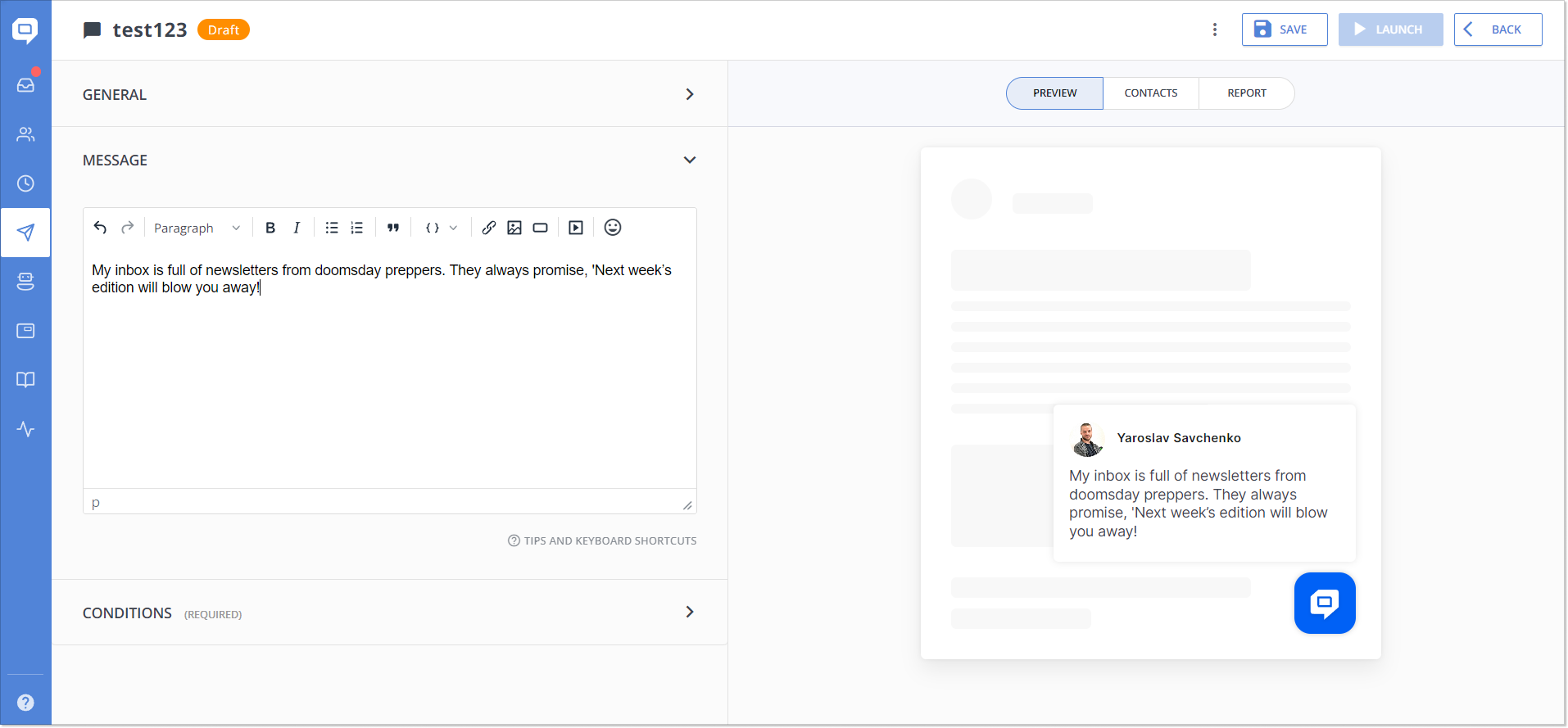
We have added a Preview option for Chat Auto/Manual Messages that shows in real-time how your message will look to a customer. This greatly simplifies the writing process and helps avoid unexpected oopsies after sending.
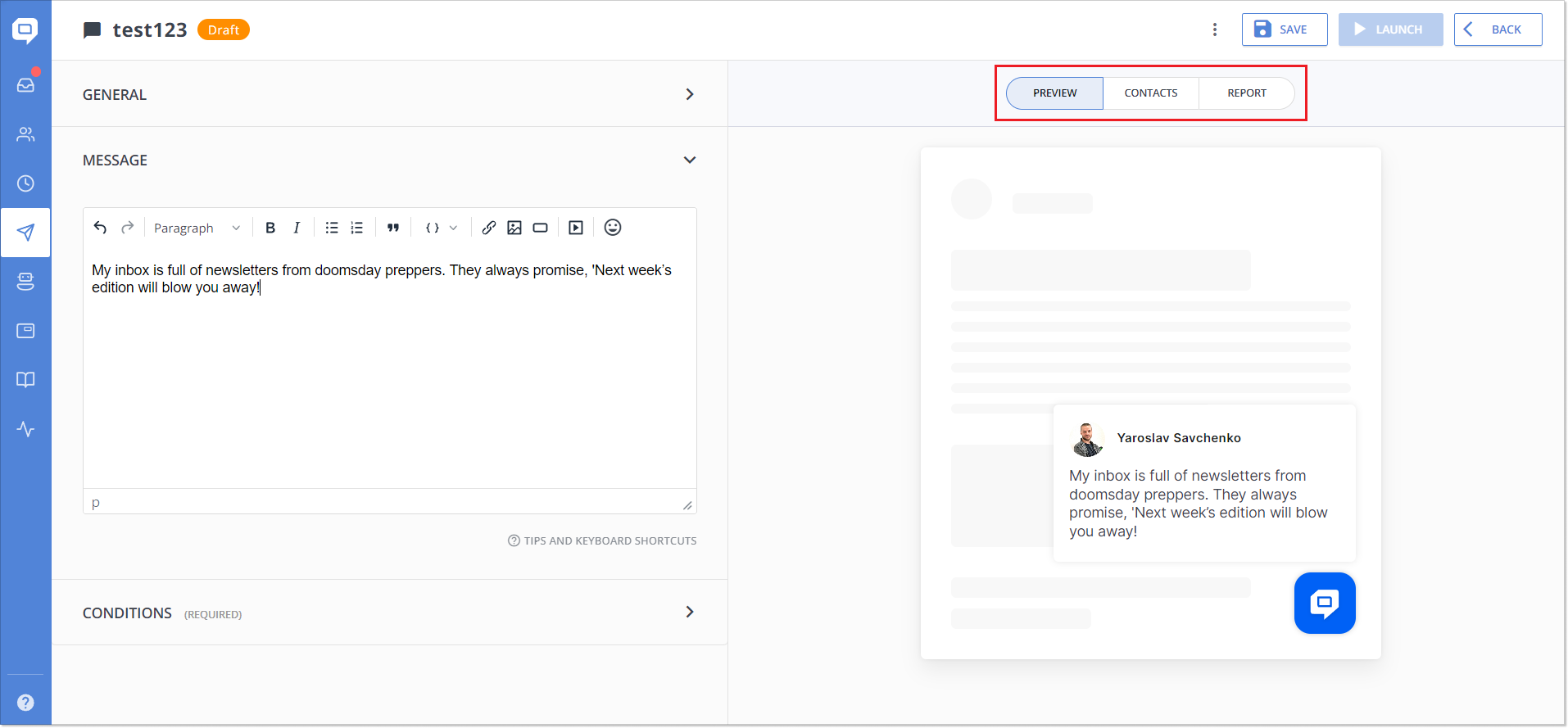
For Email Auto/Manual Messages, we have added a new metric, Unsubscribed, to the Report tab. Now you can see how many contacts and who exactly unsubscribed from a particular email. This will allow you to understand user reactions to your emails better and make data-driven changes.
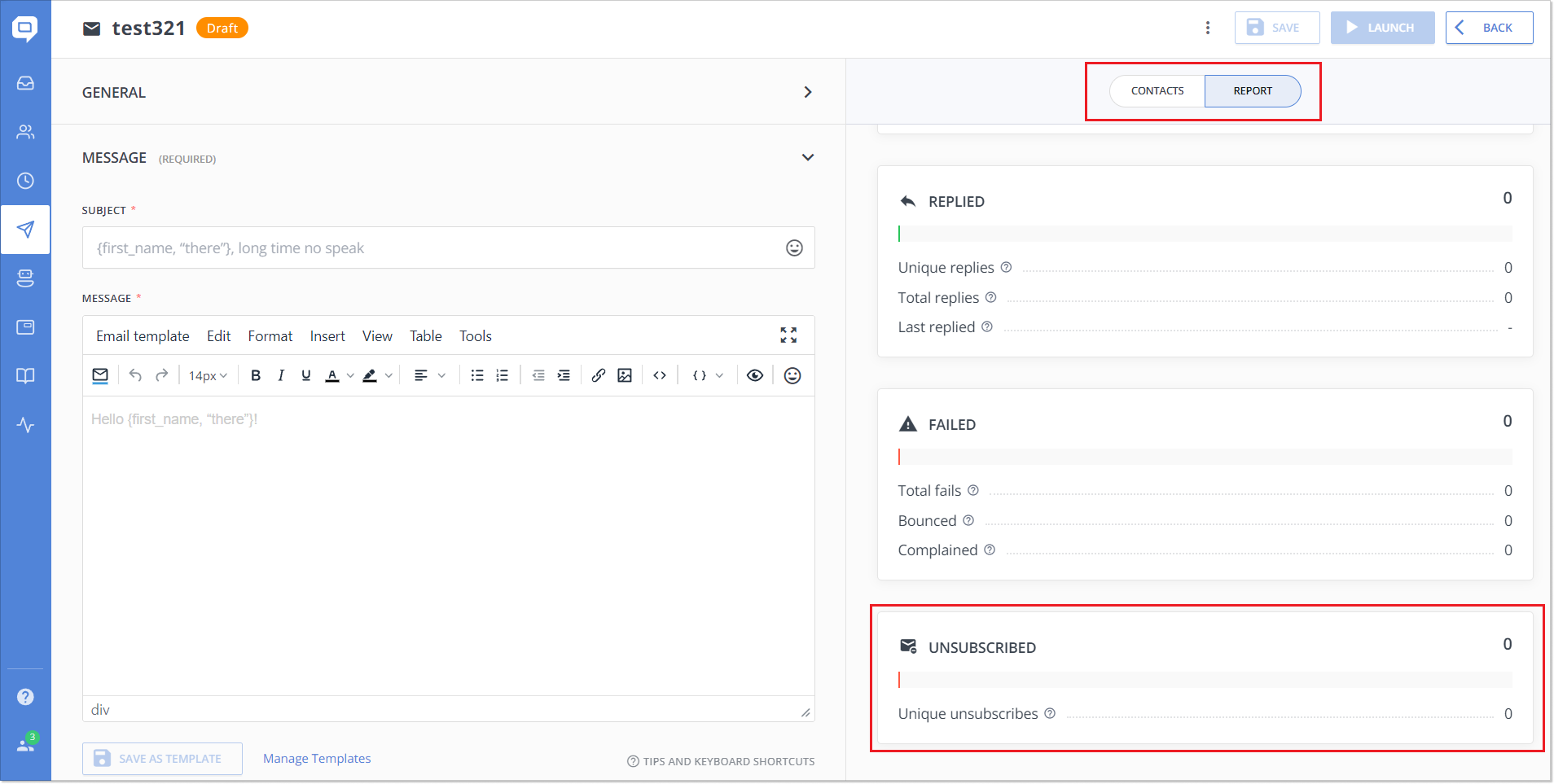
Additionally, full-screen editing for emails has become more convenient. This allows you to focus more on writing and avoid distractions.
🔜 Optimization and upcoming plans
Regarding Auto and Manual Messages, in the near future, we will be working on the following:
- Optimizing tables for fast loading of large data volumes.
- Updating the Conditions editor for easier and more accurate segment creation.
*We have redesigned the Conditions editor for Auto/Manual Messages, similar to the editor in Chatbot and Assignment Rules. Next, we plan to update it across all service areas.
- Optimizing the sending mechanism for Auto/Manual Messages to increase the speed and reliability of message delivery.
We made these updates to enhance your experience with HelpCrunch and that of your users. So we encourage you to try them out right away! 🏃
Read Also
💌 Meet new assignment rules based on email fields (to/from/subject)
Time to bring order to your email workflow. Now, you can create assignment rules to redirect or tag messages based on the recipient, sender, or subject.
📖 Accordions, snippet callouts, and auto-logout for Knowledge base
Two new formatting tools in the Knowledge base editor, plus auto-logout for password-protected knowledge bases, smoother widget access, and minor fixes for iOS SDK.
📱 Mobile cleanup: New chat search in apps & SDK stability
Our mobile stack just got a serious cleanup. Enjoy a brand-new chat search in the HelpCrunch Inbox apps, improved message reliability, and a load of SDK stability fixes.
