
Since we’ve announced a bunch of previous updates, like the new Welcome message customization feature for the Viber bot, our team wasn’t slacking around and kept working hard to make things better, faster, stronger. So feel free to make some noise (a little laptop tapping works) for the latest HelpCrunch updates.
📧 Take control over open and click tracking in emails
In most cases, you would like to know how many people opened your email or clicked on the link. But this helpful feature can sometimes be a little troublemaker. That’s why we want you to have an option to turn the tracking on or off.
How does email tracking work?
There is a tiny invisible picture (a tracking pixel). It loads as soon as the receiver opens the email and, voila, you know how many people opened your email.
The thing is that since September 2024, Google hasn’t been a big fan of tiny, hidden pictures, so emails can be flagged as spam. It is especially the case for unknown senders. Receivers might get a warning like “Images in this message are hidden. This message might be suspicious or spam”.
You can now decide whether to track your email open and other rates or not, based on the particular outreach scenario and risks.
How to enable or disable email tracking?
Go to Settings → Channels → Email, and you will see the “Email Tracking” section. The open and click tracking is on by default, so feel free to turn it off when needed.
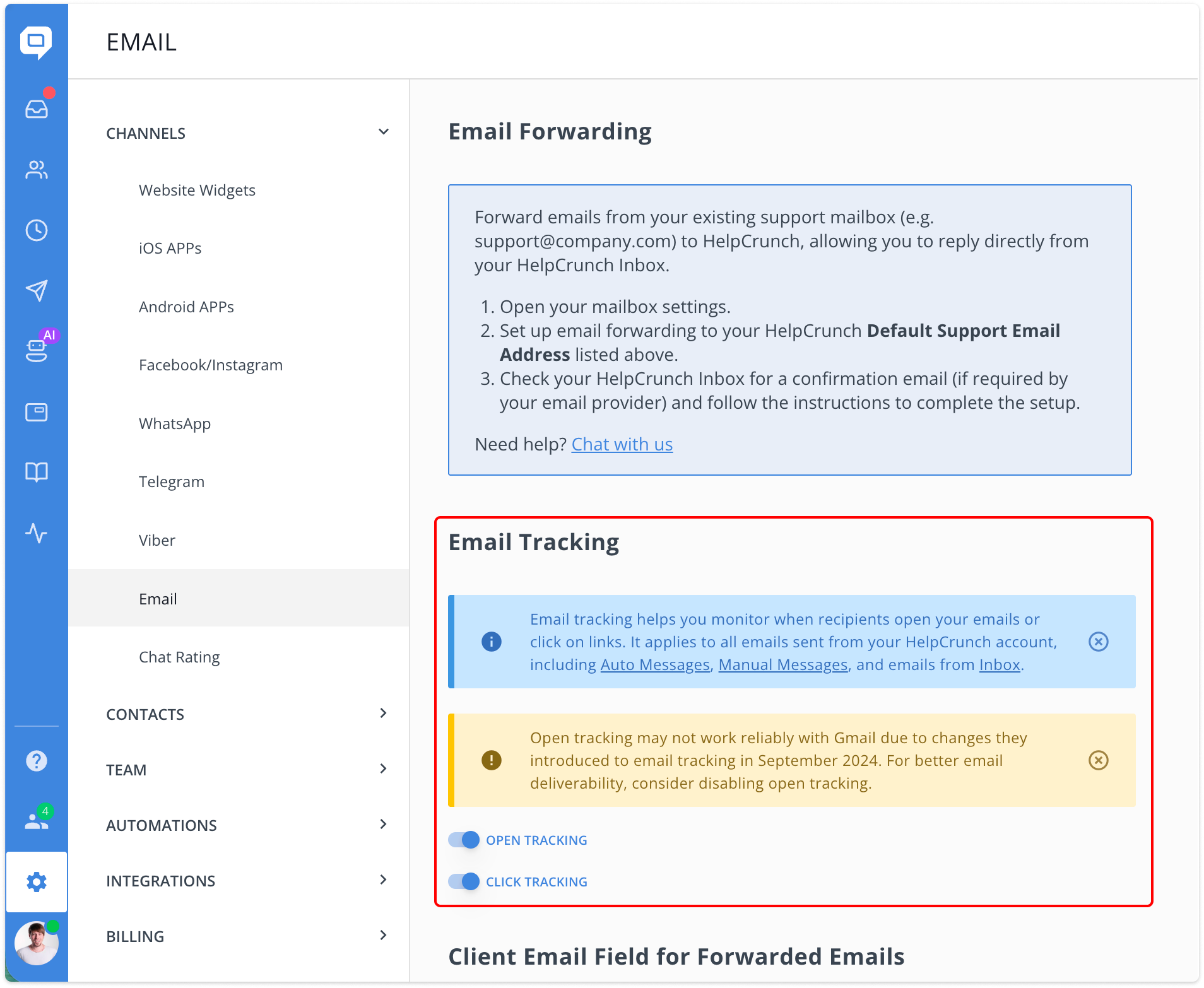
More details on whys and hows in our knowledge base article on email open and click rate tracking.
And that’s not all with emails! We’ve refreshed the entire email section with a cleaner look, clearer descriptions, and even a link to set up your custom email address. Go enjoy sending out those engaging emails!
🌍 AI Editor goes even more multilingual
Our AI Editor is getting smarter by the day and learning new languages on the go!
Now, HelpCrunch users can translate their messages and knowledge base articles into these new 8 languages:
- Filipino
- Tagalog
- Malaysian
- Vietnamese
- Swahili
- Arabic
- Hebrew
- Tamil
As there are now way more languages, we added a convenient search bar to help you find the needed language faster.
And there’s more: each agent now sees their most frequently used languages at the top of the bar, making it easy to select the needed language and translate instantly. Convenient!
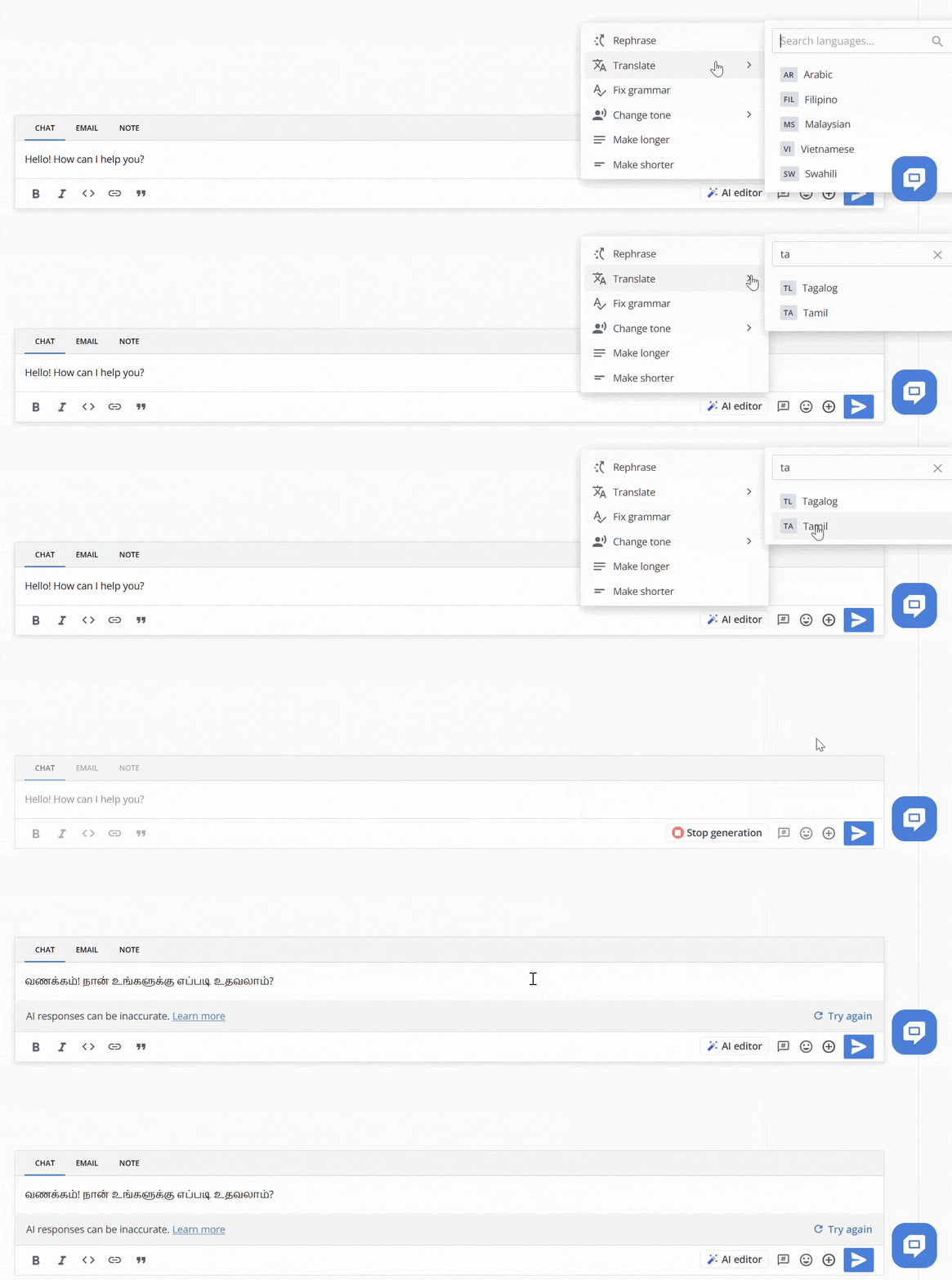
These new features are already waiting for you in your HelpCrunch account, so go and check them out for yourself ✨
Read Also
📱 Mobile cleanup: New chat search in apps & SDK stability
Our mobile stack just got a serious cleanup. Enjoy a brand-new chat search in the HelpCrunch Inbox apps, improved message reliability, and a load of SDK stability fixes.
🛠️ Custom domain for chat transcripts, new permissions, and more
Custom domain for chat transcripts, new block/unsubscribe permissions, open link settings for auto and manual messages, and a clipboard paste fix in Inbox. Check what's new!
🧠 AI Agents supercharged: Multi-source answers and enhanced accuracy
Our AI Agents just got a major upgrade: next-gen models, multi-source answer synthesis, and smarter conversation flows. Discover all the improvements.
