
Have you had a chance to look at the new Inbox permissions and more flexible widget customization options in our previous update? If not, it’s definitely worth a quick read. 😉
And while you’re catching up on all the updates, there’s one more nice improvement you might enjoy. If you care about customer communication, you will appreciate being able to resend emails with unseen chats from your own domain and manage the whole flow in one place.
📌 What’s changed
Previously, when a customer support chat remained unseen, you could automatically send an email with a reply notification from a default system domain helpcrunch-mail.com
Now you can choose your own domain, so these messages come directly from your brand.
Benefits for your business:
- Emails feel like part of your brand, not system messages;
- A custom domain helps reduce the risk of emails landing in spam;
- Customers are more likely to respond to a familiar sender;
- Fewer scattered settings and more control over notifications.
⚙️ How the settings are organized now
There are no longer separate settings for Resend if unseen and Reply notifications. They have been moved to a single page – Unseen chats.
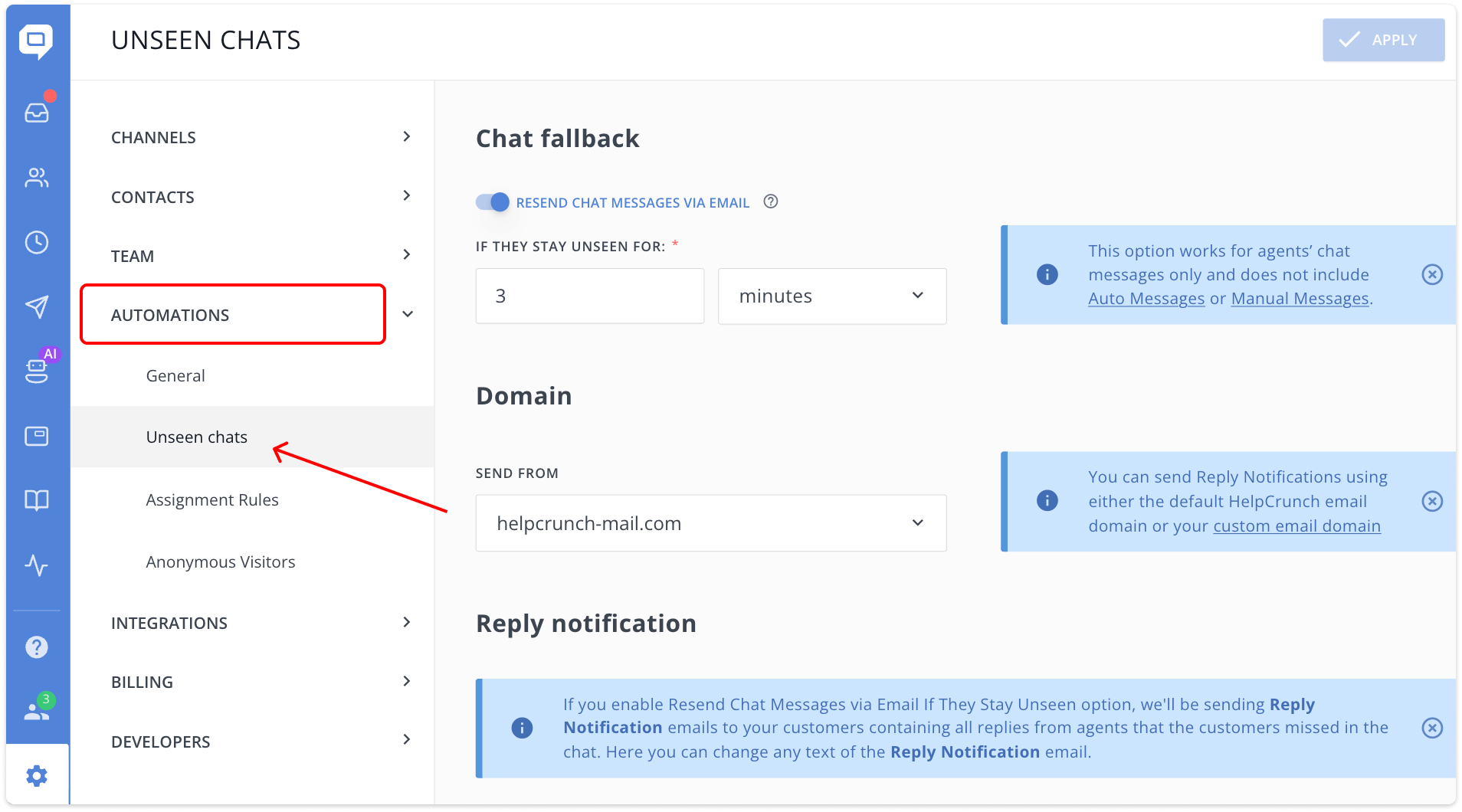
From there, you can:
- manage email reminders for unseen chat messages;
- choose the domain to send the email reminders from;
- edit the content of the Reply notification.
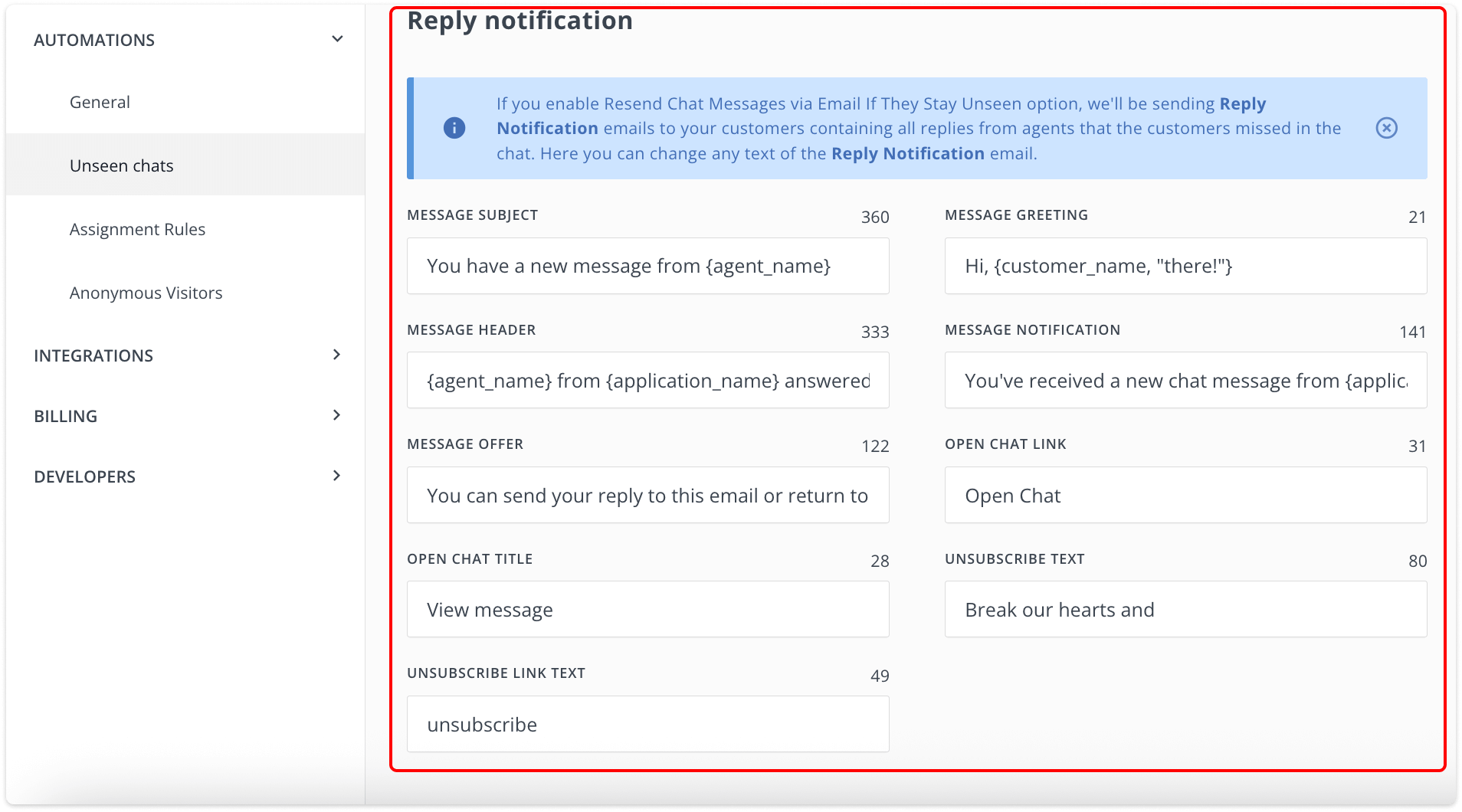
If this setup feels overwhelming, that’s totally okay. In this case, we’ve prepared a step-by-step guide with technical details in our knowledge base. You can check it here.
🌍 Another good update
Our AI Editor now supports two additional languages:
- Romanian
- Azerbaijani
So, hooray! This also means teams can support customers who communicate in Romanian or Azerbaijani using the AI Editor. Working in a familiar language leads to faster replies, fewer revisions, and a more consistent customer experience.
🤖 On the horizon
Before we wrap up, here’s a small sneak peek.
Our AI Agents are almost here.🤫The closed beta is coming to an end, and we are getting ready to reveal them to all of you. Stay tuned as more is to come very soon!
Read Also
📱 Mobile cleanup: New chat search in apps & SDK stability
Our mobile stack just got a serious cleanup. Enjoy a brand-new chat search in the HelpCrunch Inbox apps, improved message reliability, and a load of SDK stability fixes.
🛠️ Custom domain for chat transcripts, new permissions, and more
Custom domain for chat transcripts, new block/unsubscribe permissions, open link settings for auto and manual messages, and a clipboard paste fix in Inbox. Check what's new!
🧠 AI Agents supercharged: Multi-source answers and enhanced accuracy
Our AI Agents just got a major upgrade: next-gen models, multi-source answer synthesis, and smarter conversation flows. Discover all the improvements.
