
Haven’t finished exploring our supercharged AI Agents? Take your time, they absolutely deserve your attention!
We, on the other hand, couldn’t sit still. Spring is here, and so are some new updates. This one has something we know many of you have been waiting for: a custom domain for chat transcripts. Plus a few smaller additions that make your work just a little smoother.
Let’s get into it!
📨 Custom domain for chat transcripts
If you’ve been sending transcripts to your customers, you know they were sent from our default system domain helpcrunch-notification.com. Now your own domain can take that spot.
We’ve made it possible to choose a custom domain for chat transcripts, so when a customer receives one, it comes from a sender they recognize and trust. Additionally, all transcript settings have been moved to their own dedicated page.
Where can you find it? Now transcript settings are in Settings > Automations > Chat transcripts.
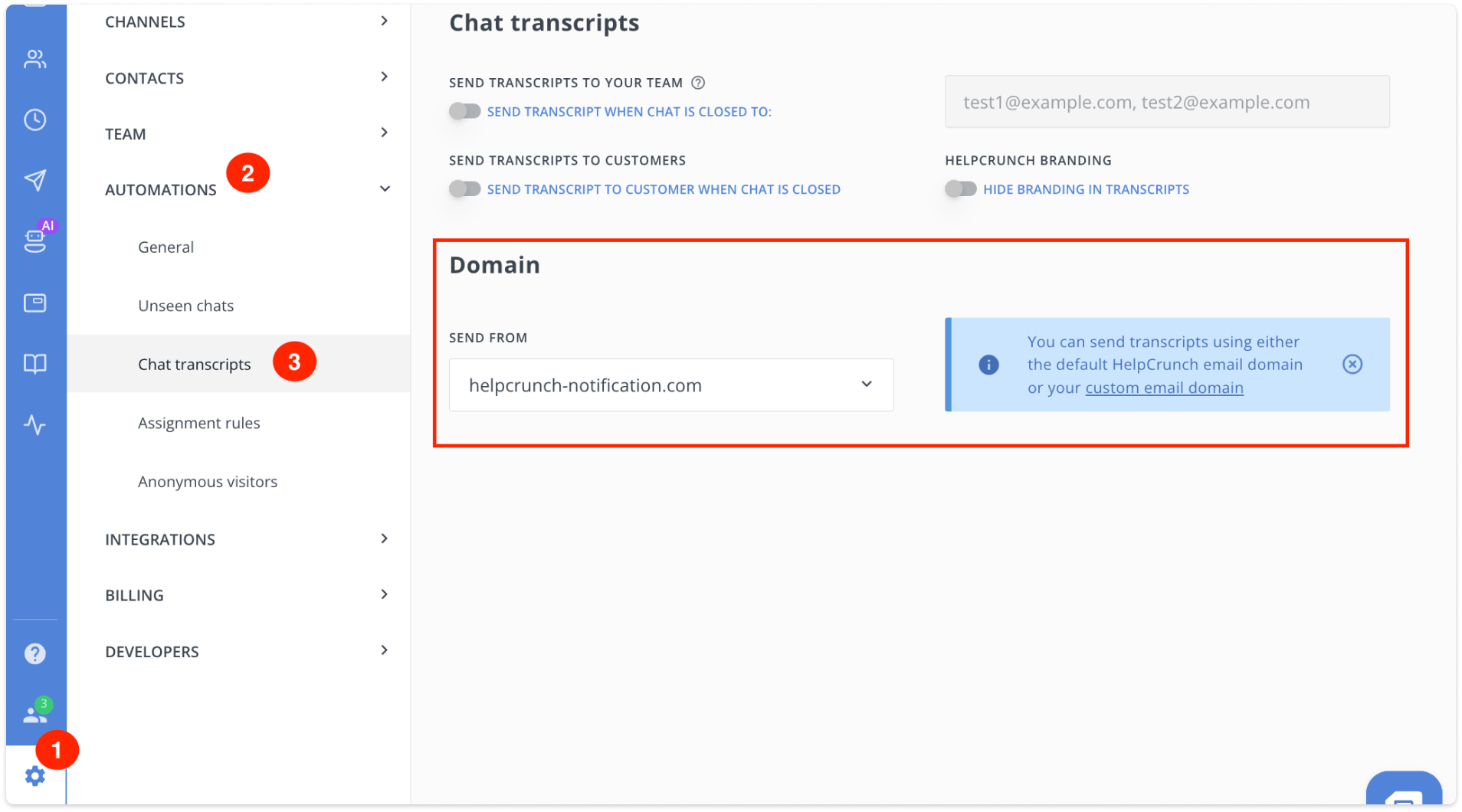
Here you can enable automatic sending to customers when a chat is closed, choose a custom domain, send transcripts to specific email addresses, and hide HelpCrunch branding (if available on your subscription plan).
The custom domain applies only to transcripts sent to customers. Transcripts sent to your team members continue to be delivered from the default HelpCrunch domain – no changes there.
For the full setup details, check out the Send conversation transcripts via email article in our knowledge base.
🚫 New permissions
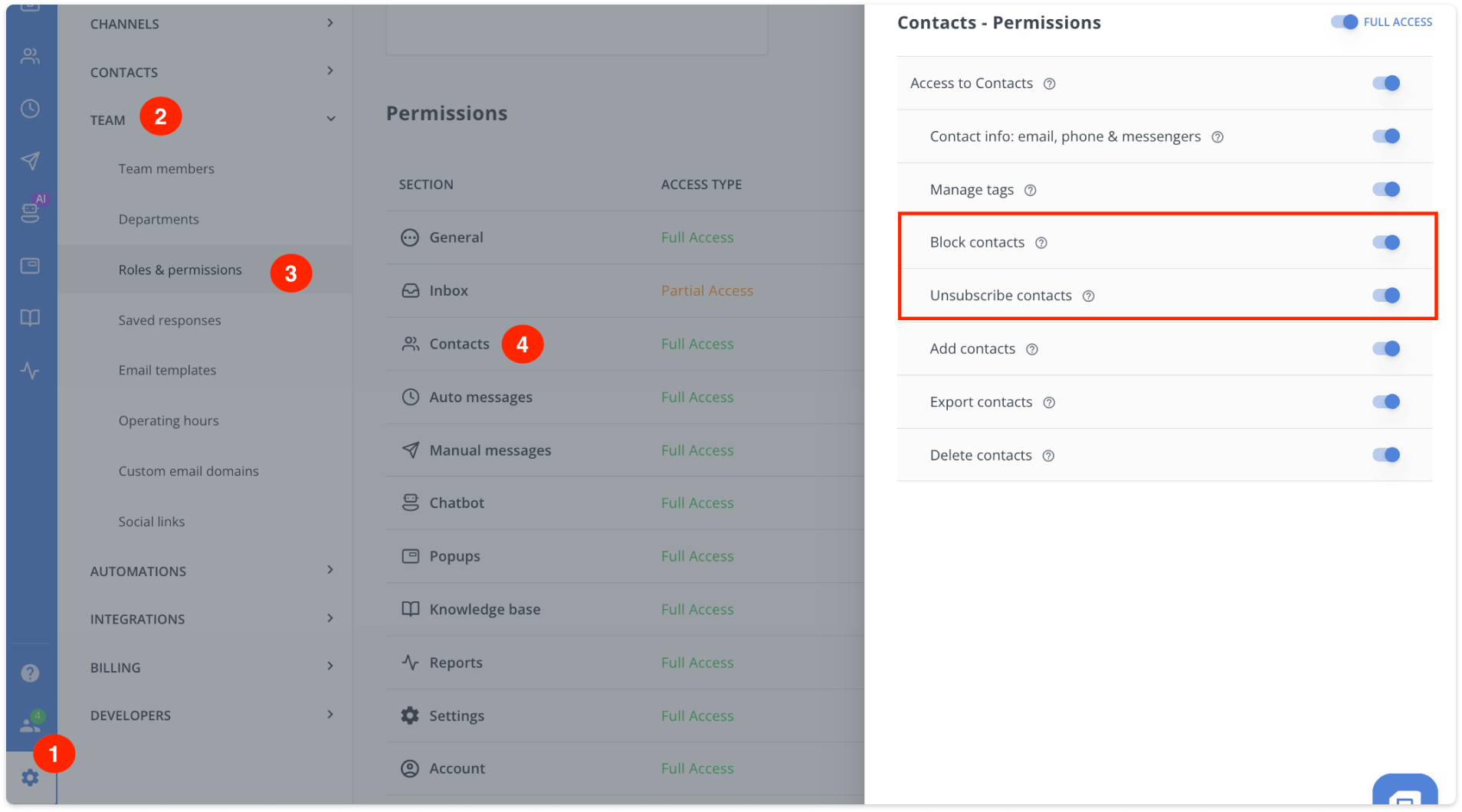
Two new permissions were added to the Contacts section in Roles & Permissions:
- Block contacts
- Unsubscribe contacts
With these, you can control which team members are allowed to block or unsubscribe contacts. The options show up both in the Contacts section:

and inside the Inbox:

If an agent’s role doesn’t include these permissions, the actions won’t be available.
You can find it in Settings > Team > Roles & Permissions > Contacts section.
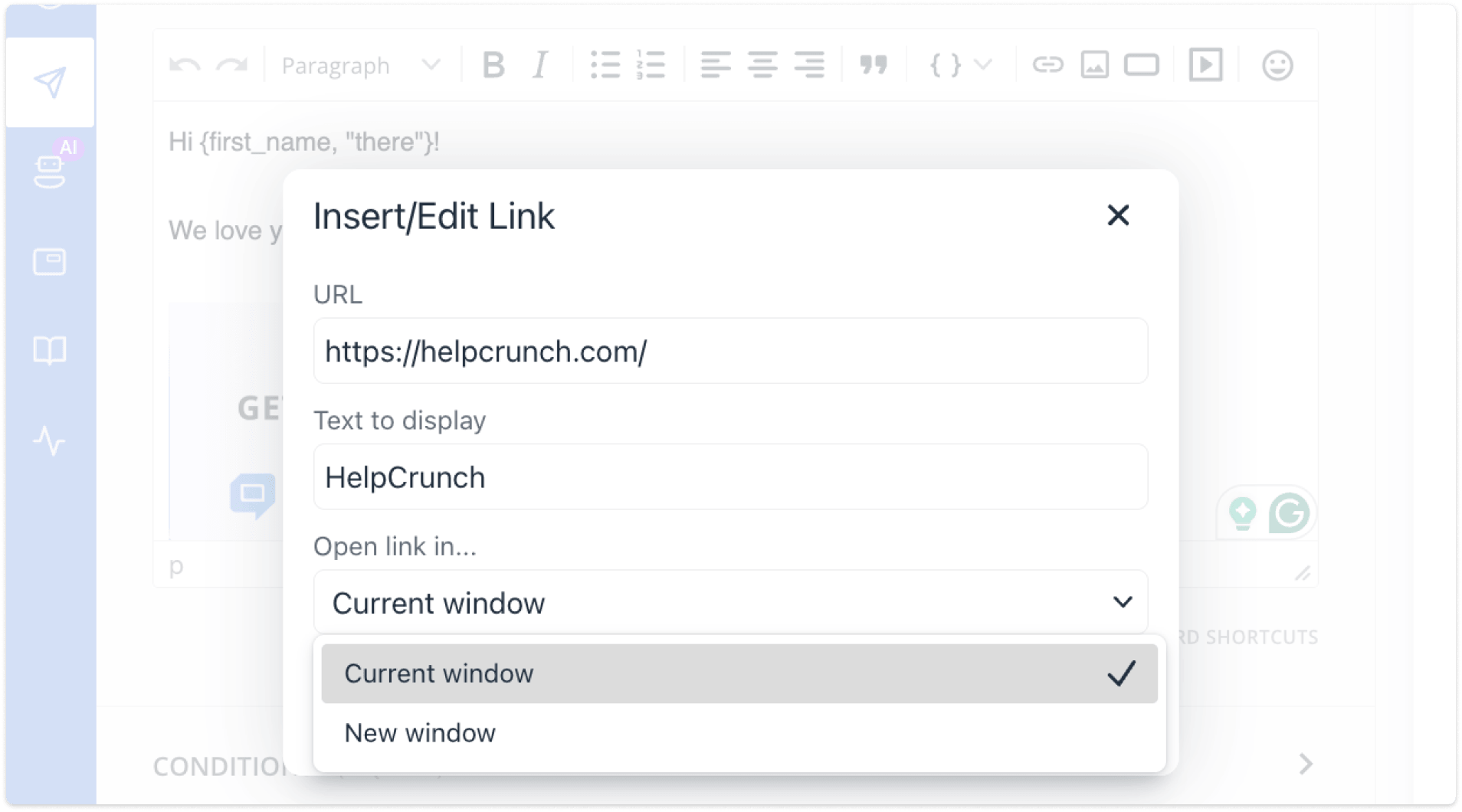
🔗 Open link settings for URLs in chat AM/MM
Knowledge base articles and Popups already had the “Open link in…” setting that lets you control whether a URL opens in a new tab or the same one. Now the same option has been added to chat Auto messages and Manual messages.
📋 Paste URLs from the clipboard into the message form
Here’s one of those small fixes that’s surprisingly satisfying once it works. Previously, if you copied formatted text containing a link from Notion, Google Docs, Word, or similar tools, including HelpCrunch itself, and pasted it into the Inbox message input, the hyperlink would get lost, leaving you with plain text.
Not anymore. Links from the clipboard now paste correctly into the message form, preserving the link you copied.
That’s the April 2026 roundup. Not a huge splash, but a solid set of improvements. As always, we’d love to hear what you think!
Read Also
🧠 AI Agents supercharged: Multi-source answers and enhanced accuracy
Our AI Agents just got a major upgrade: next-gen models, multi-source answer synthesis, and smarter conversation flows. Discover all the improvements.
🧭 Control first chat assignment, new Popups display rule and more
New routing control for first chat assignment, popup timing rules, and better KB paragraph formatting for readability.
🍁 Launch popups via JavaScript API, clickable phone number and more
Launch popups via JavaScript API, use hotkeys to mark chats read/unread, click to call users from their profiles, and smarter Assignment Rules.
